


Ubiquiti Cloud Gateway Ultra Review: Serious Network Control Without the Wi-Fi
The Cloud Gateway Ultra is the cheapest way into a complete UniFi network. It routes at 1 Gbps with intrusion prevention running, load balances and fails over across up to four WAN links, and hosts the UniFi Network application on the device itself, so there is no separate controller and no recurring fee to keep it working. The catch is deliberate: there is no Wi-Fi radio at all, so access points are a separate purchase, and the interface rewards people who enjoy networking rather than those who want a box that configures itself. For a large home or a small office already leaning on UniFi gear it is exceptional value; as a drop-in replacement for an all-in-one router it is the wrong shape.
- Large homes
- Small offices
- Home lab builders
- UniFi access point owners
Pros
- Runs the UniFi Network application on the device, with no separate controller and no subscription
- 1 Gbps routing with IDS/IPS, zone-based firewall, content filtering and ad blocking
- Multi-WAN load balancing and automatic failover across up to four WAN links
- Full VPN stack: WireGuard, OpenVPN, IPsec and L2TP, as both server and client
- Rated for 30+ managed UniFi devices and 300+ simultaneous clients
- Compact fanless case drawing just 6.2 W
- Dynamic routing with OSPF and BGP, unusual at this size
Cons
- No Wi-Fi radio, so access points are a separate purchase
- No PoE output, so powering an access point needs an injector or a switch
- Setup and tuning assume real networking knowledge, it is not plug-and-play
- Time-based access schedules and allowances are thinner than on mainstream consumer routers
- No USB port, so no network storage or media sharing
- LAN ports are Gigabit only, and there is no link aggregation
Who is the Ubiquiti Cloud Gateway Ultra for?
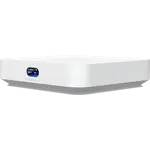
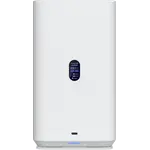
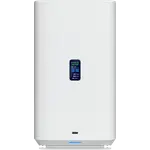
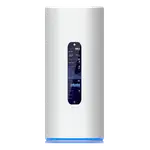
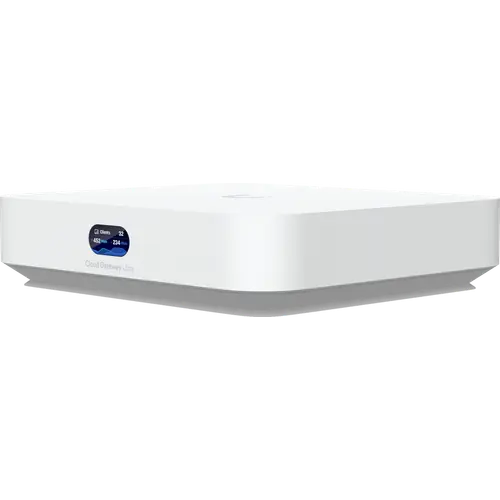
This is a wired gateway, not a router you unbox and forget. It sits between the modem and the rest of the network with one 2.5 GbE WAN port and four Gigabit LAN ports, runs the UniFi Network application locally, and becomes the brain that manages every other UniFi device you add. Ubiquiti rates it for more than 30 managed UniFi devices and more than 300 simultaneous clients, which puts it well past a typical household and squarely into large-home and small-office territory. Owners consistently describe the same two profiles: someone upgrading a house that has outgrown an ISP box, and someone running a business out of that same house who needs traffic properly separated. Several describe segmenting business, guest and entertainment traffic onto their own VLANs, then layering VPN access on top, all from one console.
What buyers love
Stability is the theme that comes up most. Owners report months of uninterrupted operation, snappy interfaces and no random drops, and the ones who arrived from consumer hardware single out how much more the console tells them about their own network. The security stack lands well: intrusion detection and prevention run at the gateway's full 1 Gbps rating, and the zone-based firewall, content filtering and ad blocking are included rather than gated behind a plan, which owners repeatedly contrast with subscription-based business gear. Multi-WAN is the other standout. One owner replaced a dedicated load balancer with it and found traffic stuck to the correct link instead of flapping, and another specifically praised that it fails back to the primary connection once it recovers, which their previous router never managed. The compact fanless case and its 6.2 W draw also get credit from people tucking it into a closet or rack.
What to know before you buy
The headline caveat is the missing radio. This gateway broadcasts nothing, so Wi-Fi means buying UniFi access points separately, and owners do flag it, including one who noted the unit has no PoE port to power the access point they had to buy alongside it. Budget for both. The second caveat is the learning curve. Onboarding through the mobile app over Bluetooth is genuinely quick, and plenty of owners were online in minutes, but the depth underneath is real: settings live in non-obvious places, and owners with no networking background describe needing help or a long evening to configure it properly, with support pointing them at documentation rather than walking them through it. Anyone who wants family-friendly controls should look closely too, since the time-based scheduling and allowance tools are thinner here than on mainstream consumer routers. There is also no USB port, so network storage and media sharing are jobs for something else, and no cellular modem inside for a mobile backup link.
Is the Ubiquiti Cloud Gateway Ultra worth it?
If the missing Wi-Fi is a design choice you actively want, this is remarkable value. You get enterprise-shaped routing, a proper firewall with intrusion prevention, VLAN segmentation, WireGuard, OpenVPN, IPsec and L2TP as both server and client, dynamic routing with OSPF and BGP, and a controller that costs nothing to keep running, in a box that draws less power than a light bulb. Owners coming from prosumer and business gear repeatedly point out that comparable capability elsewhere arrives with an annual licence attached. The honest counterweight is total cost and effort: add access points, budget the time to learn the console, and accept that a household wanting one box and simple parental controls is better served by a conventional all-in-one router.
Frequently asked questions
Does the Ubiquiti Cloud Gateway Ultra have Wi-Fi?
No. It is a wired gateway with one 2.5 GbE WAN port and four Gigabit LAN ports, and no radio of any kind. Wi-Fi comes from separate UniFi access points, which this gateway then manages from the same console. That split is the point of the product: it lets you place the radios where coverage is actually needed instead of wherever the modem happens to live.
Does it require a subscription?
No. The UniFi Network application runs on the gateway itself, so routing, the firewall, VLANs, content filtering, VPN and remote access all work with no recurring fee. Ubiquiti sells optional paid add-ons, including an enhanced threat-signature service and extended hardware coverage, but the gateway is fully functional without either.
How many devices can it handle?
Ubiquiti rates it for more than 30 managed UniFi devices and more than 300 simultaneous clients, with 1 Gbps of routing throughput while intrusion detection and prevention are active. That is comfortably beyond a typical household and enough for a small office.
Can it use a second internet connection as a backup?
Yes. It supports multi-WAN load balancing with automatic failover, and its Gigabit LAN ports can be reassigned as WAN for up to four connections in total. There is no cellular modem inside, so a mobile backup link needs Ubiquiti's separate LTE backup accessory or another router feeding one of the WAN ports.
Is the Cloud Gateway Ultra hard to set up?
First-time onboarding is handled by the mobile app over Bluetooth and many owners are online within minutes. The depth arrives afterwards: VLANs, firewall zones, traffic rules and VPN profiles are all available, and owners without a networking background consistently say the console takes real time to learn.
How is it powered?
Over USB-C, using the 5 V adapter included in the box, and it draws a maximum of 6.2 W. That makes it easy to put on a small UPS, though it also means the unit cannot power an access point over Ethernet.