Ubiquiti UniFi Dream Router 5G Max Review: A Wi-Fi 7 Cloud Gateway With Real 5G Inside
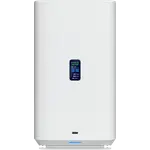
The UniFi Dream Router 5G Max is Ubiquiti's answer for homes and sites where the internet arrives over the air. It pairs tri-band Wi-Fi 7 (688 Mbps on 2.4 GHz, 4300 Mbps on 5 GHz, 5700 Mbps on 6 GHz) with a Sub-6 5G NR modem rated at 3.4 Gbps down and 650 Mbps up, so cellular can be the main connection rather than a slow last resort, and it still offers a 10G SFP+ WAN and a 2.5 GbE WAN for wired links with automatic failover between them. Around that sits the same software depth as the rest of the UniFi line: a stateful firewall, guest and IoT networks, WPA3, VPN client and server with WireGuard, OpenVPN and L2TP/IPsec, QoS, content blocking and management by web, mobile app, CLI or SNMP. It is a premium box, and what it is not is a media server or a smart home hub: there are no USB ports, no network storage features, and neither a Matter controller nor a Thread border router.
- Cellular-first internet
- WAN failover setups
- Wi-Fi 7 upgrades
- UniFi ecosystem owners
- Rural and remote sites
Pros
- Built-in Sub-6 5G NR modem rated at 3.4 Gbps down and 650 Mbps up
- Nano SIM and eSIM support
- Tri-band Wi-Fi 7 with MLO and WPA3
- 10G SFP+ WAN plus a 2.5 GbE WAN, with multi-WAN and automatic failover
- Three 2.5 GbE LAN ports
- Separate guest and IoT networks
- VPN client and server with WireGuard, OpenVPN and L2TP/IPsec, plus dynamic DNS
- Stateful firewall, QoS, content blocking and scheduled or instant internet pause
- Managed by web, iOS, Android, CLI and SNMP, with configuration backup and restore
- Rated for 300 or more connected devices
- Two year warranty when bought direct
Cons
- No USB ports, so no drive sharing, Samba, FTP, Time Machine or media serving
- No Thread border router and no Matter controller
- No LAN link aggregation
- No SMS sending or receiving on the cellular side
- No external cellular or Wi-Fi antenna connectors
- Mesh uses Ubiquiti's own standard rather than EasyMesh
- Access point mode is not documented
- Large and heavy at 250 mm tall and 1.4 kg, drawing up to 34.5 W
- Steeper learning curve than a consumer router
Who is the UniFi Dream Router 5G Max for?
It suits two households in particular. The first has no good wired option: rural properties, new builds waiting on fibre, cabins, workshops and temporary sites, where a full-speed 5G link is the internet rather than a stopgap. The second has a wired connection it cannot afford to lose, and wants cellular standing by as an automatic second WAN. In both cases the appeal is that the modem, the router, the Wi-Fi and the switch are one device with one management interface, instead of a cellular modem bolted onto a separate router. It is also a natural centre for a UniFi setup, since it runs the console that manages other UniFi gear, and it is rated for 300 or more simultaneously connected devices.
The 5G modem is the point
The cellular side is Sub-6 5G NR, with peak rates of 3.4 Gbps down and 650 Mbps up, which is the kind of figure that lets cellular serve as a primary connection instead of a degraded backup. It accepts a nano SIM or an eSIM, so a carrier plan can be provisioned without waiting for a physical card. On the routing side, multi-WAN and automatic failover mean the gateway can prioritise a wired link and hand traffic to the cellular connection when the wired one drops, then return when it recovers, without anyone touching a cable. Two things the modem does not do: there is no SMS sending or receiving, and there are no external cellular antenna connectors, so placement is how you improve a weak signal.
Wi-Fi 7 and wired performance
The radio is current-generation and tri-band: 688 Mbps on 2.4 GHz, 4300 Mbps on 5 GHz and 5700 Mbps on 6 GHz, with backward compatibility down through Wi-Fi 6E, Wi-Fi 6 and Wi-Fi 5. MLO is supported, which lets a Wi-Fi 7 client use more than one band at the same time rather than switching between them, for lower latency and steadier throughput, and WPA3 covers encryption. Antenna gain is rated at 8 dBi on 6 GHz, 5 dBi on 5 GHz and 4 dBi on 2.4 GHz, all internal, so nothing sticks out of the enclosure. On the wired side there is a 10G SFP+ WAN port, a 2.5 GbE WAN port and three 2.5 GbE LAN ports, which keeps the internal network clear of a gigabit bottleneck. Coverage can be extended with additional UniFi units over wireless meshing, using Ubiquiti's own mesh rather than the cross-vendor EasyMesh standard, so extenders have to come from the same ecosystem.
Software: where the price goes
Guest and IoT networks are built in, which is the practical way to keep smart plugs, cameras and speakers off the network holding your laptops. Parental controls cover scheduled internet pauses, an instant pause for a device or a group, and content blocking. The VPN feature set is unusually complete for a home gateway: it works as both client and server, with WireGuard, OpenVPN and L2TP/IPsec, plus dynamic DNS so remote access keeps working when the WAN address changes. Add a stateful firewall, QoS, configuration backup and restore, and management by web interface, iOS app, Android app, command line or SNMP, and it covers everything from casual administration to scripted monitoring.
What to know before you buy
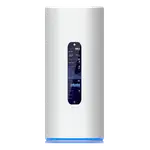
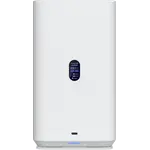
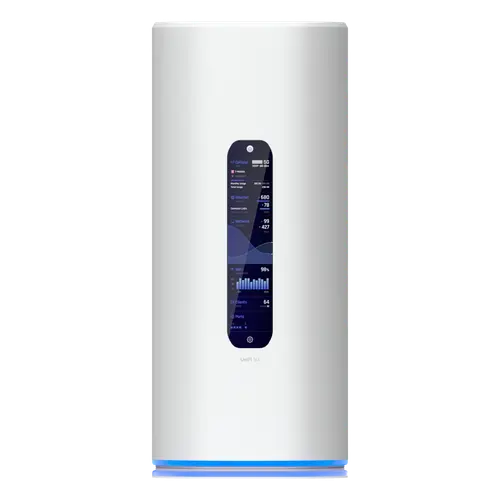
There are no USB ports at all, so no drive sharing over Samba or FTP, no Time Machine target and no media serving. It is not a smart home hub either: no Thread border router and no Matter controller, so those devices still need their own bridge. LAN link aggregation is not supported, PPTP is not offered on the VPN side (no great loss, since it is long obsolete), and access point mode is not documented, so plan on it being the router rather than an add-on radio behind an existing one. It is also a substantial object: 110 by 110 by 250 mm, 1.4 kg, and up to 34.5 W, so it needs a shelf and a socket rather than a spot behind the TV. Warranty is two years when bought direct from Ubiquiti.
Is the UniFi Dream Router 5G Max worth it?
It costs considerably more than the wired UniFi Dream Router 7, and the difference is almost entirely the 5G modem and the 10G SFP+ WAN. If your internet arrives over a cable and always will, the cheaper sibling has the same tri-band Wi-Fi 7 radio and the same software, and the money is better spent elsewhere. If cellular is your connection, or if an outage costs you real money, this consolidates a modem, a router, a switch and a Wi-Fi 7 access point into one console, and that is where it earns the premium. What it asks in return is patience: UniFi's management is deeper than a consumer router app, and there is more to learn here before it pays off.
Frequently asked questions
How fast is the 5G on the UniFi Dream Router 5G Max?
The modem is Sub-6 5G NR, rated at a peak of 3.4 Gbps downlink and 650 Mbps uplink. Real speeds depend on your carrier, your plan and the signal where the unit sits, since the antennas are internal and there are no external connectors.
Can it use cellular as a backup instead of the main connection?
Yes. It supports multi-WAN and automatic failover, and it has both a 10G SFP+ WAN port and a 2.5 GbE WAN port for wired links, so the cellular connection can be the primary internet or the standby that takes over when a wired WAN drops.
Does it take an eSIM?
Yes. It supports a nano SIM card and an eSIM, so a carrier plan can be activated without a physical card.
Does it work as a Matter or Thread hub?
No. It is neither a Matter controller nor a Thread border router, so smart home devices on those protocols still need their own bridge. It does provide a dedicated IoT network to keep them separated from the rest of the house.
How is it different from the UniFi Dream Router 7?
The tri-band Wi-Fi 7 radio and the UniFi software are the same. The Dream Router 5G Max adds the built-in Sub-6 5G modem and upgrades the SFP+ WAN port to 10G, in a taller chassis at a higher price.
Can I share a USB drive from it?
No. It has no USB ports, so there is no Samba or FTP sharing, no Time Machine backup target and no media serving.