

UniFi Dream Router 7 Review: Wi-Fi 7 and a Full UniFi Console in One Box
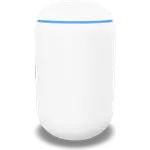
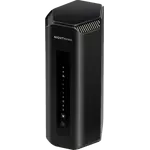
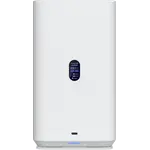
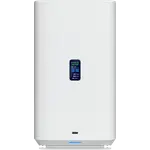
The UniFi Dream Router 7 is Ubiquiti's all-in-one for people who want enterprise-style networking at home: tri-band Wi-Fi 7 rated at 10.7 Gbps combined, MLO, WPA3, three 2.5 GbE LAN ports, a 2.5 GbE WAN plus an SFP+ WAN, and dual-WAN failover so a second connection takes over when the primary drops. Management is the real product, with a web interface, iOS and Android apps, CLI and SNMP access, a proper firewall, QoS, VPN client and server (WireGuard, OpenVPN and L2TP/IPsec), guest and IoT networks and content blocking. It handles 300+ devices. What it is not is a media or smart home hub: there are no USB ports, no network storage features and no Thread or Matter support.
- Wi-Fi 7 upgrades
- Homes wanting VLANs and a real firewall
- Dual WAN and failover setups
- UniFi ecosystem owners
Pros
- Tri-band Wi-Fi 7 rated at 10.7 Gbps combined, with MLO and WPA3
- Three 2.5 GbE LAN ports plus a 2.5 GbE WAN and an SFP+ WAN
- Dual WAN with automatic failover
- Full UniFi management: web, iOS, Android, CLI and SNMP
- VPN client and server with WireGuard, OpenVPN and L2TP/IPsec, plus DDNS
- Separate guest and IoT networks
- Firewall, QoS, speed tests and configuration backup and restore
- Parental controls with schedules, instant pause and content blocking
- Rated for 300+ connected devices
Cons
- No USB ports, so no drive sharing, Samba, FTP, Time Machine or media serving
- No Thread border router or Matter controller
- No LAN link aggregation
- No cellular backup option for WAN failover
- Mesh uses a proprietary standard rather than EasyMesh
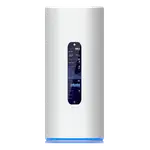
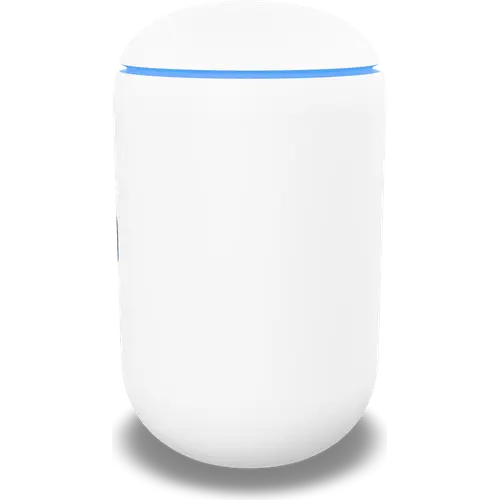
- Large and heavy at 184 mm tall and 1.1 kg, drawing 26 W
- One year warranty
- Steeper learning curve than a consumer router
Who is the UniFi Dream Router 7 for?
It is for the person who has outgrown a consumer router: someone who wants VLANs, an IoT network kept separate from the main one, per-device visibility and a firewall they can actually configure, without racking up separate boxes for routing, switching and Wi-Fi. It is also the natural centre of a UniFi setup, since it runs the console that manages other UniFi gear. Ubiquiti's management stack is deep, and that cuts both ways: there is more to learn here than in a typical router app, and more to gain once you have.
Wi-Fi and wired performance
The radio side is current-generation: Wi-Fi 7 across three bands, 688 Mbps on 2.4 GHz, 4300 Mbps on 5 GHz and 5700 Mbps on 6 GHz, for a 10.7 Gbps combined rating, with backward compatibility down through Wi-Fi 6E, 6 and 5. MLO is supported, which lets a Wi-Fi 7 client use more than one band at once for lower latency and steadier throughput, and WPA3 covers encryption. On the wired side there are three 2.5 GbE LAN ports, a 2.5 GbE WAN and an SFP+ WAN port for fibre or a 10 Gbps link, so the internal network is not bottlenecked at gigabit. Mesh is supported for extending coverage with additional UniFi units, using Ubiquiti's own protocol rather than the EasyMesh standard.
Software: where it earns its price
Guest and IoT networks are built in, which is the practical way to keep smart plugs and cameras off the network holding your laptops. Parental controls cover scheduled Wi-Fi pauses, instant pause and content blocking. The VPN feature set is unusually complete for a home router, working as both client and server with WireGuard, OpenVPN and L2TP/IPsec, plus dynamic DNS, so remote access to the house is straightforward. Add QoS, integrated speed tests, new-connection notifications and configuration backup and restore, and management by web, mobile app, command line or SNMP, and it covers everything from casual to scripted administration.
What to know before you buy
There are no USB ports at all, so no drive sharing over Samba or FTP, no Time Machine target and no media serving. It is not a smart home hub either: no Thread border router and no Matter controller, so those devices still need their own bridge. LAN link aggregation is not supported. Cellular backup is not available, so WAN failover requires a second wired connection. It draws 26 W and is a substantial cylinder at 184 mm tall and 1.1 kg, which is a consideration if it needs to sit on a shelf. Warranty is one year, and access point mode support is not documented.
Is the UniFi Dream Router 7 worth it?
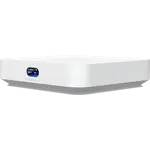
It is priced above mainstream Wi-Fi 7 routers, and the extra buys software depth rather than raw speed: the same tri-band radio appears in Ubiquiti's cheaper Express 7. Pay for this one if you want the extra 2.5 GbE ports, the SFP+ WAN, dual-WAN failover and a console that can manage the rest of a UniFi network. If you just want fast Wi-Fi in one box and a single LAN port is enough, the smaller model saves money without giving up the radio.
Frequently asked questions
Does the UniFi Dream Router 7 support Wi-Fi 7?
Yes, on three bands: 688 Mbps on 2.4 GHz, 4300 Mbps on 5 GHz and 5700 Mbps on 6 GHz, for a 10.7 Gbps combined rating, with MLO and WPA3. It is also backward compatible with Wi-Fi 6E, 6 and 5.
What ports does it have?
Five in total: a 2.5 GbE WAN port, an SFP+ WAN port, and three 2.5 GbE LAN ports. There are no USB ports and no link aggregation.
Can it run two internet connections?
Yes. Multi-WAN and automatic failover are supported, though only over wired connections, since there is no cellular backup.
Does it work as a Matter or Thread hub?
No. It is neither a Thread border router nor a Matter controller, so smart home devices using those protocols still need their own bridge.
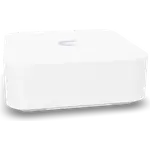
How is it different from the UniFi Express 7?
The radio is the same tri-band Wi-Fi 7. The Dream Router 7 adds three 2.5 GbE LAN ports instead of one, an SFP+ WAN port, and dual-WAN failover, in a larger chassis at a higher price.