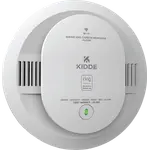
Winner
Price unavailable right now

Full Smart Smoke & CO Detectors comparison in 2026
New releases and the smart home news worth knowing, in your inbox.
No spam. Unsubscribe in one click.
| Feature | Google Nest Protect (Battery) | Google Nest Protect (Wired) | Winner |
|---|---|---|---|
| Rating | 4.4 | 4.6 | Google Nest Protect (Wired) |
| Warranty | 2 years | 2 years | Tie |
| Connectivity | 2.4 GHz WiFi, Bluetooth, Other | 2.4 GHz WiFi, Bluetooth, Other | Tie |
| Integrations | Google Home, Home Assistant | Google Home, Home Assistant | Tie |
| Screen | NO | NO | Tie |
| Sensors | Smoke, CO, Occupancy, Temperature, Humidity, Ambient Light, Motion | Smoke, CO, Occupancy, Temperature, Humidity, Ambient Light, Motion | Tie |
| Alerts | Fire Alerts, CO Alerts, Low Battery Alerts | Fire Alerts, CO Alerts, Low Battery Alerts | Tie |
| Built-in Siren | YES | YES | Tie |
| Built-in Light | YES | YES | Tie |
| Tests Itself | YES | YES | Tie |
| Pathlight | YES | YES | Tie |
| Steam Check | YES | YES | Tie |
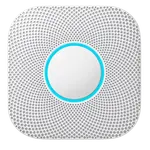
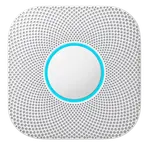
The Google Nest Protect (Battery) runs on six AA cells rated for about 2 years, so you replace a full set periodically. The Google Nest Protect (Wired) draws house power from existing alarm wiring and keeps 3 AA cells only as outage backup, so routine battery changes disappear.
The Google Nest Protect (Battery) goes on any ceiling with a couple of screws. The Google Nest Protect (Wired) needs an existing alarm circuit, and fitting it means working with mains power switched off at the breaker.
Sensors, alerts, self-testing, pathlight, Steam Check, wireless interconnection, Google Home and Home Assistant support, and the 2-year warranty are the same on both. At 379 g against 375 g, even the weight is effectively identical.
The Google Nest Protect (Battery) installs anywhere and gives you the exact same features.
The Google Nest Protect (Wired) uses the existing wiring for power, so you skip battery changes entirely.
The battery version needs no electrical work and comes down with you when you move.
On house power, the Google Nest Protect (Wired) only leans on its AA backup during outages.
Owners of both versions praise the same core: the spoken warning that names the room before the horn, phone alerts while away, the monthly self-test report, the pathlight and a fast install with a rotating mount. Both groups also share the same complaints: a high price, spoken room names limited to a fixed list, 2.4 GHz Wi-Fi only and no Alexa, HomeKit, SmartThings or Matter. Where they part is power. Google Nest Protect (Battery) owners warn that it needs specific lithium AA cells, that the low-battery warning can arrive abruptly and that old stock eats into its fixed lifespan. Google Nest Protect (Wired) owners single out the end of low-battery chirps, and their own gripe is that it only interconnects with other Nest Protects, not the wired alarms already in the house.
Only the power source. The Google Nest Protect (Wired) runs on house alarm wiring with 3 AA backup cells, and the Google Nest Protect (Battery) runs on six AA cells. Both detect smoke and carbon monoxide and share the same sensors, alerts, self-test, pathlight, Steam Check and smart home support.
The Google Nest Protect (Battery) for most homes, since it does everything the wired model does without needing an alarm circuit. The Google Nest Protect (Wired) is better where hardwired alarm wiring already exists, because it ends routine battery changes.
The Google Nest Protect (Battery) is rated for about 2 years on its six AA batteries, and owners note it needs specific lithium AA cells rather than alkaline or rechargeable ones. The Google Nest Protect (Wired) uses its 3 AA cells only as backup during power cuts.
The Google Nest Protect (Battery) takes six AA cells, and owners report it requires lithium AA batteries. The Google Nest Protect (Wired) holds three AA cells as backup for when house power fails.
No. Owners report the Google Nest Protect (Wired) only interconnects with other Nest Protects, which it does wirelessly. A home that wants every alarm to sound together needs a Nest Protect in each spot.
Spotted something wrong on this page? Tell us and we will fix it.
 Our store on AmazonShop our ideas on AmazonLists of the smart home setups we would put together ourselves, ready to add to your Amazon cart.Shop on Amazon
You are looking at two of them. The full table lines up all Smoke & CO Detectors in the catalog with the same specs, so you can filter by what you need and sort by price or rating.