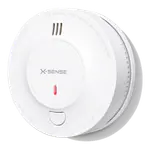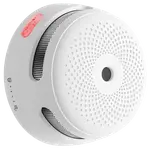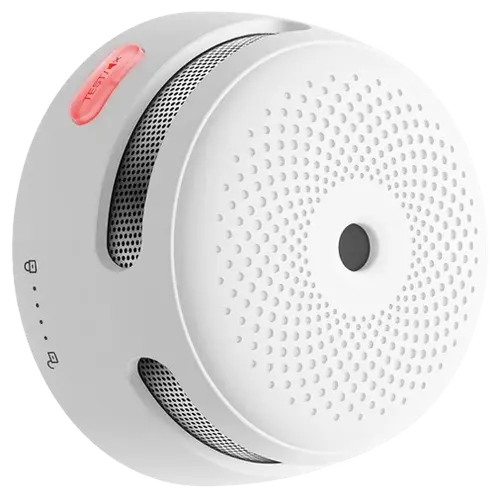







X-Sense Wi-Fi Smoke Alarm Review: Simple, Reliable Fire Protection with Phone Alerts
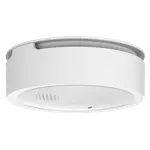
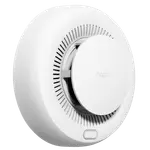
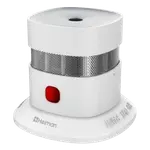
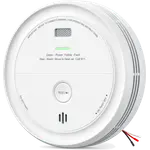
The X-Sense Wi-Fi Smoke Alarm is a straightforward, connected smoke detector for anyone who wants a phone alert the moment smoke is detected, without needing a hub or a broader smart home setup. Buyers consistently praise how quickly it pairs to WiFi and the app, and how solidly it is built. It is a single-purpose device, though: it has no carbon monoxide sensor, no voice-assistant platform integration (Alexa, Google Home, Apple HomeKit, SmartThings or Matter), and no automatic self-test, so shoppers wanting combined smoke and CO coverage or Alexa/Google Home control should look at a different model. Home Assistant users are the exception, since a community integration can read it from the X-Sense account.
- First-time smart smoke alarm buyers
- Rental and vacation properties
- Buyers who want simple phone alerts
- Non-English speaking households (with some app caveats)
One alarm per floor, plus one per bedroom.
Buy on Amazon ItalyPros
- Fast app and WiFi setup, no hub required
- Loud built-in siren and built-in light
- Solid build quality
- Replaceable battery
- Real-time phone alerts
- 5-year warranty
Cons
- No carbon monoxide sensor or CO alerts
- No voice-assistant integrations (no Alexa, Google Home, HomeKit, Matter); Home Assistant only via a community integration
- No automatic self-testing
- App available only in English for some buyers
Who is the X-Sense Wi-Fi Smoke Alarm for?
This alarm suits anyone who wants a straightforward, connected smoke detector without committing to a larger smart home ecosystem. Reviewers describe installing it in homes with wood stoves and fireplaces, in rental or hospitality properties, and as a general upgrade from older, disconnected smoke alarms. Its own app and WiFi connection is all it needs, with no separate hub or bridge required.
What buyers love
The most repeated praise is how easy the alarm is to install and connect: buyers describe downloading the X-Sense app, joining 2.4GHz WiFi, and being up and running within minutes, which matches the item's simple app-based pairing. The built-in siren and the fire alerts sent straight to a phone come up often, with reviewers calling out real-time notifications as reassuring when away from home. Build quality is another recurring theme, with buyers describing the unit as solid and well made, and the replaceable battery is noted as a practical plus over sealed, non-serviceable alarms.
What to know before you buy
This model detects smoke only: it has no carbon monoxide sensor and no CO alerts, so a separate CO detector is needed for that protection. It also has no voice-assistant integrations (no Google Home, Alexa, Apple HomeKit, Samsung SmartThings, or Matter), with Home Assistant the one exception through a community integration, and no automatic self-test feature, so owners need to run manual tests rather than relying on the device to check itself. A few buyers mention the companion app is only available in English, which can be a minor hurdle for some households, though the setup itself is simple enough to work around.
Is the X-Sense Wi-Fi Smoke Alarm worth it?
Backed by a 5-year warranty and consistently positive buyer feedback, this alarm delivers dependable core smoke protection with the added convenience of phone alerts, a loud built-in siren, and a built-in light, all without needing a hub. It is a solid value pick for anyone who wants a simple, connected upgrade over a basic smoke alarm, though buyers who need combined CO detection or voice-assistant platform integration (Home Assistant aside) should consider a different model.
Frequently asked questions
Does the X-Sense Wi-Fi Smoke Alarm also detect carbon monoxide?
No. According to its specifications this model detects smoke only, with no CO sensor and no CO alerts, so a separate carbon monoxide detector is needed for that protection.
Does it work with Alexa or Google Home?
No, it has no integrations with Alexa, Google Home, Apple HomeKit, Samsung SmartThings, or Matter. It connects to its own X-Sense app, and the one smart-home path is Home Assistant through a community integration.
Do I need a hub to set it up?
No hub is required. It connects directly over 2.4GHz WiFi and pairs with the X-Sense app.
Does the battery need to be replaced?
Yes, it uses a replaceable CR123A battery and sends low-battery alerts through the app so you know before it needs changing.
Does the alarm test itself automatically?
No, it does not have an automatic self-test feature, so it should be tested manually on a regular basis.