Winner

6% OFF
$468.23
$499.00

Full Smart Speakers comparison in 2026

New releases and the smart home news worth knowing, in your inbox.
No spam. Unsubscribe in one click.
| Feature | Sonos Beam (Gen 2) | Sonos Sub Mini | Winner |
|---|---|---|---|
| Price | $468.23 | $497.00 | Sonos Beam (Gen 2) |
| Rating | 4.4 | 4.6 | Sonos Sub Mini |
| Connectivity | 2.4 GHz WiFi, Ethernet | 2.4 GHz WiFi, 5 GHz WiFi, Ethernet | Sonos Sub Mini |
| Integrations | Google Home, Alexa, Apple HomeKit, Samsung SmartThings, Home Assistant | Home Assistant | Sonos Beam (Gen 2) |
| Voice Assistant | Google Assistant, Amazon Alexa, Sonos Voice Control | None | Sonos Beam (Gen 2) |
| Warranty | 1 year | 1 year | Tie |
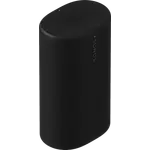
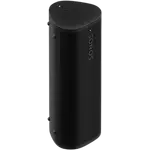
The Sonos Beam (Gen 2) is the better standalone purchase, since it is a full soundbar with three voice assistant options and support for Google Home, Apple HomeKit and Home Assistant. The Sonos Sub Mini cannot be used on its own at all, so it only makes sense as an addition to a Sonos soundbar or speaker you already own.
One plays everything, the other plays only bass. The Sonos Beam (Gen 2) reproduces the full range for TV and music and has microphones for voice control. The Sonos Sub Mini is a dedicated wireless subwoofer with dual force-cancelling woofers, no microphone, no voice assistant and no controls on the unit.
You do not need it, but it is the most common upgrade. The Sonos Beam (Gen 2) intentionally rolls off deep low bass because of its compact cabinet, so adding the Sonos Sub Mini fills in the bottom end and frees the Beam to focus on mids and highs, which makes dialogue and music cleaner.
The Sonos Sub Mini supports both 2.4GHz and 5GHz Wi-Fi and has an Ethernet port, while the Sonos Beam (Gen 2) is limited to 2.4GHz Wi-Fi but also includes Ethernet. Neither has Bluetooth, so both rely on your network or AirPlay 2, and the Sub Mini pairs to its host speaker through the Sonos app.
Buy the Sonos Beam (Gen 2) if you want a compact soundbar for a small or mid-sized room, with clear dialogue, wall mounting, TV remote sync, three voice assistant options and Google Home, HomeKit and Home Assistant support. It is the foundation you can expand later with a Sub and rear speakers.
Buy the Sonos Sub Mini if you already run a Sonos soundbar or speaker and want noticeably deeper bass without the size or price of the full Sonos Sub. It connects wirelessly with only a power cable, suits small and mid-sized rooms, and delivers bass that rivals the larger Sub in that space.
 Our store on AmazonShop our ideas on AmazonLists of the smart home setups we would put together ourselves, ready to add to your Amazon cart.Shop on Amazon
You are looking at two of them. The full table lines up all Speakers in the catalog with the same specs, so you can filter by what you need and sort by price or rating.