


Sonos Beam Ultra Review: True Dolby Atmos From a Compact Soundbar
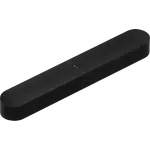
The Sonos Beam Ultra is the compact soundbar to consider when you want real 7.1.2 Dolby Atmos and clear dialogue without giving up much shelf space. Its nine drivers, two of them up-firing, plus Trueplay room tuning deliver height and width that most bars this size cannot, and it can grow with a Sub and rear surrounds. The trade-offs are its premium price, the adapters needed for wired networking and line-in, and a built-in assistant list limited to Sonos Voice Control. For a small or mid-size room where a full separates system is too much, it is a convincing one-box upgrade.
- Small and mid-size living rooms
- Movie and Dolby Atmos fans
- Sonos multi-room households
- Anyone who wants one compact bar
Pros
- True 7.1.2 Dolby Atmos from nine drivers, with two dedicated up-firing channels
- Compact 750 mm cabinet that fits under most TVs
- AI Speech Enhancement with four levels and a Night Sound mode
- Trueplay room tuning from iOS and Android
- Wi-Fi 6 on 2.4 and 5 GHz, Bluetooth 5.3, HDMI eARC and AirPlay 2
- Sonos Voice Control plus a physical microphone switch
- Grows into a full system with a Sub and rear surrounds
Cons
- Dolby Atmos needs a TV with HDMI ARC or eARC and Atmos content
- Ethernet and 3.5 mm line-in require Sonos adapters sold separately
- The wall mount is sold separately and is not shared with other Beam mounts
- No 6 GHz Wi-Fi, and no Zigbee, Thread or Matter hub role
- Built-in voice control is limited to Sonos Voice Control
- Premium price for a compact bar
Who is the Sonos Beam Ultra for?
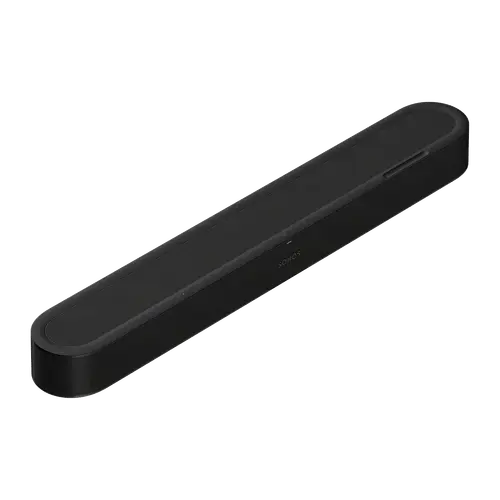
The Beam Ultra is built for a TV in a small or mid-size room where a full receiver and speaker set would take over the space. At 750 mm wide and 65 mm tall it sits under most televisions or on a media console, and its up-firing drivers are designed to bounce height effects off the ceiling. It also suits a Sonos household that wants one bar now and a surround system later, because it bonds with a Sub and rear speakers through the Sonos app. It is less suited to someone who wants a large cinema room, where the wider Arc Ultra has more drivers and a bigger cabinet.
What the Beam Ultra offers
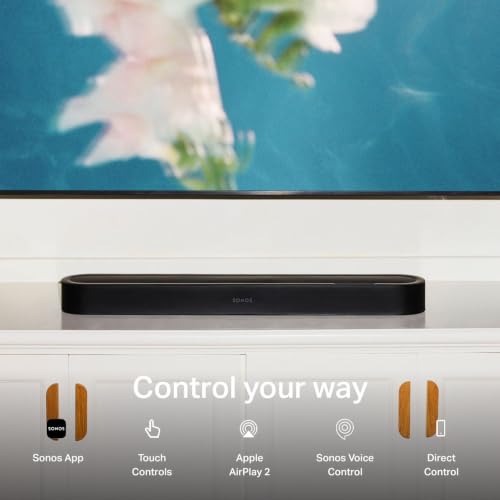
Inside the cabinet are nine Class-D amplifiers driving five tweeters and four low-profile woofers, including two dedicated up-firing tweeters for true 7.1.2 Dolby Atmos. AI Speech Enhancement offers four levels of dialogue clarity, Night Sound tames loud effects for late viewing, and Trueplay measures the room and tunes the output. Connectivity covers Wi-Fi 6 on 2.4 and 5 GHz, Bluetooth 5.3, HDMI eARC and AirPlay 2. Sonos Voice Control is built in, there is a physical microphone switch on the back, and the capacitive top panel handles play, pause, skip and volume. The included HDMI cable and the TV's own remote complete a two-cable setup.
What to know before you buy
Dolby Atmos needs a TV with HDMI ARC or eARC and Atmos-encoded content, and older TVs without ARC need a separately sold optical adapter. Wired networking runs through the USB-C port with the Sonos Combo Adapter, and a 3.5 mm source needs the Sonos Line-In Adapter; both are sold separately. The wall mount is also a separate purchase and is specific to this bar, not shared with earlier Beam mounts. The radio set stops at Wi-Fi 6, Bluetooth 5.3 and AirPlay 2: there is no 6 GHz band and no Zigbee, Thread or Matter hub role. Built-in voice control is limited to Sonos Voice Control, and the bar carries a premium price for its size.
Is the Beam Ultra worth it?
The value case rests on how much sound and system flexibility Sonos fits into a compact bar. True 7.1.2 Atmos, room tuning and the option to add a Sub and surrounds put it a step above a basic soundbar, and the Wi-Fi 6 radio and Bluetooth 5.3 keep it current. If the priority is the lowest price or the smallest possible bar, the Beam (Gen 2) and Ray remain in the line-up. If the room is large and the budget is not the constraint, the Arc Ultra is the stronger cinema bar. The Beam Ultra sits between them as the compact Atmos choice.
Frequently asked questions
Does the Sonos Beam Ultra support Dolby Atmos?
Yes. It renders true 7.1.2 Dolby Atmos through nine drivers, including two up-firing tweeters, when the TV is connected over HDMI ARC or eARC and the content is Atmos-encoded.
Which voice assistants work with the Beam Ultra?
Sonos Voice Control is built in. The bar can also be controlled by an Amazon Echo or a Google Assistant device with the Sonos skill enabled, and AirPlay 2 handles streaming from Apple devices.
Can I add a subwoofer and rear speakers?
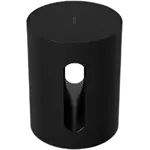
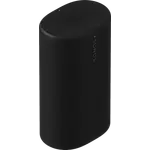
Yes. The Sonos app lets you add a Sonos Sub or Sub Mini and a pair of rear surrounds, including Era 100 speakers or portable Sonos Play and Move 2 speakers, to build a full home theater system.
What connections does the Beam Ultra have?
It has HDMI eARC/ARC, Wi-Fi 6 on 2.4 and 5 GHz, Bluetooth 5.3 and AirPlay 2. Ethernet and a 3.5 mm analog input are available through separately sold Sonos adapters.
Does the Beam Ultra come with a remote?
No. It is controlled with the TV remote you already use, the Sonos app, touch controls on top of the bar, or Sonos Voice Control.
Does the Beam Ultra have a microphone switch?
Yes. A physical switch on the back disconnects power to the microphones, and a separate voice services button turns voice control on or off without affecting Trueplay tuning.