

Sonos Sub Mini Review: Compact Bass That Rivals the Full-Size Sonos Sub
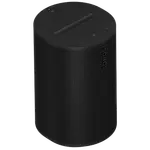
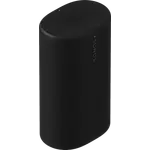
The Sonos Sub Mini is a wireless subwoofer built to add low-end depth to an existing Sonos soundbar or speaker, and buyers overwhelmingly confirm it delivers surprisingly powerful, room-filling bass for its smaller, more affordable footprint compared to the standard Sonos Sub. Paired most often with a Beam, Arc or Five, it connects wirelessly over Wi-Fi with no extra cables beyond power, and most owners describe setup through the Sonos app as quick once they locate the required pairing code. The recurring friction points are a hard-to-read setup code on the unit itself and scattered reports of units that failed to connect out of the box. For anyone already running a Sonos soundbar or speaker system who wants noticeably deeper bass without the size or cost of the full Sub, it is a strong addition.
- Sonos soundbar owners (Beam, Arc, Ray)
- Small to mid-size rooms wanting deeper bass
- Buyers who want Sub-like bass at a lower price
- Wireless home theater setups
Pros
- Deep, room-filling bass that rivals the larger Sonos Sub
- Force-canceling dual woofers avoid buzzing or muddy bass
- Fully wireless integration with an existing Sonos system
- Frees up the paired soundbar or speaker for cleaner mids and highs
- More affordable and compact than the full-size Sonos Sub
Cons
- Pairing code on the unit is small and hard to read during setup
- Some owners received units that failed to connect out of the box
- No Bluetooth or built-in voice assistant
- No microphone, since it is a subwoofer rather than a smart speaker
- Premium price relative to non-Sonos subwoofer alternatives
Who is the Sonos Sub Mini for?
The Sub Mini is built for owners of a Sonos soundbar or speaker, such as the Beam, Arc, Ray or Five, who want to add real low-end bass without stepping up to the larger, pricier Sonos Sub. Reviewers commonly describe pairing it with a home theater setup for movies and gaming, or with music-focused speakers for a fuller sound, and several specifically chose it over the full-size Sub because their room was small or medium sized. It connects wirelessly over 2.4GHz and 5GHz Wi-Fi with a wired ethernet option, and integrates with Apple devices via AirPlay 2 and with Home Assistant.
What buyers love
The dominant theme is how much bass the Sub Mini produces relative to its compact size, with reviewers consistently surprised that it rivals the output of the larger Sonos Sub at a lower price. Owners praise the force-canceling dual-woofer design for delivering clean, deep bass without buzzing or muddiness, and many highlight that it frees up the paired soundbar or speaker to focus on mids and highs, resulting in a more balanced overall sound. Wireless integration with no extra cabling beyond power is called out as a genuine convenience, and the automatic crossover tuning through the Sonos app means most owners do not need to manually configure the sound.
What to know before you buy
The most common complaint is the initial setup process: several buyers struggled to locate or read the small, low-contrast pairing code printed on the unit, which is required to add it to the Sonos app via a phone tap. A smaller number of owners received units that would not connect to their network at all and required a replacement. A few reviewers also mention the device failing after roughly a year of use. The Sub Mini has no Bluetooth, no built-in voice assistant, and no microphone of its own, since it is designed purely as a wireless subwoofer companion rather than a standalone smart speaker.
Is the Sonos Sub Mini worth it?
For Sonos owners looking to add real bass depth to a soundbar or speaker setup, buyer sentiment is strongly positive: most describe the improvement as transformative for movies and music alike, and many explicitly recommend it over the larger Sub for small to mid-size rooms given the price difference. The main risk is a rough first setup, so it helps to know in advance that the pairing code sits in a hard-to-spot location on the unit. Once running, it is widely considered one of the better value additions in the Sonos catalog.
Frequently asked questions
Does the Sonos Sub Mini work with Bluetooth?
No, it connects only over Wi-Fi (or wired ethernet) as part of a Sonos system, it does not have Bluetooth.
Which Sonos speakers can the Sub Mini pair with?
Buyers commonly pair it with soundbars like the Beam, Arc and Ray, as well as standalone speakers such as the Five and Era models, to add low-end bass.
Is the Sonos Sub Mini as powerful as the full-size Sonos Sub?
Many reviewers who own both report the Sub Mini gets surprisingly close to the full Sub's bass output for small to mid-size rooms, at a lower price and smaller footprint.
Does the Sonos Sub Mini have a voice assistant or microphone?
No, it has no built-in microphone or voice assistant since it functions purely as a wireless subwoofer for an existing Sonos system.
Is the Sonos Sub Mini hard to set up?
Most owners describe setup through the Sonos app as quick, though a common sticking point is locating the small pairing code printed on the unit itself.