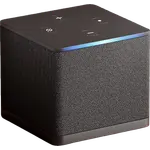
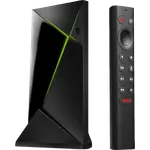
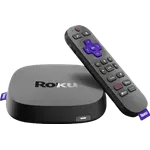
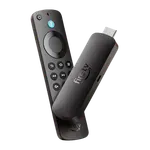
Side-by-side comparison · Updated for 2026

Best Streaming Devices Compared in 2026

Compare streaming devices by HDR format, Dolby Atmos, Wi-Fi, Ethernet, AirPlay and Google Cast, remote, voice assistant and smart home hub.

As an Amazon Associate I earn from qualifying purchasesIndependent · Not sponsored
10
Products
5
Brands
52%
Top discount
  • Basic Information
  • Rating
  • Reviews
  • Launch Year
  • Warranty
  • Model
  • Company
  • Brand
  • Headquarters
  • Size & Materials
  • Dimensions
  • Weight
  • Hardware
  • Form Factor
  • Operating System
  • Storage
  • Audio & Video
  • Max Resolution
  • HDR10
  • HDR10+
  • Dolby Vision
  • HLG
  • AI Upscaling
  • Dolby Atmos
  • Connectivity
  • 2.4 GHz WiFi
  • 5 GHz WiFi
  • 6 GHz WiFi
  • Ethernet
  • Bluetooth
  • USB
  • Integrations
  • Google Home
  • Alexa
  • Apple HomeKit
  • Samsung SmartThings
  • Home Assistant
  • Matter
  • Smart Home Hub
  • Matter Controller
  • Thread Border Router
  • Casting
  • AirPlay
  • Google Cast
  • Screen Mirroring (Miracast)
  • Remote
  • Voice Remote
  • TV Controls
  • Backlit Buttons
  • Rechargeable Remote
  • Remote Finder
  • Programmable Buttons
  • Voice Control
  • Voice Assistant
  • Hands-Free Voice
  • Features
  • Game Controller Support

No results

Deals by email

The best smart home deals, by email

We follow prices across the catalog and email you the best deals we find.

Smart home deals and news, straight to your inbox

Price drops, new releases and the smart home news worth knowing.

No spam. Unsubscribe in one click.

Your subscription could not be saved. Please try again.
Please enter a valid email address.
Tick the box above to finish signing up.
We couldn't verify you're human. Please try again.
Too many attempts. Please try again in an hour.
Your subscription has been successful.
Popular filters

Popular Filters

Quick shortcuts to compare products.

Dolby Vision
Streaming Devices with
Dolby Vision
Ethernet Port
Streaming Devices with
Ethernet Port
Bluetooth Support
Streaming Devices with
Bluetooth Support
Google Home Integration
Streaming Devices with
Google Home Integration
Alexa Integration
Streaming Devices with
Alexa Integration
Home Assistant Integration
Streaming Devices with
Home Assistant Integration
Buying guide

How to choose Streaming Devices

A streaming device turns any TV into a smart TV, and replaces a sluggish built-in one with something faster that keeps getting updates. Every model plays Netflix, YouTube and Prime Video, so the differences that matter are elsewhere: which HDR formats it passes to your TV, how it connects to the network, which phones can cast to it, how good the remote is, and whether it doubles as the hub of your smart home.

Start with the platform

The Operating System decides more than the hardware. tvOS (Apple TV) is fast, ad-light and built around AirPlay and Apple's services. Google TV aggregates every service into one home screen and is the only platform with Google Cast built in. Fire OS and the newer Vega OS put Alexa, Prime Video and Amazon's ads front and center. Roku OS is the simplest and the most neutral, with a free live TV guide and support for AirPlay, Alexa, Google and Apple Home at once.

Pick the one that matches the phones and the voice assistant already in your home: the casting, the voice commands and the smart home controls all follow from it.

Picture and sound: check the HDR formats

A 4K TV only shows its best with HDR, and there are four formats:

  • HDR10 is the baseline every HDR TV and every 4K streamer supports.
  • Dolby Vision is what Netflix, Disney+, Apple TV+ and Max use for most of their HDR catalog. It is the one to insist on if your TV is an LG, Sony, TCL, Hisense or Vizio.
  • HDR10+ is the dynamic format Samsung TVs support instead of Dolby Vision, and Prime Video's choice.
  • HLG is for live broadcasts and sports.

The best devices carry all four, so they adapt to whatever TV they end up on. Budget sticks sometimes drop Dolby Vision, which is worth checking before you buy. AI Upscaling sharpens HD content (old shows, YouTube, live TV) for a 4K screen, and is rare outside premium boxes.

For sound, Dolby Atmos passes height effects to a compatible soundbar or receiver. If you have one, make sure the streamer supports it.

Stick or box

The Form Factor is a trade-off. A stick hides behind the TV, costs less and moves easily to another room or a hotel. A box has room for a faster chip, more Storage, cooling, and ports: an Ethernet jack and often USB. Boxes stay responsive for longer, and their storage leaves room for games and app updates.

Network: Wi-Fi bands and Ethernet

4K HDR streams need around 15 to 25 Mbps of steady bandwidth. 5 GHz WiFi handles that in most homes; 6 GHz WiFi (Wi-Fi 6E) avoids the congestion of crowded apartment buildings if your router broadcasts it. Nothing beats Ethernet, though: if there is a network jack near the TV, a device with a wired port removes buffering for good. Some sticks accept an optional USB Ethernet adapter.

Casting from your phone

Casting is how most people play a video from their phone on the TV:

  • AirPlay sends video and mirrors the screen from an iPhone, iPad or Mac. Apple TV has it, and so do Roku devices.
  • Google Cast works from the cast button in thousands of Android, iPhone and Chrome apps. It is native on Google TV devices.
  • Screen Mirroring (Miracast) mirrors a Windows PC or an Android phone with no app involved. Fire TV and Roku support it.

A home with both iPhones and Android phones gets the most out of a device that supports more than one.

The remote

You touch the remote more than anything else. A Voice Remote is standard now; TV Controls (power, volume, input) let you put the TV's own remote away. A Rechargeable Remote ends the AAA batteries, Backlit Buttons help in a dark room, Programmable Buttons put your favorite app one press away, and a Remote Finder makes it ring when it slips under the cushions.

Voice control and the smart home

The Voice Assistant follows the platform: Siri on Apple TV, Gemini or Google Assistant on Google TV, Alexa on Fire TV, Roku Voice on Roku. With Hands-Free Voice, the device listens from across the room like a smart speaker, without picking up the remote.

A streaming device is also always on, always plugged in and usually in the middle of the house, which makes it a good smart home hub. A Matter Controller keeps your Matter devices and their automations running when your phone is away, and a Thread Border Router connects Thread sensors, locks and bulbs to the network. Apple TV and the Google TV Streamer do both. Fire TV and Roku devices act as clients instead: they show your Cameras and Doorbells on the TV and respond to Alexa, Google Home or Apple Home commands, but do not run the home.

If you are building around one ecosystem, pair the streamer with a matching Voice Assistant speaker and the Hubs you already use. On the TV, the integrations block tells you which apps can turn it on, pause it or launch an app.

Gaming

Most platforms pair Bluetooth controllers (Game Controller Support) for their app store games and for cloud gaming services. Apple TV has Apple Arcade, and premium Android TV boxes double as capable cloud gaming and emulation machines. If games matter, favor a box with more storage and Ethernet.

Frequently Asked Questions

Do I need a streaming device if I already have a smart TV?

Not always, but it often helps. Built-in TV platforms stop getting updates after a few years and run on slow chips, while a streaming device is cheap to replace and usually faster. It can also add Dolby Vision, AirPlay or Google Cast that your TV lacks, and a better Voice Remote.

Which HDR format should my streaming device support?

Match it to your TV. LG, Sony, TCL, Hisense and Vizio TVs support Dolby Vision, which most streaming services use; Samsung TVs support HDR10+ instead. A device that supports HDR10, HDR10+, Dolby Vision and HLG works at its best on any TV.

Is a streaming stick or a streaming box better?

A stick is cheaper, hides behind the TV and is easy to take traveling. A box usually adds an Ethernet port, USB and more Storage, and its faster chip stays responsive for longer. If your TV is near a network jack or you play games, a box is worth the extra cost.

Can a streaming device be a smart home hub?

Some can. Apple TV and the Google TV Streamer are both a Matter Controller and a Thread Border Router, so they run Matter devices and automations for Apple Home and Google Home. Most sticks are only clients: they show cameras and respond to voice commands but cannot act as the hub.

Can I cast from an iPhone to a Fire TV or Google TV device?

To a Google TV device, yes, from any app with a cast button, thanks to Google Cast. Fire TV supports neither AirPlay nor Google Cast natively, so an iPhone needs a third-party app. Roku and Apple TV support AirPlay directly.

Do I need Wi-Fi 6E or Ethernet for 4K streaming?

No, but they help. A steady 5 GHz connection handles 4K HDR in most homes. 6 GHz WiFi helps in crowded buildings where every neighbor's router competes, and Ethernet removes buffering entirely when there is a jack near the TV.

What does hands-free voice control add?

With Hands-Free Voice, microphones in the device hear you from across the room, so you can ask it to play a show, show the doorbell camera or turn off the lights without finding the remote. Without it, voice works only by holding the remote's mic button.