


Amazon Fire TV Cube (3rd Gen) Review: The Hands-Free Alexa Box That Runs the Living Room
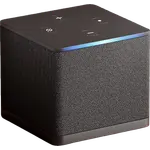
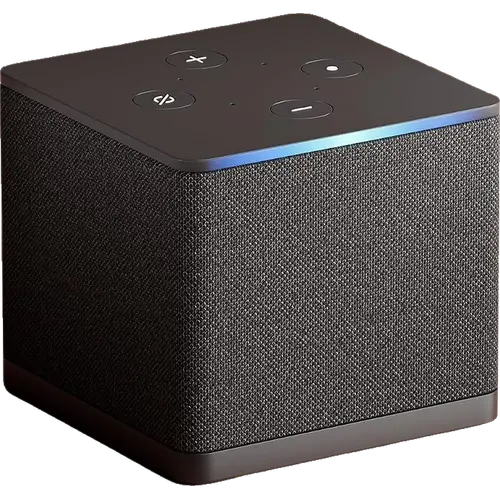
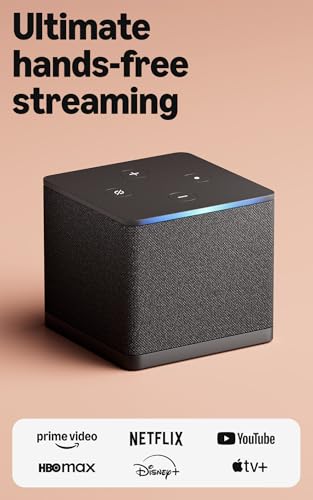
The Fire TV Cube (3rd Gen) is the Fire TV to buy if you want to control the whole TV setup by voice: its far-field microphones answer Alexa from across the room, it switches the TV, soundbar and cable box over IR and HDMI-CEC, and its HDMI input routes a set-top box or console through it. It plays 4K with Dolby Vision, HDR10+, HLG and Dolby Atmos and adds Super Resolution upscaling for HD content. The trade-offs are Fast Ethernet only, no Google Cast or AirPlay, and a home screen full of promotions. If you only need a fast streamer, a Fire TV Stick 4K Max covers most of it for less.
- Alexa households
- Hands-free and accessibility users
- Cable or satellite TV viewers
- Projector and home theater setups
Pros
- Fastest Fire TV player, with snappy apps and menus
- Hands-free Alexa with far-field microphones
- HDMI input for a cable box or game console, switched by voice
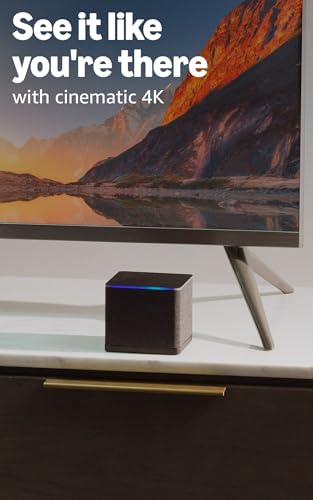
- 4K with Dolby Vision, HDR10+, HLG and Dolby Atmos
- Super Resolution upscaling for HD content
- Wi-Fi 6E plus a built-in Ethernet port and USB
- Controls the TV, soundbar and receiver over IR and HDMI-CEC
Cons
- Ethernet is limited to 10/100 Mbps
- Home screen crowded with promotions
- Audio and display settings can need manual fixes
- No Google Cast or AirPlay, only Miracast mirroring
- Included remote has no backlight, Remote Finder or rechargeable battery
- Not a Matter controller or Thread border router
Who is the Fire TV Cube (3rd Gen) for?
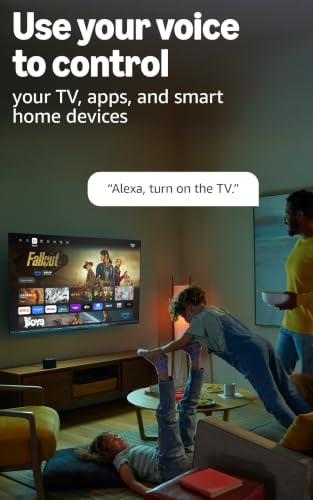
It is built for homes that already live in Alexa and want the TV to behave like an Echo: you can turn the TV on, change inputs, tune a cable channel or open an app without picking up the remote. Many buyers use it to bring a slow smart TV or a projector up to speed, and several bought it so a family member with limited sight could run the TV and the cable box by voice. Prime Video, Netflix, Disney+ and the rest of the major apps are all there, with Amazon Luna and Xbox Game Pass for cloud gaming and Bluetooth game controller support.
What buyers love
Speed is the recurring theme. Owners coming from a Fire TV Stick, including the 4K Max, describe apps opening almost instantly and menus that no longer stutter, which matches the octa-core processor and 16 GB of storage. Picture and sound get strong marks too: buyers praise the 4K image with Dolby Vision and HDR10+, and Dolby Atmos passed to a soundbar or receiver. The HDMI input is a favorite for people with a cable box or a console, since Alexa can switch to it by voice, and setup is described as quick, with apps restored from the account automatically.
What to know before you buy
The Ethernet port is only 10/100 Mbps, which owners who stream large files from Plex or a home server call out as a real limit; the Wi-Fi 6E radio is the faster path if your router broadcasts 6 GHz. The home screen carries a lot of promotions, and a recurring group of complaints covers audio and display settings that need tweaking (lip sync, Dolby passthrough on cable inputs, resolution detection) and occasional remote or Bluetooth disconnects. Casting is limited to Miracast mirroring: there is no Google Cast and no AirPlay. The included Alexa Voice Remote Enhanced runs on AAA batteries and has no backlight or Remote Finder, which only the separately sold Alexa Voice Remote Pro adds. On the smart home side it answers to Alexa and to Home Assistant through its Android Debug Bridge integration, but it is not a Matter controller or Thread border router, and Google Home and Apple Home cannot control it.
Is the Fire TV Cube (3rd Gen) worth it?
Yes, if hands-free control and the HDMI input matter to you. It is the most capable Fire TV player, it keeps getting updates, and buyers who use the voice control and the cable box integration rate it highly, often buying it on sale. If you never talk to your TV, have no set-top box and do not need a box with Ethernet, the extra cost over a Fire TV Stick 4K Max buys little, and an Apple TV or Google TV device makes more sense in an iPhone or Google Home household.
Frequently asked questions
Does the Fire TV Cube (3rd Gen) work without the remote?
Yes. Its 4-microphone far-field array lets you talk to Alexa from across the room to turn the TV on, change the volume or input, open apps and control playback. A button on top electronically disconnects the microphones.
Can I connect my cable box to the Fire TV Cube?
Yes. It has an HDMI 2.1 input, so a cable or satellite box, a game console or a webcam can pass through it, and Alexa can switch to that input or tune a channel on a compatible cable box by voice.
Does the Fire TV Cube (3rd Gen) support Dolby Vision and Dolby Atmos?
Yes. It outputs 4K with Dolby Vision, HDR10, HDR10+ and HLG, and passes Dolby Atmos to a compatible soundbar or AV receiver. Super Resolution upscaling sharpens HD video on a 4K TV.
Does the Fire TV Cube have Ethernet?
Yes, a built-in Ethernet port, but it runs at 10/100 Mbps. For the fastest connection, use its Wi-Fi 6E radio on the 6 GHz band of a Wi-Fi 6E router.
Is the Fire TV Cube a Matter or Thread hub?
No. Amazon lists only Echo and eero devices as its Matter controllers and Thread border routers. The Cube still shows Alexa smart home devices, such as Ring camera feeds, on the TV.
Can I cast from my phone to the Fire TV Cube?
It supports Miracast screen mirroring from compatible Android phones and Windows PCs. It does not support Google Cast or AirPlay.