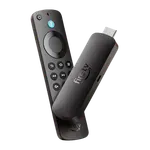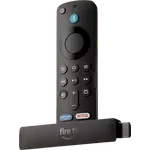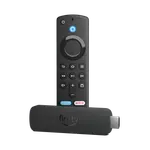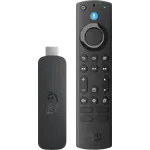


Amazon Fire TV Stick 4K Plus Review: Dolby Vision, Wi-Fi 6 and Room for Sideloading
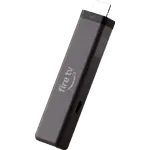
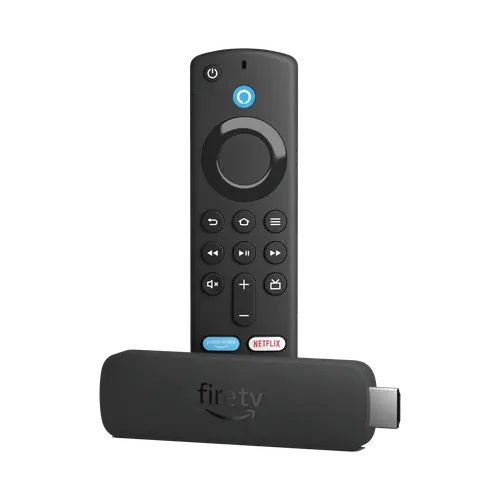
The Fire TV Stick 4K Plus is the Fire OS stick to pick when you want Dolby Vision, HDR10+, Atmos and Wi-Fi 6 without spending on a box. Setup is quick, the interface feels faster than the apps built into most TVs, and the included voice remote handles power, volume and mute. The trade-offs are a locked-down world of casting, no Ethernet without an adapter and modest storage, so it suits Alexa homes and secondary TVs more than anyone who lives in Google Cast or AirPlay.
- Alexa households
- Bedrooms and secondary TVs
- Older or non-smart TVs
- 4K streaming on a budget
Pros
- Quick, guided setup that links to an existing account
- Fast navigation and app switching, noticeably quicker than most TV software
- 4K with Dolby Vision, HDR10, HDR10+ and HLG
- Dolby Atmos and DTS passthrough to a soundbar or receiver
- Wi-Fi 6 on 2.4 and 5 GHz
- Voice remote with TV power, volume and mute control
- Fire OS allows sideloading and the Downloader app
Cons
- No Google Cast or AirPlay, only Miracast mirroring
- No built-in Ethernet and no Wi-Fi 6E
- 8GB of storage and 2GB of RAM
- No hands-free Alexa without a linked Echo
- One-year warranty
Who is the Amazon Fire TV Stick 4K Plus for?
This is the stick for a 4K TV whose own apps feel slow, or for an older set that has none at all. It plugs into HDMI, draws power from the included adapter, and adds Dolby Vision, HDR10, HDR10+ and HLG along with Dolby Atmos passthrough, so a modern TV can show its best picture and a soundbar or receiver gets a clean audio feed. Wi-Fi 6 on 2.4 and 5 GHz keeps 4K playback steady on a busy home network. Because it runs Fire OS rather than the newer Vega OS, it also accepts apps from outside the Amazon Appstore, which matters if you use Downloader or a local media player. It is at its best in an Alexa household, where the remote and the voice search feel like part of the same system.
What buyers love
Owners consistently describe the setup as a few minutes of plugging in and following prompts, with the stick linking straight to an existing account. The most repeated praise is speed: apps open quickly, scrolling is responsive and 4K streams start without buffering, especially on a Wi-Fi 6 router. Buyers upgrading from older sticks notice the Dolby Vision picture, the Dolby Atmos and DTS passthrough, and sharper handling of receiver volume. Two details come up often: the stick can be used with the Downloader app and sideloaded software, and the remote controls TV power, volume and mute once equipment control is set. Families also like how simple the interface is for everyone in the house.
What to know before you buy
The biggest limitation is casting. There is no Google Cast and no AirPlay, only Miracast screen mirroring, so an iPhone or a Chromecast habit does not carry over. There is no Ethernet port either; wired networking needs an external adapter, and Wi-Fi 6E is reserved for the 4K Max. Storage is 8GB with 2GB of RAM, enough for a normal app library but not for hoarding games. Alexa is push-to-talk on the remote, with no far-field microphones, so hands-free control needs a linked Echo. One owner could not get the stick to switch their TV on and off because that set did not support the feature, a reminder that TV control depends on the television. The warranty is one year.
Is the Amazon Fire TV Stick 4K Plus worth it?
For an Alexa home that wants a current 4K picture with Dolby Vision and Atmos, yes. It undercuts the boxes while covering the formats most streaming services use, and the Fire OS base keeps sideloading available. Anyone who relies on Google Cast, AirPlay, wired networking or lots of local storage should look at the 4K Max or a Google TV device instead. For a bedroom, a guest room or an older TV that needs a modern interface, it is an easy recommendation.
Frequently asked questions
Does the Fire TV Stick 4K Plus support Dolby Vision?
Yes. It supports Dolby Vision along with HDR10, HDR10+ and HLG, and it passes Dolby Atmos through to a compatible soundbar or receiver.
Can I install apps that are not in the Amazon Appstore?
Yes. This model runs Fire OS, which allows sideloading and the Downloader app, unlike the Fire TV Stick 4K Select with Vega OS.
Does it work with Google Cast or AirPlay?
No. Casting is limited to Miracast screen mirroring, so Google Cast from Android and Chrome and AirPlay from Apple devices are not available.
Can the remote control my TV?
Yes, the included Alexa Voice Remote has power, volume and mute buttons for compatible TVs, soundbars and receivers. It needs the TV to support that control, and a few owners of older sets cannot use it.
Does it need a wall adapter?
The box includes a power cable and adapter. There is no Ethernet port, so wired networking needs a separate adapter, and hands-free Alexa needs a linked Echo device because the stick has no far-field microphones.