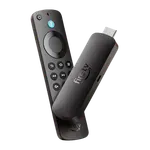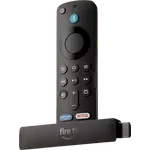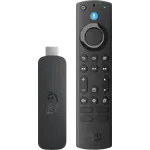



Amazon Fire TV Stick 4K Select Review: Cheap 4K HDR10+ Streaming on Amazon New Vega OS
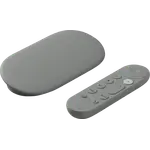
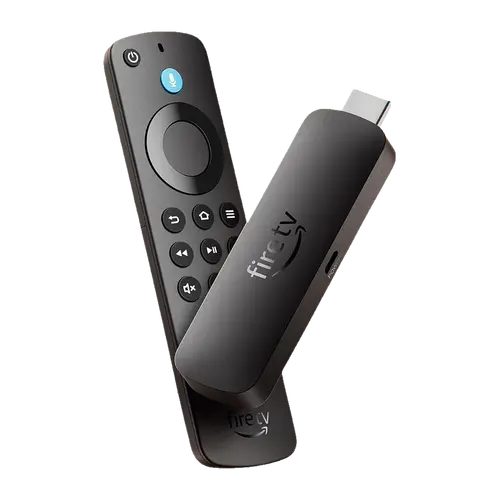
The Fire TV Stick 4K Select is the cheapest way into Amazon 4K streaming, and for the big apps it does the job well: it plugs into any HDMI port, outputs 4K at 60 fps with HDR10, HDR10+ and HLG, passes Dolby Atmos to a soundbar, and its Alexa Voice Remote controls the TV too. It is also the first Fire TV on Vega OS instead of Android, so apps come only from the Amazon Appstore, sideloading is gone and some services are missing. Buy it to give an older TV the mainstream streaming apps; skip it if you rely on Plex, Jellyfin, niche apps, Dolby Vision or AirPlay.
- Reviving an older TV
- Budget 4K streaming
- Second-room and travel TVs
- Alexa homes
Pros
- Very easy setup, often copying Wi-Fi and account details from another Fire TV
- 4K at 60 fps with HDR10, HDR10+ and HLG
- Dolby Atmos pass-through to a soundbar or receiver
- Alexa Voice Remote also controls TV and soundbar power and volume
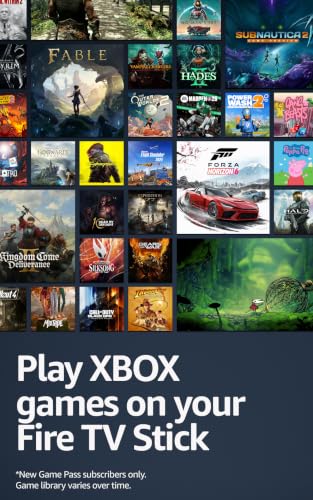
- Bluetooth headphones, speakers and game controllers, with cloud gaming support
- Miracast screen mirroring
Cons
- Vega OS: Amazon Appstore only, no sideloading, and some apps are missing
- No Dolby Vision
- Only 8GB of storage, with preinstalled apps that cannot be removed
- No AirPlay or Google Cast
- Wi-Fi 5 only and no Ethernet port without an adapter
- Home Assistant cannot control it over ADB
Who is the Fire TV Stick 4K Select for?
It is for people who want the mainstream streaming services on a TV that has lost them or never had them. Buyers in the UK, Germany, Italy, India and Australia describe plugging it into a ten-year-old smart TV, a plasma or a non-smart LED set and getting Netflix, Prime Video, YouTube, Disney+ and live TV back within minutes, and several bought it for a projector, a bedroom or a holiday flat. It also suits Alexa households: the remote has a push-to-talk Alexa button, and hands-free control works through a linked Echo device. Anyone who installs apps outside the Amazon Appstore should look elsewhere, because this stick runs Vega OS, a Linux-based system that is not Android.
What buyers love
Setup is the most repeated praise: plug it in, connect to Wi-Fi and, for existing Fire TV owners, it often copies the Wi-Fi password and Amazon account over by itself. Many owners describe menus and app launches as quick and fluid, often faster than the smart TV apps it replaces, and the new home screen gets compliments for its look. Picture quality is the other common theme, with sharp 4K and strong HDR on compatible TVs, which matches its HDR10, HDR10+ and HLG support. The included Alexa Voice Remote controls power and volume on the TV and soundbar over IR, so a second remote can go in the drawer, and buyers who pair Bluetooth headphones or controllers report it works. Several owners have bought one for every room.
What to know before you buy
Vega OS is the big caveat, and the complaint that dominates the low ratings. There is no sideloading and no APK installs, and the Amazon Appstore for Vega is smaller than the one older Fire TVs get, so owners report missing or unstable apps such as Jellyfin, Plex, F1 TV, some VPNs and some regional TV services. For the same reason Home Assistant cannot control it through its Android Debug Bridge integration, which needs Android. Dolby Vision is not supported (the HDR formats are HDR10, HDR10+ and HLG), Wi-Fi is dual-band Wi-Fi 5 rather than Wi-Fi 6, and there is no AirPlay or Google Cast, only Miracast mirroring, which disappointed iPhone owners. Storage is 8GB and some buyers say preinstalled apps they cannot remove eat into it. There is no Ethernet port without Amazon adapter, the warranty is 90 days in the US, and a few owners hit HDMI handshake problems with their TV.
Is the Fire TV Stick 4K Select worth it?
At its budget price, and especially during the frequent sales, yes for most viewers who live in the big streaming apps: setup is effortless, 4K HDR10+ looks good and the remote replaces the TV one. Its average rating sits a step below the Android-based Fire TV sticks, and the reviews explain why: the people unhappy with it are almost all the ones who wanted to install their own apps. If that is you, or if you want Dolby Vision or Wi-Fi 6, the Fire TV Stick 4K Max or a Google TV device is the better buy.
Frequently asked questions
Does the Fire TV Stick 4K Select run Android?
No. It is the first Fire TV to run Vega OS, Amazon Linux-based system, instead of the Android-based Fire OS. Apps come only from the Amazon Appstore and Android APKs cannot be sideloaded.
Does the Fire TV Stick 4K Select support Dolby Vision?
No. It supports HDR10, HDR10+ and HLG at up to 4K and 60 fps. It does pass Dolby Atmos audio through HDMI to a compatible soundbar or receiver.
What is the difference between the Fire TV Stick 4K Select and the 4K Max?
The 4K Select runs Vega OS with 8GB of storage, dual-band Wi-Fi 5 and no Dolby Vision. The 4K Max runs Fire OS with 16GB, Wi-Fi 6E and Dolby Vision,, the Android-based system older Fire TV apps were built for.
Can I cast from an iPhone or use Chromecast with it?
No. It has no AirPlay and no Google Cast. It supports Miracast screen mirroring, which works with many Android phones and Windows PCs.
Does it work with Alexa and Home Assistant?
Alexa is built into the voice remote and the stick can be controlled hands-free from a linked Echo device. Home Assistant cannot control it through its Android Debug Bridge integration, because Vega OS has no ADB. It is not a Matter controller or a Thread border router.
Does it have an Ethernet port?
No. It connects over dual-band Wi-Fi (2.4 and 5 GHz). Wired networking needs Amazon Ethernet adapter, sold separately, which runs at 10/100 Mbps.