



Roku Streaming Stick 4K Review: The Simple Way to Make Any TV Smart, Dolby Vision Included
The Roku Streaming Stick 4K is one of the easiest ways to turn an older or sluggish TV into a fast smart TV: it streams 4K with Dolby Vision, HDR10+ and HLG, passes Dolby Atmos to a soundbar, and its long-range Wi-Fi receiver keeps it steady in rooms far from the router. Owners consistently praise the quick setup, the simple interface and AirPlay for casting from Apple devices. The trade-offs are a basic AAA-powered voice remote with no hands-free voice or finder, no Ethernet, USB or Bluetooth, and app catalogs that thin out outside the countries Roku targets. As a budget-friendly 4K streamer it is very hard to beat.
- Upgrading an older TV
- Cord cutters
- Bedrooms and second TVs
- Apple users who want AirPlay
- Travel
Pros
- Very easy plug-and-play setup
- 4K with Dolby Vision, HDR10+ and HLG
- Long-range Wi-Fi receiver for rooms far from the router
- AirPlay and screen mirroring built in
- Works with Alexa, Google Home, Apple HomeKit and Home Assistant
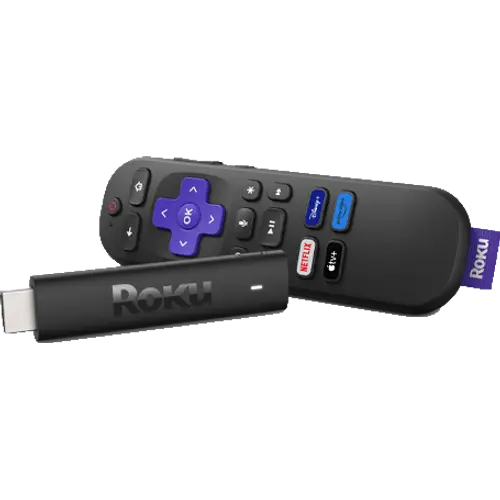
- Slim design hides behind the TV without blocking other HDMI ports
Cons
- Basic AAA voice remote: no backlight, hands-free voice or remote finder
- No Ethernet, USB media playback or Bluetooth
- No Google Cast
- Some apps missing outside the countries Roku targets
- Dolby Atmos is pass-through only
Who is the Roku Streaming Stick 4K for?
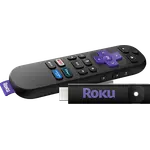
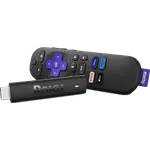
It is for anyone who wants a cheap, reliable way to add streaming apps to a TV, whether an old "dumb" set, an aging smart TV whose own apps have stopped updating, or a second TV in a bedroom. It plugs straight into an HDMI port and hides behind the TV, and its slim body does not block neighbouring HDMI ports. Owners describe using it to drop cable or satellite, to replace a laptop plugged into the TV, and to take their apps along when travelling.
What buyers love
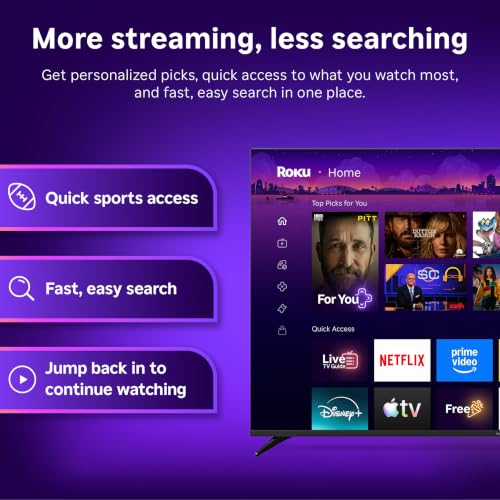
Setup is the most praised part: plug it in, connect to Wi-Fi and it is running, simple enough that owners set it up for less technical family members. The Roku home screen gets credit for being easy to navigate and rearrange, and the remote works without being pointed at the TV. Picture quality is the other recurring theme, with 4K, Dolby Vision and HDR10+ on capable TVs. UK owners single out AirPlay, which lets iPhones and Macs cast to an inexpensive stick, and even a long-time Ethernet holdout reports that the long-range Wi-Fi receiver streams his own media without buffering.
What to know before you buy
The included voice remote runs on AAA batteries, has no backlight, no hands-free voice, no lost remote finder and no programmable buttons; a few owners also had a remote fail and waited on a replacement. There is no Ethernet port, no USB port for your own media (the USB cable is only for power and the Wi-Fi receiver) and no Bluetooth, so private listening goes through the Roku mobile app. Some older TVs cannot power it from their USB port, which is why the box includes a power adaptor. Dolby Atmos is passed through to a compatible soundbar or receiver rather than decoded. App availability depends on the country: owners in Germany and the Middle East found popular local apps missing. Occasional freezes are mentioned, and there is no Google Cast.
Does the Roku Streaming Stick 4K work with my smart home?
Roku lists Works with Alexa, Works with Google Home and Works with Apple AirPlay and HomeKit for this stick, so you can start and control playback by voice from those assistants and add it to the Apple Home app. Home Assistant controls it through its official Roku integration. It is not a Matter device and does not act as a Matter controller or Thread border router.
Is the Roku Streaming Stick 4K worth it?
Yes, if you want 4K HDR streaming at a budget-friendly price and can live with a basic remote. It covers every major HDR format and AirPlay, which many sticks at this tier skip, and owners overwhelmingly say it made an old TV feel new. If you want a rechargeable backlit remote, Ethernet or Bluetooth headphones, the Roku Ultra is the step up.
Frequently asked questions
Does the Roku Streaming Stick 4K support Dolby Vision?
Yes. It streams 4K at up to 60fps with Dolby Vision, HDR10, HDR10+ and HLG on a compatible TV with an HDCP 2.2 HDMI input.
Does the Roku Streaming Stick 4K support Dolby Atmos?
It passes Dolby-encoded audio, including Dolby Atmos, through HDMI to a compatible soundbar or receiver; the stick itself does not decode Atmos.
Does the Roku Streaming Stick 4K have Ethernet or Bluetooth?
No. It connects over dual-band Wi-Fi (2.4 GHz and 5 GHz) with a long-range receiver built into its USB power cable, and it does not support Bluetooth headphones; the Roku mobile app handles private listening instead.
Can I use AirPlay with the Roku Streaming Stick 4K?
Yes. Roku lists Apple AirPlay and HomeKit support for this model, so iPhones, iPads and Macs can cast or mirror to it, and Android and Windows devices can use screen mirroring.
Does the Roku Streaming Stick 4K remote control the TV?
Yes. The included voice remote has TV power, volume and mute buttons that work with most TVs, plus a voice button for search; it uses two AAA batteries.
What warranty does the Roku Streaming Stick 4K have?
Roku covers its streaming sticks with a one-year limited hardware warranty in the United States.