





Roku Streaming Stick HD Review: The Easiest Way to Turn an Older HD TV Into a Smart TV
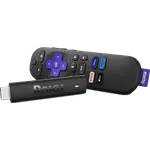
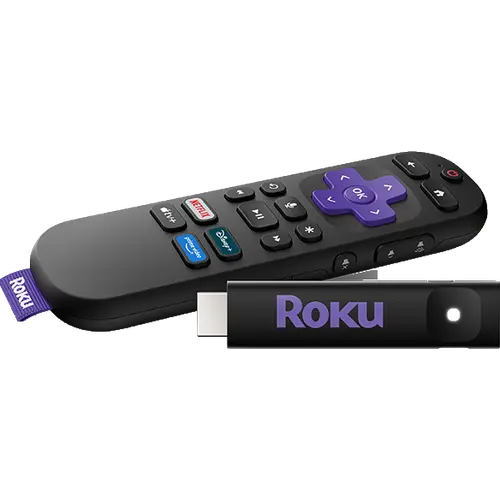
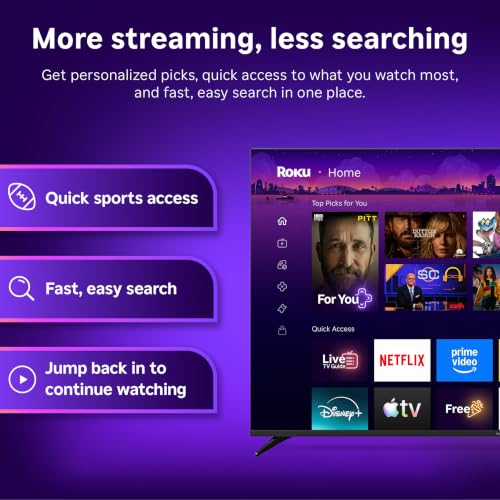
The Roku Streaming Stick HD is a budget-friendly way to give an HD TV, or an older smart TV whose own apps have stopped working, the full Roku app catalog: it streams up to 1080p, plugs straight into an HDMI port and can draw power from the TV's USB port. Owners keep coming back to how quick the setup is and how much life it gives an aging set, and the voice remote also turns the TV on and adjusts its volume. The trade-offs are no 4K or HDR, no Ethernet, USB or Google Cast, a basic AAA-powered remote, and an app catalog and voice search that only work fully in the countries Roku supports. For an HD screen in those countries it is an easy recommendation.
- Upgrading an older HD TV
- Bedrooms and second TVs
- Budget buyers
- Travel
- Apple users who want AirPlay
Pros
- Very quick, simple setup
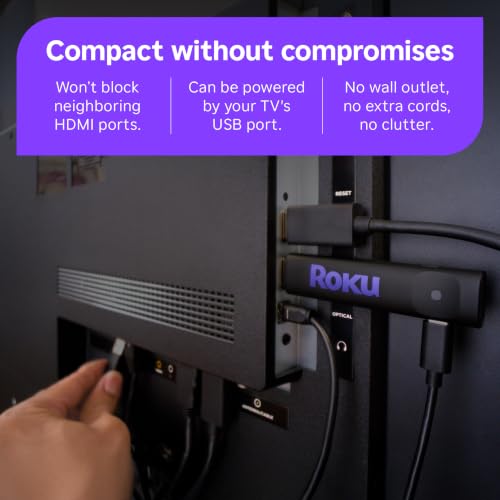
- Hides behind the TV and can run off the TV's USB port
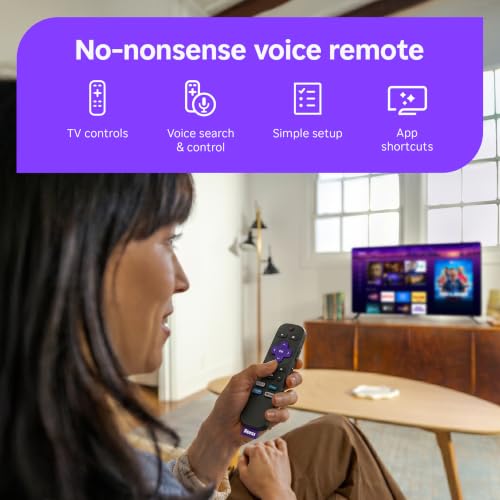
- Voice remote also controls TV power and volume
- Dual-band Wi-Fi (2.4 GHz and 5 GHz)
- AirPlay, screen mirroring and Bluetooth Headphone Mode
- Works with Alexa, Google Home, Apple HomeKit and Home Assistant
Cons
- Up to 1080p only, with no HDR or Dolby Vision
- Some TV USB ports cannot power it, so a USB wall adapter may be needed
- Apps and voice search are limited outside the countries Roku supports
- No Ethernet, USB media port or Google Cast
- Basic AAA remote with no backlight, lost remote finder or hands-free voice
Who is the Roku Streaming Stick HD for?
It is for anyone with a 1080p or 720p TV who wants streaming apps without buying a new set: owners describe reviving TVs that are seven or more years old, replacing a dead Chromecast or a sluggish streaming stick, and adding apps to a bedroom, kitchen or guest room TV. It streams up to 1080p with upscaling from 720p, so it makes no sense on a 4K TV, where the Roku Streaming Stick Plus or Streaming Stick 4K are the better picks. Its small size and TV-powered design also make it easy to take along when travelling.
What buyers love
Setup is the most praised part by far: plug it in, connect to Wi-Fi, let it update and sign in, which many owners say took only a few minutes. The stick sits hidden behind the TV without blocking the neighbouring HDMI ports, and on many TVs it runs from the TV's own USB port with no extra cable. Buyers like having one remote again, since the voice remote powers the TV on and off and changes the volume, and several call it smoother and easier than the Fire TV Stick it replaced. The other recurring theme is value: owners repeatedly say it turned an old television into a smart TV for far less than a new one, and some went back for a second stick.
What to know before you buy
Not every TV's USB port supplies enough power: several owners saw an insufficient power warning and had to plug it into a USB wall adapter instead. The biggest complaints come from countries Roku does not fully support, such as Italy, Spain and parts of the Middle East, where owners found major apps missing, voice search unavailable or the setup refusing to go further, so check Roku's availability in your country first. Creating the required Roku account can ask for a payment card. A few owners struggled to get through the first Wi-Fi setup and update, found screen mirroring unreliable, or had a remote whose TV controls did not work with their TV brand. On paper, there is no HDR, Dolby Vision or Dolby Atmos, no Ethernet or USB port for your own media, no Google Cast, and the remote runs on AAA batteries with no backlight, lost remote finder or hands-free voice.
Does the Roku Streaming Stick HD work with my smart home?
Roku lists Works with Alexa, Works with Google Home and Works with Apple AirPlay and HomeKit for this stick, so those assistants can start and control playback and the stick can be added to the Apple Home app, while iPhones, iPads and Macs can AirPlay to it. Home Assistant controls it through its official Roku integration. It is not a Matter device and does not act as a Matter controller or Thread border router. Bluetooth Headphone Mode lets you pair headphones directly to the stick for private listening.
Is the Roku Streaming Stick HD worth it?
Yes, if your TV is HD and you live in a country Roku supports: it is one of the cheapest ways to get a fast, simple streaming interface, a remote with TV controls, AirPlay and Bluetooth headphone listening on any TV with an HDMI port. If you have a 4K TV, or might buy one soon, spend a little more on a 4K stick, and if you want Ethernet or a rechargeable backlit remote, look at the Roku Ultra.
Frequently asked questions
Does the Roku Streaming Stick HD support 4K or HDR?
No. It streams up to 1080p (1920 x 1080) with upscaling from 720p and supports no HDR format. For a 4K TV, Roku's Streaming Stick Plus and Streaming Stick 4K are the 4K models.
Can the Roku Streaming Stick HD be powered by the TV?
Yes, it powers through USB-C and can run from the TV's USB port on many TVs, but some TV ports do not supply enough power, in which case it needs a USB wall adapter.
Does the Roku Streaming Stick HD remote control the TV?
Yes. The included voice remote has TV power, volume and mute buttons that work with most TVs, plus a voice button for search. It runs on AAA batteries.
Can I use Bluetooth headphones with the Roku Streaming Stick HD?
Yes. Bluetooth Headphone Mode lets you pair Bluetooth headphones directly to the stick, so the TV audio plays only in your headphones.
Does the Roku Streaming Stick HD work with AirPlay and Alexa?
Yes. Roku lists Works with Apple AirPlay and HomeKit, Works with Google Home and Works with Alexa for this model, and Home Assistant supports it through its official Roku integration. It does not support Google Cast or Matter.
Does the Roku Streaming Stick HD have Ethernet?
No. It connects only over dual-band Wi-Fi (2.4 GHz and 5 GHz), and its USB-C port is used for power.