

Aqara Climate Sensor W100 Review: Sleek Climate Monitoring With Smart Automation Buttons
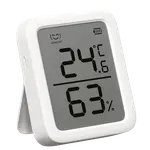
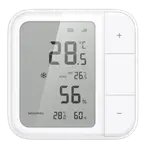
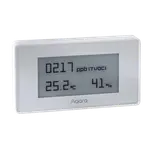
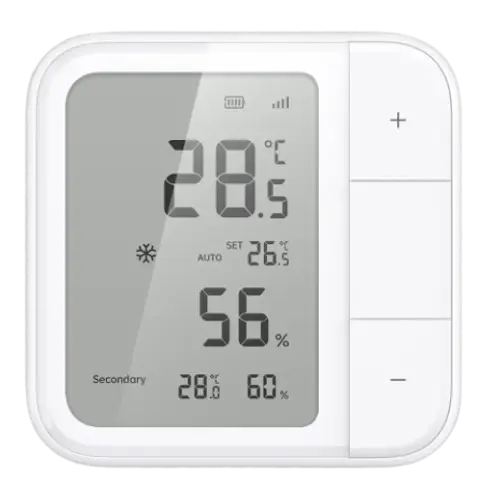
The Aqara Climate Sensor W100 pairs an accurate temperature and humidity sensor with a minimalist LCD display and three customizable buttons for quick HVAC, lighting and security automations. It integrates broadly across Apple HomeKit, Google Home, Alexa, SmartThings and Home Assistant via Matter, Zigbee or Thread, and buyers consistently praise its premium build and how smoothly it runs once configured. The main catch is setup: choosing between Zigbee and Thread up front, and needing an Aqara hub or Thread border router to unlock full button functionality, trips up first-time buyers, and it ships with a tabletop stand rather than a wall-mount bracket. At a budget-friendly price, it is a strong pick for anyone already inside the Aqara or Apple Home ecosystem who wants more than a plain thermometer.
- Apple HomeKit and Home Assistant users
- Existing Aqara hub owners
- Buyers wanting button-triggered automations
- Indoor room climate monitoring
- Budget-conscious smart home shoppers
Pros
- Sleek, premium-feeling minimalist design
- Broad integrations: Matter, Apple HomeKit, Google Home, Alexa, SmartThings and Home Assistant
- Long coin-cell battery life rated at multiple years
- Three customizable buttons for HVAC, lighting and security automations
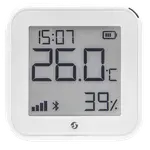
- Accurate, frequently updating temperature and humidity readings on the built-in display
Cons
- Pairing forces an early, poorly explained choice between Zigbee and Thread
- The three buttons only trigger automations once paired to an Aqara hub or Thread border router
- Ships with a tabletop stand only, no wall-mount bracket
- Basic monochrome LCD with no backlight, clock or weather forecast
- Not weather or water resistant, indoor use only
Who is the Aqara Climate Sensor W100 for?
The W100 targets smart home owners who already lean on Matter, Zigbee, Thread or Apple Home and want a single compact sensor that does more than report a number. Beyond temperature and humidity readings, its three physical buttons let owners trigger scenes on the spot, reviewers describe using them to run a heat pump, switch on fans and lights, or arm and disarm an Aqara security system without opening an app. Because full automation support depends on a Zigbee hub or Thread border router, it fits best in a household that already has an Aqara hub, an Apple TV or HomePod, or another Thread-capable router in place.
What buyers love
The recurring praise is the build quality: reviewers repeatedly call the W100 sleek, modern and premium-feeling compared with older Aqara sensors. The temperature and humidity readings are described as accurate and quick to update, matching other sensors owners already had running. Ecosystem support is another highlight, with buyers confirming smooth pairing over Matter to both Apple HomeKit and Home Assistant, and the three buttons winning fans for how easily they can be mapped to automations once the hub requirement is met. The long coin-cell battery life also comes up as a practical plus for a device meant to sit on a shelf or nightstand without frequent battery swaps.
What to know before you buy
Setup is the sensor's biggest friction point. During pairing, owners must choose between Zigbee and Thread, and that single choice determines which ecosystems the buttons will actually work with, a decision the app does not explain clearly. The buttons themselves are not useful out of the box: Zigbee mode needs an Aqara Zigbee hub, while Thread mode needs a Thread border router such as a HomePod or Apple TV, so the sensor's headline feature depends on hardware you may need to buy separately. A few buyers also note the box includes only a tabletop stand, not a wall-mount bracket, and the monochrome LCD (no backlight, clock, date or weather forecast) feels basic next to pricier displays. The device is also rated for indoor use only, with no weather resistance, and at least one reviewer reported the Matter connection becoming unresponsive after a few weeks, requiring a battery pull to restore it.
Is the Aqara Climate Sensor W100 worth it?
For its budget-friendly price, the W100 packs in more than a typical temperature and humidity sensor: a genuinely useful automation trigger, wide compatibility across Matter, Zigbee, Thread, HomeKit, Google Home, Alexa, SmartThings and Home Assistant, and hardware that reviewers consistently rate as premium for the category. The trade-offs, mainly the Zigbee-versus-Thread setup decision and the hub requirement for the buttons, are more about a learning curve than a dealbreaker, and they mostly disappear if you already own an Aqara hub or a Thread border router. Buyers who want a sensor that both looks good and does something beyond reporting a number tend to come away satisfied.
Frequently asked questions
Does the Aqara Climate Sensor W100 need a hub?
To unlock its full automation potential, yes. Pairing over Zigbee requires an Aqara Zigbee hub, while pairing over Thread requires a Thread border router such as a compatible HomePod, Apple TV or router. Buyers confirm the three front buttons in particular need this bridge to trigger automations.
Does it work with Apple HomeKit, Alexa, Google Home and Home Assistant?
Yes. The W100 supports Apple HomeKit, Google Home, Amazon Alexa, Samsung SmartThings and Home Assistant, all reachable through its Matter, Zigbee or Thread connectivity. IFTTT is not supported.
Does the W100 come with a wall mount?
According to buyer reports, the box includes only a tabletop stand; a dedicated wall-mounting bracket is not included.
How long does the battery last?
The W100 runs on two CR2450 coin-cell batteries and is rated for roughly 2.4 years of use before they need replacing.
Is the Aqara Climate Sensor W100 waterproof or suitable for outdoor use?
No. It is not rated for weather or water resistance, so it is designed for indoor use only.
What can the three buttons on the W100 do?
Once paired to a hub or border router, the buttons can be mapped to automations such as controlling HVAC and fans, switching lights, or arming and disarming a connected security system, all without opening the app.