



X-Sense Smart WiFi Indoor Thermometer Review: Base-Station Reliability for Remote Monitoring
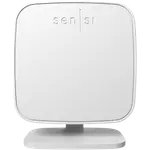
The X-Sense Smart WiFi Indoor Thermometer pairs a small sensor with a base station to deliver remote, app-based temperature and humidity monitoring that buyers consistently call accurate and easy to set up. It fits naturally into households that already use X-Sense smoke or CO alarms, since everything shares the same base station and app, and it holds up well over distance through walls. The trade-offs are a lack of a built-in screen, so everything is read through the app, and no automations or hub-agnostic smart platform support beyond Alexa. For remote monitoring of cabins, garages, greenhouses, or elderly relatives' homes, it delivers strong value for the price.
- Existing X-Sense alarm and base-station owners
- Remote property monitoring (cabins, garages, greenhouses)
- Checking in on elderly relatives' homes
- Buyers who want app-based history graphs over a physical display
Pros
- Fast, guided setup typically done in minutes
- Accurate temperature and humidity readings confirmed against reference thermometers
- Strong WiFi range through the base station, even through multiple walls
- App supports multiple base stations and historical graphs
- Shares a base station and app with other X-Sense alarms and sensors
- 5-year warranty, above average for the category
Cons
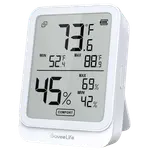
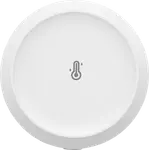
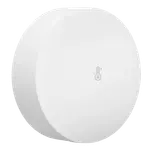
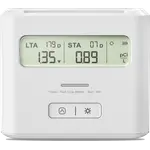
- No built-in display, all readings are read through the app
- No automations support
- Limited to Alexa; no Google Home, HomeKit, SmartThings, IFTTT or Matter, and Home Assistant only through a community integration
- Humidity readings shown in coarser increments than temperature readings
- A minority of buyers report app bugs
Who is the X-Sense Smart WiFi Indoor Thermometer for?
This sensor is built for remote peace-of-mind monitoring rather than at-a-glance reading, since it has no built-in display and reports temperature and humidity entirely through the X-Sense app via its base station. Buyers commonly use it to watch over a lake cabin, barn, greenhouse, mailbox, or an elderly relative's house while away, relying on the app's alerts and history graphs rather than walking up to a screen. It also fits well for anyone who already owns X-Sense smoke or carbon monoxide alarms, since sensors, alarms, and cameras can share the same base station and app.
What buyers love
Setup speed and reliability are the most repeated themes: reviewers describe a guided process taking just a few minutes and stable long-term connections once configured, consistent with the device's WiFi connection via base station. Accuracy also draws strong praise, with several owners comparing readings against lab-grade or laser thermometers and finding them close to spot-on, and the base station's range through multiple walls is repeatedly called impressive. The app's historical graphs and multi-base-station support let buyers track several remote locations from one account, and reviewers who added it to an existing X-Sense alarm setup describe smooth integration.
What to know before you buy
There is no physical screen on the sensor itself, matching the spec sheet's display flag, so every reading and alert depends on the app and a working WiFi/base-station connection. A handful of buyers describe the app as occasionally buggy, and one common nuance is that humidity readings show in coarser increments than the more granular temperature readings. Automations are not supported, and beyond Alexa and a community-built Home Assistant integration, the sensor does not work with Google Home, Apple HomeKit, SmartThings, IFTTT, or Matter, so it's a monitoring device first rather than a hub for triggering other smart-home actions.
Is the X-Sense Smart WiFi Indoor Thermometer worth it?
Given its low price, 5-year warranty, and a strong pattern of accurate readings and reliable base-station range, this sensor earns its keep as a dedicated remote-monitoring tool. Reviews are overwhelmingly positive, with the rare complaint centered on app rough edges rather than the sensor's core temperature and humidity performance. Anyone who wants app-based alerts and history over a physical display, especially within the X-Sense ecosystem, gets excellent value here.
Frequently asked questions
Does the X-Sense Smart WiFi Indoor Thermometer have a display?
No, it has no built-in screen. Temperature and humidity readings, alerts, and history are all viewed through the X-Sense app via the base station.
Does it work with Alexa or Google Home?
It integrates with Amazon Alexa, and Home Assistant can read it from the X-Sense cloud account through a community integration. It does not currently support Google Home, Apple HomeKit, Samsung SmartThings, IFTTT, or Matter.
How does the sensor connect to WiFi?
The sensor itself does not connect directly to 2.4GHz or 5GHz WiFi. Instead it links to an X-Sense base station, which then connects to your home WiFi network to relay data to the app.
How accurate is the X-Sense thermometer?
Owner comparisons against reference and lab-grade thermometers report readings very close to accurate, with temperature shown in finer resolution than humidity.
How long does the battery last?
The sensor is rated for about a year of battery life on 2x AAA batteries.