




Amazon Smart Thermostat Review: An Easy Install and a Clean Look, Held Back by an Alexa-Only App
The Amazon Smart Thermostat is a budget-friendly Alexa thermostat that owners find easy to install and pleasant on the wall, with manual and automatic scheduling, energy-saving features and voice control through Alexa. The complaints are consistent: every setting runs through the Alexa app, which many find clunky and limited to home, away and sleep presets, some units cycle the HVAC too often because there is no swing setting, and a share of owners report glitches or failures after updates or within a few years. It suits an Alexa household replacing a basic thermostat that wants a simple schedule and voice control, and it is a weaker pick for anyone who wants detailed scheduling or a dedicated thermostat app.
- Alexa households
- First smart thermostat on a budget
- Swapping a basic wall thermostat
- Voice control fans
Pros
- Easy installation guided step by step in the Alexa app
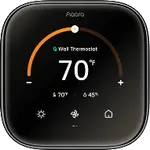
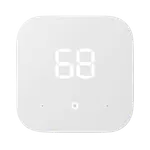
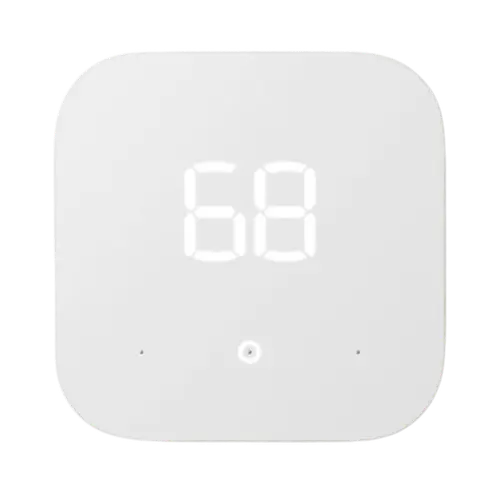
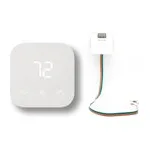
- Clean design with an adjustable-brightness display
- Alexa voice and app control
- Manual and automatic scheduling with energy-saving features
- Budget-friendly next to other smart thermostats
- Compact body with a trim plate included
Cons
- Everything runs through the Alexa app, which many owners find clunky and limited
- Scheduling is limited to home, away and sleep presets
- No swing setting, and some owners report short cycling or temperature drift
- Some units glitch after updates or fail within a few years
- A C wire is needed, so check your wiring before buying
- Alexa is its only smart home platform and Wi-Fi is 2.4 GHz only
Who is the Amazon Smart Thermostat for?
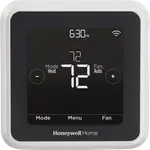
Owners who are happiest already run Alexa and Echo devices, and many are replacing a non-smart thermostat or an older smart model that stopped working, including units that were retired by their maker. It fits a home with a single thermostat where the goal is a schedule, remote control from the Alexa app and a voice command, rather than room-by-room sensing. Several people who swapped in a unit on the same mounting plate as an older Honeywell thermostat describe a very quick job, and the thermostat also appeals to people who want to avoid batteries.
What owners love about it
Installation is the most common praise: the Alexa app walks through the wiring step by step, and most owners finish in well under an hour. The look gets compliments, with a clean display with adjustable brightness and simple on-device controls, as does voice control through Alexa. Owners like the home, away and sleep modes, the eco suggestions and the energy-saving features, and some report a steadier temperature than their previous thermostat. Many call it good value next to the more expensive smart thermostats, and a number of people who replaced a Google or Nest unit are happy with the switch.
What to know before you buy
The app is the most frequent complaint. All programming runs through the Alexa app, there is no dedicated thermostat app, and owners describe scheduling as limited to three preset modes, with auto ranges that cannot overlap and routines that are awkward to set up. The thermostat has no swing or differential setting, and several owners report the HVAC cycling on and off too often or temperatures drifting away from the set range. Some report problems after an app or firmware update that were later fixed, and others describe units that stopped responding or failed after one to four years, with customer support experiences that range from helpful to hard to navigate. Many say a C wire is needed, so check your wiring first, and the setup works on 2.4 GHz Wi-Fi only. Access for other family members can be fiddly, and the thermostat itself offers few controls beyond a manual hold.
Is the Amazon Smart Thermostat worth it?
For an Alexa home that wants a cheap, easy-to-fit smart thermostat with voice control and a basic schedule, owners rate it well and it is a sensible first step. If you want fine-grained schedules, a dedicated app, tight control over how often the system cycles, or a thermostat that has proven reliable for many years, a more capable model is worth the extra money.
Frequently asked questions
Does the Amazon Smart Thermostat need a C wire?
Many owners say yes. Several had to add a common wire or find the fifth wire at the furnace board, so check your wiring before ordering. The Alexa app asks about the wires during setup.
Is the Amazon Smart Thermostat easy to install?
Most owners say it is. The Alexa app guides the install step by step, and people replacing a Honeywell thermostat often keep the existing mounting plate.
Do I need an Alexa account and the Alexa app to use it?
Yes. Setup and scheduling run through the Alexa app, and the thermostat has no separate app of its own. Voice control goes through Alexa on an Echo device, since the thermostat has no speaker.
Can I set a detailed schedule?
It supports manual schedules and automatic scheduling, but owners describe it as limited to home, away and sleep modes. Many find the schedule setup confusing and say finer control means building routines in the app.
Does the Amazon Smart Thermostat work with Google Home or Apple HomeKit?
No. Alexa is its only supported smart home platform.
Is the Amazon Smart Thermostat reliable?
Experiences vary. Many owners run it for years without trouble, while others report glitches after updates, short cycling, or a unit that stopped working within one to four years. The warranty is one year.