




Honeywell Home T5 Review: The Cheap Way Into a Smart Thermostat That Works With Everything
The T5 is the sensible budget smart thermostat. It does the two things that actually save money, a proper 7-day schedule and geofencing that uses your phone's location to switch between Home and Away, and it supports Alexa, Google Assistant and Apple HomeKit rather than locking you into one ecosystem. Installation is its strongest suit: the UWP mounting system means owners replacing an older Honeywell often just pop the old unit off and the new one on. What you give up against the T9 and against Nest or ecobee is remote room sensors, humidity sensing and any learning behaviour, and a minority of owners report the app and reliability letting the hardware down.
- First smart thermostat on a budget
- Apartments and single-zone homes
- Replacing an older Honeywell thermostat
- Mixed Alexa, Google and Apple households
Pros
- 7-day flexible scheduling plus geofenced Auto Home and Away
- Works with Alexa, Google Assistant and Apple HomeKit
- UWP mounting system makes replacing an older Honeywell very quick
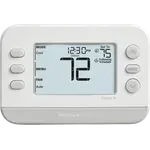
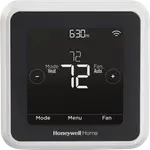
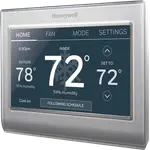
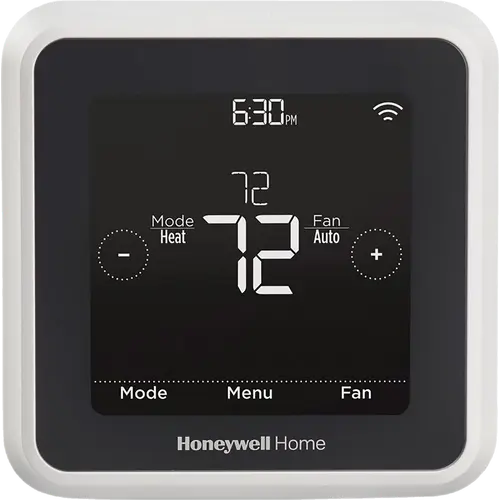
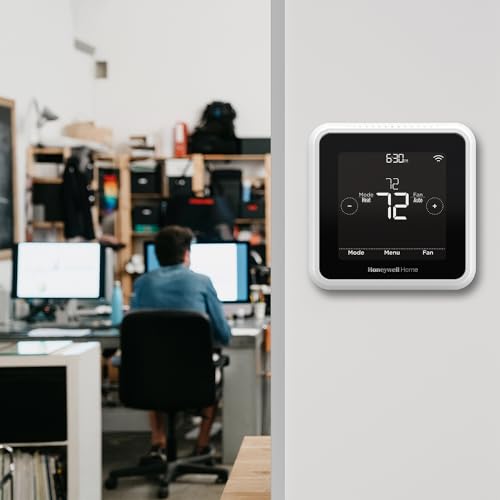
- Large, high-contrast touchscreen that reads well across a room
- ENERGY STAR certified with monthly energy reports and tips
- Remote control and adjustment from the Resideo app
- Two-year limited warranty
- Priced well below the flagship tier
Cons
- No remote room sensors, so it only measures where it is mounted
- No humidity sensing and no occupancy detection
- Does not automatically switch between heating and cooling
- A C wire or power adapter is required
- Some owners report units not working with their system, or slow response
- No Matter support and no learning behaviour
Who is the Honeywell Home T5 for?
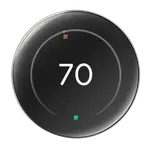
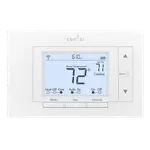
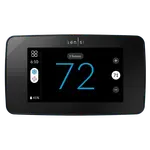
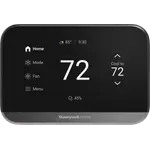
It suits a home with one zone and no serious temperature imbalance, where the goal is simply to stop heating an empty house. The two headline features are a 7-day flexible schedule and geofencing, which uses your smartphone's location to trigger Auto Home and Away rather than asking you to predict your week. Honeywell states that heavy use of the scheduling feature saved customers between 8 and 16 percent on heating and cooling bills. The display is a large black touchscreen with white numerals that owners find easy to read across a room, and control runs through the Resideo app plus Alexa, Google Assistant and Apple HomeKit. It works with most heat and cool systems including furnaces, air conditioners and heat pumps, and it is ENERGY STAR certified with monthly energy reports and personalised tips.
What buyers love
Installation comes up more than anything else. The UWP mounting system means buyers replacing an older Honeywell frequently reuse the existing backing plate, and one apartment dweller upgrading from a non-smart T4 reported the swap taking less than ten seconds. App setup is described as equally quick, and owners consistently rate the value: several bought it on sale and felt they got a full-featured thermostat for entry-level money. The look draws unprompted compliments, with the black face and white numerals called clean and modern. Scheduling is easier than some reviews suggest according to owners who tried it themselves, and remote control from a phone, including from bed, is the convenience people mention most.
What to know before you buy
This is a single-sensor thermostat, so it measures only the wall it is mounted on. There is no support for remote room sensors, no humidity sensing and no occupancy detection, all of which the T9 adds. One owner also flagged that it will not automatically switch between heating and cooling, which matters in shoulder seasons. On reliability, one buyer had two units in a row fail to work with their system, though Honeywell reimbursed quickly, and another described the hardware as good but the software experience going downhill after a promising install. A few owners find it slow to notice temperature changes and shut the air handler down. Practically, check the C wire situation before ordering, since Honeywell states a C wire power adapter is required, and note the unit will not work with heating-only oil furnaces unless a C wire is present.
Is the Honeywell Home T5 worth it?
For a straightforward one-zone home, yes. You get the scheduling and geofencing that produce the actual savings, a large readable touchscreen, energy reporting, and compatibility with all three major voice ecosystems including HomeKit, at roughly a third of what a flagship costs. Skip it if your house heats unevenly and you need room sensors, if you want humidity readings, or if you want the thermostat to learn your habits rather than follow your schedule. Confirm your wiring supports it first, and buy it on discount, which is when owners feel best about the purchase.
Frequently asked questions
Does the Honeywell Home T5 need a C wire?
Yes. Honeywell states a C wire power adapter is required, so check your existing wiring before ordering. It also will not work with heating-only oil furnace systems unless a C wire is present.
Does the Honeywell Home T5 work with Apple HomeKit?
Yes. It supports Apple HomeKit as well as Amazon Alexa and Google Assistant, so it fits into any of the three major ecosystems. There is no Matter support.
Can the Honeywell Home T5 use remote room sensors?
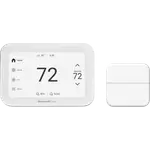
No. It reads only its own on-board sensor at the wall. If you need to prioritise a bedroom or balance rooms that heat unevenly, that is the T9, which ships with a Smart Room Sensor and supports more.
How does geofencing work on the Honeywell Home T5?
It uses your smartphone's location to detect when you leave and return, switching the thermostat between Home and Away automatically. You can use it alongside or instead of the 7-day schedule.
Is the Honeywell Home T5 easy to install?
For most people, yes. It uses Honeywell's UWP mounting system, and owners replacing an older Honeywell thermostat frequently find the new unit fits the existing backing, in some cases making the swap take seconds.
Does the Honeywell Home T5 switch automatically between heat and cool?
No. One owner specifically flagged that automatic changeover between heating and cooling is not available, so you set the mode yourself when the seasons turn.