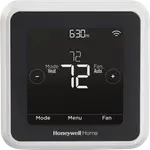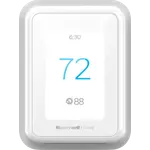



Honeywell Home T9 Review: The Thermostat That Heats the Room You Are Actually In
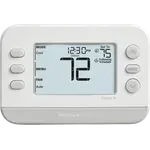
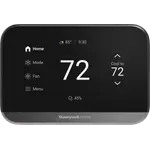
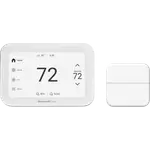
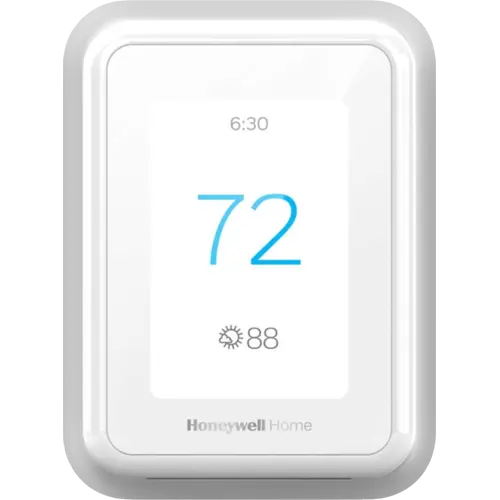
The T9 exists to solve the oldest problem in home heating: the thermostat measures the hallway, not the room you occupy. Its Smart Room Sensors work up to 200 feet away, report temperature and humidity, and detect which rooms have people in them, so the system can either follow occupancy automatically or hold a specific room like a bedroom at the temperature you want. One sensor comes in the box and more can be added. It covers every major ecosystem including Apple HomeKit and SmartThings, installs easily with the included C wire adapter, and carries a two-year warranty. The recurring frustrations are the Resideo app rather than the hardware, plus heavy battery use on the sensors.
- Homes with rooms that heat unevenly
- Prioritising a bedroom or home office
- Apple Home and SmartThings households
- Replacing an older Honeywell thermostat
Pros
- Smart Room Sensors included, with up to 200 ft range
- Occupancy detection so the system heats the rooms in use
- Prioritise a specific room or average several together
- Works with Alexa, Apple HomeKit, Google Assistant and SmartThings
- C wire power adapter included for systems without one
- Often fits the existing wall plate when replacing an older Honeywell
- Temperature and humidity sensing with filter and maintenance reminders
- Geofenced Auto Home and Away scheduling
- ENERGY STAR certified
- Two-year limited warranty
Cons
- Resideo app draws consistent criticism and can wobble on setup
- Changing the temperature over Wi-Fi applies a permanent hold, overriding the schedule
- Smart Room Sensor battery life can be very short
- Averaging mode reported reverting to the schedule overnight
- No Matter support
- Not compatible with 120 to 240 volt electric baseboard heating
Who is the Honeywell Home T9 for?
It is aimed at anyone whose house has a room that is always a couple of degrees off. The wireless Smart Room Sensors are the whole point: they report temperature and humidity, sense occupancy, and reach up to 200 feet from the thermostat, so you can tell the system to heat the bedroom at night and the office during the day, or average several rooms together. One sensor is included and the thermostat handles multiple rooms once you add more. It works with forced air gas, oil and electric systems, hot water and steam, and heat pumps with electric backup, but not with 120 to 240 volt electric baseboard heating. Control runs through the Resideo app plus Amazon Alexa, Apple HomeKit, Google Assistant, SmartThings and more.
What buyers love
The sensors deliver on the promise. Owners describe the thermostat correctly detecting which room is occupied and optimising to it, and several picked the T9 specifically after Nest dropped third-party home automation support. Installation gets consistent praise: the C wire adapter is in the box for systems that lack one, and buyers replacing an older Honeywell find the new unit often fits the existing wall plate, in one case taking seconds. Owners who have cycled through Nest, ecobee and Amazon's thermostat rate this one highest, with HomeKit pairing repeatedly called the thing that makes it click. The other recurring compliment is that it is a good thermostat before it is a smart one, which buyers who value Honeywell's HVAC pedigree care about.
What to know before you buy
The app is the weak link. Owners describe the Resideo app as capable but fiddly, with connection wobbles during setup, and one long-term owner reported the app integration with Alexa and SmartThings degrading roughly fourteen months in. There is also a specific behavioural gripe worth knowing: adjusting the temperature over Wi-Fi sets a permanent hold rather than a temporary one, which quietly overrides your schedule until you notice. Sensor battery life is the other complaint, with one owner going through a pair of batteries a month on a sensor with a strong signal. A couple of owners also flagged the averaging mode reverting to the schedule the following morning. Finally, this is a Wi-Fi thermostat with no Matter support, and the network setup gave at least one owner with a mesh router trouble.
Is the Honeywell Home T9 worth it?
If uneven room temperatures are your actual problem, yes, and it solves that more directly than a Nest or an ecobee at similar money because the sensor is bundled and the occupancy logic is built around multi-room prioritisation. You also get humidity sensing, filter reminders, geofenced Home and Away scheduling, ENERGY STAR certification and unusually broad ecosystem support including HomeKit and SmartThings. Budget for a spare set of sensor batteries, learn the difference between a permanent and a temporary hold before you start adjusting it from your phone, and accept that the app is the part Honeywell has polished least.
Frequently asked questions
Does the Honeywell Home T9 come with a room sensor?
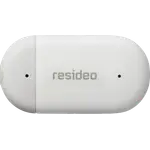
Yes, one Smart Room Sensor is included in this package. The thermostat supports multiple sensors, and additional ones are sold separately if you want to cover more rooms.
How far away can the T9 Smart Room Sensors be placed?
Honeywell rates them at up to 200 feet from the thermostat, and notes the usable range can be further or shorter depending on how the house is built.
Does the Honeywell Home T9 work with Apple HomeKit?
Yes. It supports Apple HomeKit alongside Amazon Alexa, Google Assistant and Samsung SmartThings, which is unusually broad coverage for a thermostat in this price range. It does not support Matter.
Does the Honeywell Home T9 need a C wire?
It needs 24V power, but a C wire power adapter is supplied in the box for systems that do not have one, so most installations can proceed either way. Owners replacing an existing thermostat that already has a C wire generally skip the adapter.
What HVAC systems does the Honeywell Home T9 support?
Forced air systems running on gas, oil or electricity, hot water and steam systems, and heat pumps with electric backup. It does not work with 120 to 240 volt electric baseboard heating.
Why does the T9 stay at one temperature after I change it in the app?
Adjusting the temperature over Wi-Fi applies a permanent hold rather than a temporary one, which stops the schedule from resuming. Owners have found this catches them out, so set a temporary hold if you want the programmed schedule to take over again.