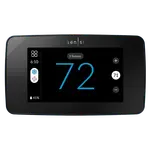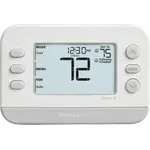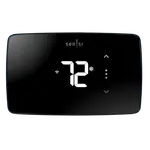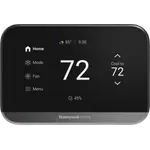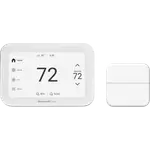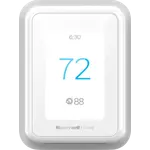




Honeywell Home X7S Review: A Handsome Touchscreen Thermostat With Alexa and App Headaches
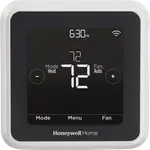
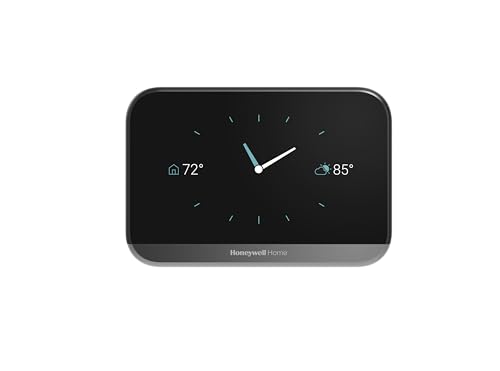
The Honeywell Home X7S is a Matter-certified smart thermostat with a 4.3 inch color touchscreen, a built-in radar sensor, dual-band Wi-Fi and support for up to 20 wireless room sensors. Owners like its modern look, quick Wi-Fi setup, simple programming and the ability to set everything up from the thermostat itself. The common complaints are outside the hardware: the Honeywell app and account sign-in frustrate some, linking Alexa took several owners hours or never worked, the C wire adapter some people were told they could order is back-ordered or discontinued, and a few owners had trouble with installation or erratic temperature control. It suits owners who already have a C wire and prefer to use the screen.
- Homes with a C wire
- People who like a modern touchscreen
- Matter and Apple Home households
- Multi-room homes with room sensors
Pros
- Attractive 4.3 inch color touchscreen that responds well
- Easy installation for most owners
- Wi-Fi setup and programming can be done from the thermostat
- Run-time history shows daily, weekly and monthly use
- Built-in radar sensor for presence and occupancy detection
- Matter certified, bringing it into Apple Home, SmartThings and Home Assistant
- Dual-band 2.4 and 5 GHz Wi-Fi
- Supports up to 20 wireless room sensors with room prioritization
Cons
- C wire required, and the free adapter has been hard to get
- Honeywell apps and account sign-in frustrate some owners
- Linking Alexa took several owners hours or failed
- Some installs needed an HVAC technician
- A few owners report erratic temperature control after changes
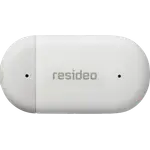
- Wireless room sensors and the decorative cover plate are sold separately
- Does not work with electric baseboard heat at 120 to 240 V
- No keypad lock
Who is the Honeywell Home X7S for?
It is for a homeowner who wants a good-looking thermostat they can control from the wall and from a phone, in a home that already has the C wire it requires. Owners include people replacing older Honeywell and smart thermostats and HVAC technicians who like how many systems it fits. It supports up to 20 room sensors sold separately, a radar presence sensor and Matter, which brings it into Apple Home, SmartThings and Home Assistant.
What owners like
Owners praise the design: a clean touchscreen that responds well and looks attractive on the wall. Installation is described as easy by most, and several say Wi-Fi came on without effort and that they could set everything up from the thermostat instead of starting in an app. Programming a schedule is simple, the run-time feature that shows how long the system ran each day, week, month and year is liked, and people enjoy changing the temperature from their phone, with Alexa working well for some. A heating and cooling technician who has installed it in many homes calls it compatible with nearly every standard system.
What to know before you buy
The apps and accounts are the weakest part. Some owners found the Honeywell apps confusing, couldn't sign in with a password that was just reset, or lost the app after a week, and phone support involved long holds. Linking Alexa was a repeated pain point: owners report the Alexa app opening an older Honeywell app, accounts that would not link, or a session of hours that ended in a return, while others had it working easily. The C wire is the second trap. Some owners did not have one and expected the free adapter from the coupon in the box, only to find it discontinued or on back order for months, and a few needed an HVAC technician to complete the install, with a hole larger than the plate calling for the optional backing plate. A few owners also report erratic temperature readings after changing the setpoint, needing two taps to wake the screen, and no way to lock the keypad.
Is the Honeywell Home X7S worth it?
If your system already has a C wire and you mostly use the screen, owners find it a handsome, capable thermostat that is easy to live with. If you lack a C wire, rely on Alexa linking cleanly or dislike clunky apps, read the install and app notes first and plan on possible technician time.
Frequently asked questions
Does the Honeywell Home X7S need a C wire?
Yes. It is hardwired and requires a C wire for power. Some owners were told to order a free adapter, only to find it back-ordered or discontinued, so check your wiring before buying.
Is the Honeywell Home X7S Matter certified?
Yes. It is certified as part of the ElitePRO/X8/X7 Smart Thermostat family on Matter 1.4 over Wi-Fi, which brings it into Apple Home and SmartThings, and Home Assistant adds it through its Matter integration. It also works with Alexa and Google Home.
Is it easy to link with Alexa?
Experiences vary. Some owners had it working quickly, while others spent hours getting the Honeywell account and the Alexa skill to link.
Does the Honeywell Home X7S come with a room sensor?
No. Room sensors are sold separately. It pairs with up to 20 XRSENSOR wireless indoor sensors at up to 200 ft, each reading temperature, humidity and motion.
How does the Honeywell Home X7S know when nobody is home?
A built-in radar sensor detects occupancy and presence once Auto-Away is enabled, and location-based geofencing can switch it to away mode on its own or combined with a time schedule.
Does the Honeywell Home X7S work with electric baseboard heat?
No. It is designed for low-voltage (24 V) systems and does not work with electric baseboard heat at 120 to 240 V.