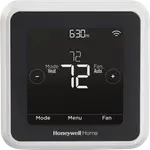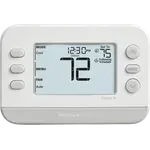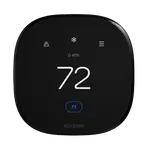







Sensi Lite Smart Thermostat Review: A Budget-Friendly, DIY-Easy Wi-Fi Upgrade
The Sensi Lite is for budget-conscious homeowners who want a simple, self-installed upgrade from a dumb thermostat rather than a feature-packed smart hub. Buyers repeatedly praise the guided installation video and app walkthrough, remote temperature control, and easy day-to-day operation, while the recurring gripes are around Wi-Fi reconnect issues on some units and app functionality being limited outside the US and Canada. For a standard single-stage HVAC system, it delivers real convenience and energy-saving scheduling at a low price point.
- First-time smart thermostat buyers on a budget
- DIY installers replacing a basic thermostat
- Alexa and Google Home households
- Landlords or multi-unit owners standardizing on an affordable thermostat
Pros
- Guided, step-by-step app and video walkthrough makes DIY installation approachable
- Simple, easy-to-read interface and app once set up
- Remote temperature control and scheduling via the app or Alexa
- Works with Google Home, Alexa, Samsung SmartThings and Home Assistant
- Automatic scheduling aimed at energy savings
Cons
- No Apple HomeKit support
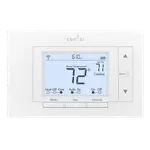
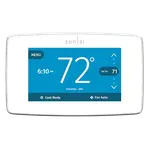
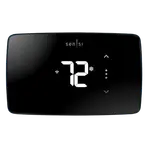
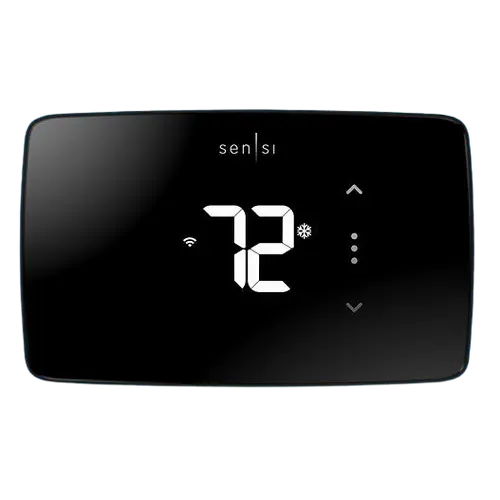
- Monochrome, non-touch display; no on-device detailed scheduling
- 2.4GHz Wi-Fi only, with some reports of dropped connections over time
- No built-in occupancy, humidity or air-quality sensors
- Some smart features reported as limited for buyers outside the US and Canada
Who is the Sensi Lite for?
The Sensi Lite Smart Thermostat is built for homeowners who want core smart-thermostat features, Wi-Fi remote control, manual and automatic scheduling, and app-based temperature monitoring, without paying for extras like a color touchscreen or built-in occupancy sensors. It works with Google Home, Amazon Alexa, Samsung SmartThings and Home Assistant, making it a flexible fit for most non-Apple smart home setups. The device relies on a basic monochrome LED display and a temperature sensor for its core scheduling logic, and it supports voice control through connected assistants.
What buyers love
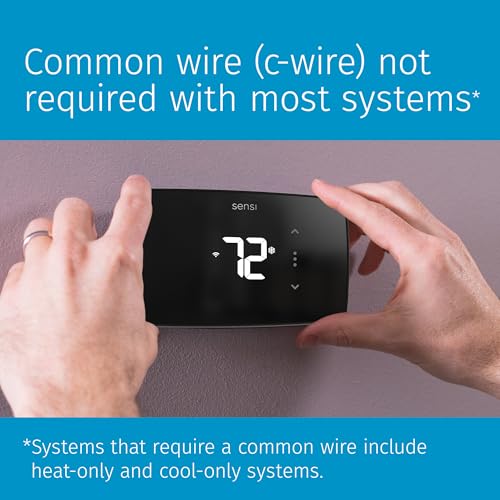
The most consistent theme in reviews is how approachable the installation is: buyers repeatedly mention the in-app, step-by-step guided setup and installation video making the wiring process manageable even for people with no HVAC background. Once installed, reviewers highlight easy day-to-day use, a clean and legible interface, and the convenience of adjusting the temperature remotely through the app or with Alexa. Several buyers specifically call out the automatic scheduling as delivering real energy savings for the price, which matches the item's supported energy-savings and automatic scheduling features.
What to know before you buy
The thermostat's display is monochrome and non-touch, so all detailed scheduling and configuration happens in the app rather than on the device, and it has no built-in occupancy, humidity or air-quality sensing, no color screen, and no Apple HomeKit support. Connectivity is 2.4GHz Wi-Fi only, and a minority of reviewers report the unit losing its Wi-Fi connection and dropping into an offline mode over time, with slow support response when that happens. A handful of reviewers outside the US and Canada also report that some smart/remote features do not work as expected in their region, so international buyers should confirm compatibility before purchasing.
Is the Sensi Lite worth it?
At its price point, the Sensi Lite delivers the essentials, guided DIY install, remote app control, automatic scheduling and mainstream voice-assistant support, without the premium touches of pricier thermostats. Reviewers overwhelmingly rate the installation experience and everyday usability highly, and the occasional Wi-Fi hiccup or regional limitation appears to affect a minority of units rather than being the norm. For anyone replacing a basic thermostat on a standard single-stage system and wanting a low-cost entry into smart scheduling, it is a solid value pick.
Frequently asked questions
Is the Sensi Lite easy to install myself?
Yes. Reviewers consistently describe the in-app guided installation and accompanying video as clear enough for a DIY install without prior HVAC experience, though it is worth checking your existing thermostat's wiring first.
Does the Sensi Lite work with Alexa and Google Home?
Yes, it supports Google Home, Amazon Alexa, Samsung SmartThings and Home Assistant. It does not support Apple HomeKit.
Does it have a touchscreen?
No. It has a basic monochrome LED display; all detailed scheduling and settings are managed through the Sensi app.
Can the Sensi Lite create its own schedule automatically?
Yes, it supports both manual and automatic scheduling alongside energy-savings features, in addition to manual control.
Does the Sensi Lite work outside the US and Canada?
Some buyers outside the US and Canada have reported reduced smart/remote functionality, so international buyers should verify regional compatibility before purchasing.