Title
Content
- Basic Information
- Rating
- Reviews
- Launch Year
- Warranty
- Model
- Company
- Brand
- Headquarters
- Size & Materials
- Dimensions
- Weight
- Form Factor
- Capacity & Output
- VA Rating
- Watt Rating
- Topology
- Pure Sine Wave Output
- Battery
- LiFePO4 Battery
- Runtime at Half Load
- Runtime at Full Load
- Recharge Time
- User Replaceable Battery
- Hot Swappable Battery
- Expandable Battery
- Outlets & Ports
- Total Outlets
- Battery Backup Outlets
- Surge Only Outlets
- Outlet Type
- USB-A Charging Port
- USB-C Charging Port
- Ethernet Surge Protection
- Coaxial Surge Protection
- Protection
- Automatic Voltage Regulation
- Surge Energy Rating
- Transfer Time
- Connectivity
- 2.4 GHz WiFi
- Ethernet
- Bluetooth
- Monitoring & Management
- USB Data Port
- Network Management Card Slot
- Power Management Software
- Mobile App
- LCD Display
- Integrations
- Home Assistant
- Features
- Energy Saving Mode
- Cold Start
- 3,811
- 2020
- 3 years
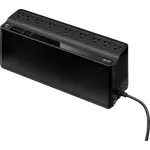
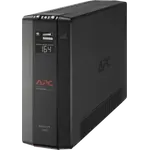
- BE850G2
- APC
- United States
- 12.9 × 4.1 × 5.5 in
(327 × 105 × 139 mm) - 9 lb
(4.1 kg) - Compact
- 850 VA
- 450 W
- Standby
- NO
- NO
- 11 minutes
- 2 minutes
- 8 hours
- YES
- ?
- NO
- 9
- 6
- 3
- NEMA 5-15R
- YES
- NO
- NO
- NO
- NO
- 354 J
- 6 ms
- NO
- NO
- NO
- YES
- NO
- YES
- NO
- NO
- YES
- NO
- ?
- 390
- 2012
- 3 years
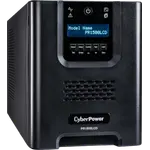
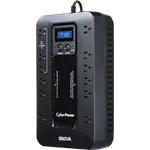
- PR1500LCD
- CyberPower
- Taiwan
- 6.7 × 8.7 × 17 in
(170 × 221 × 432 mm) - 54 lb
(24.49 kg) - Tower
- 1500 VA
- 1500 W
- Line-interactive
- YES
- NO
- 15.1 minutes
- 4.7 minutes
- 8 hours
- YES
- YES
- NO
- 8
- 8
- 0
- NEMA 5-15R
- NO
- NO
- NO
- NO
- YES
- 1030 J
- 4 ms
- NO
- NO
- NO
- YES
- YES
- YES
- Cloud card required
- YES
- YES
- YES
- ?
- 29,275
- 2016
- 3 years
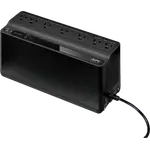
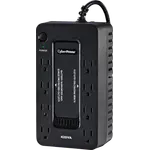
- BE600M1
- APC
- United States
- 10.8 × 4.1 × 5.5 in
(274 × 105 × 139 mm) - 7.7 lb
(3.5 kg) - Compact
- 600 VA
- 330 W
- Standby
- NO
- NO
- 12 minutes
- 3 minutes
- 10 hours
- YES
- YES
- NO
- 7
- 5
- 2
- NEMA 5-15R
- YES
- NO
- NO
- NO
- NO
- 490 J
- 6 ms
- NO
- NO
- NO
- YES
- NO
- YES
- NO
- NO
- YES
- NO
- YES
- 11,471
- 2010
- 3 years
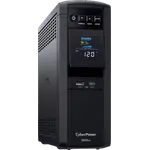
- CP1500PFCLCD
- CyberPower
- Taiwan
- 14 × 3.9 × 11 in
(356 × 99 × 279 mm) - 24.9 lb
(11.29 kg) - Tower
- 1500 VA
- 1000 W
- Line-interactive
- YES
- NO
- 10 minutes
- 2.5 minutes
- 8 hours
- YES
- NO
- NO
- 12
- 6
- 6
- NEMA 5-15R
- YES
- YES
- YES
- NO
- YES
- 1445 J
- 4 ms
- NO
- NO
- NO
- YES
- YES
- YES
- Cloud card required
- YES
- YES
- YES
- ?
- 3,552
- 2020
- 3 years
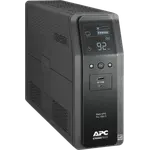
- BR1500MS2
- APC
- United States
- 14.5 × 3.9 × 10.2 in
(368 × 100 × 260 mm) - 27.6 lb
(12.5 kg) - Tower
- 1500 VA
- 900 W
- Line-interactive
- YES
- NO
- 12.7 minutes
- 3.2 minutes
- 16 hours
- YES
- ?
- NO
- 10
- 6
- 4
- NEMA 5-15R
- YES
- YES
- YES
- YES
- YES
- 1080 J
- 8 ms
- NO
- NO
- NO
- YES
- NO
- YES
- NO
- YES
- YES
- NO
- YES
- 3,528
- 2022
- 3 years
- CP1500AVRLCD3
- CyberPower
- Taiwan
- 13.8 × 3.9 × 10.2 in
(350 × 100 × 259 mm) - 23.8 lb
(10.8 kg) - Tower
- 1500 VA
- 900 W
- Line-interactive
- NO
- NO
- 12 minutes
- 3 minutes
- 8 hours
- YES
- NO
- NO
- 12
- 6
- 6
- NEMA 5-15R
- YES
- YES
- YES
- YES
- YES
- 1500 J
- 4 ms
- NO
- NO
- NO
- YES
- NO
- YES
- Subscription required
- YES
- YES
- YES
- ?
- 844
- 2007
- 3 years
- OR500LCDRM1U
- CyberPower
- Taiwan
- 17 × 9.3 × 1.7 in
(433 × 235 × 44 mm) - 18 lb
(8.16 kg) - Rack
- 500 VA
- 300 W
- Line-interactive
- NO
- NO
- 12 minutes
- 3 minutes
- 8 hours
- YES
- YES
- NO
- 6
- 4
- 2
- NEMA 5-15R
- NO
- NO
- YES
- NO
- YES
- 1150 J
- 8 ms
- NO
- NO
- NO
- YES
- YES
- YES
- Cloud card required
- YES
- YES
- YES
- ?
- 307
- 2017
- 3 years
- SMT1500C
- APC
- United States
- 17.3 × 6.7 × 8.6 in
(439 × 171 × 219 mm) - 54.2 lb
(24.6 kg) - Tower
- 1440 VA
- 1000 W
- Line-interactive
- YES
- NO
- 23 minutes
- 6.5 minutes
- 3 hours
- YES
- YES
- NO
- 8
- 8
- 0
- NEMA 5-15R
- NO
- NO
- NO
- NO
- YES
- 680 J
- 6 ms
- NO
- YES
- NO
- YES
- YES
- YES
- Subscription required
- YES
- YES
- YES
- ?
- 13,057
- 2017
- 3 years
- BX1500M
- APC
- United States
- 15 × 3.9 × 9.8 in
(382 × 100 × 250 mm) - 24.3 lb
(11 kg) - Tower
- 1500 VA
- 900 W
- Line-interactive
- NO
- NO
- 11 minutes
- 3 minutes
- 16 hours
- YES
- ?
- NO
- 10
- 5
- 5
- NEMA 5-15R
- NO
- NO
- YES
- YES
- YES
- 789 J
- 8 ms
- NO
- NO
- NO
- YES
- NO
- YES
- NO
- YES
- YES
- NO
- YES
- 6,873
- 2013
- 3 years
- EC850LCD
- CyberPower
- Taiwan
- 12.2 × 3.1 × 7 in
(310 × 79 × 178 mm) - 7.7 lb
(3.49 kg) - Compact
- 850 VA
- 510 W
- Standby
- NO
- NO
- 7.9 minutes
- 2.3 minutes
- 8 hours
- NO
- NO
- NO
- 12
- 6
- 6
- NEMA 5-15R
- NO
- NO
- NO
- NO
- NO
- 526 J
- 4 ms
- NO
- NO
- NO
- YES
- NO
- YES
- NO
- YES
- YES
- YES
- YES
- 5,418
- 2018
- 3 years
- ST425
- CyberPower
- Taiwan
- 8.3 × 4.5 × 3.2 in
(211 × 114 × 81 mm) - 3.8 lb
(1.72 kg) - Compact
- 425 VA
- 260 W
- Standby
- NO
- NO
- 6 minutes
- 1.5 minutes
- 8 hours
- NO
- NO
- NO
- 8
- 4
- 4
- NEMA 5-15R
- NO
- NO
- NO
- NO
- NO
- 890 J
- 8 ms
- NO
- NO
- NO
- NO
- NO
- NO
- NO
- NO
- NO
- NO
- YES
- 1,594
- 2017
- 3 years
- BR1000MS
- APC
- United States
- 14.5 × 3.9 × 10.2 in
(368 × 100 × 260 mm) - 22.5 lb
(10.2 kg) - Tower
- 1000 VA
- 600 W
- Line-interactive
- YES
- NO
- 12.2 minutes
- 3.7 minutes
- 16 hours
- YES
- ?
- NO
- 10
- 6
- 4
- NEMA 5-15R
- YES
- YES
- YES
- YES
- YES
- 1080 J
- 8 ms
- NO
- NO
- NO
- YES
- NO
- YES
- NO
- YES
- YES
- NO
- YES
- 1,517
- 2024
- 2 years
- UPS1000VA Pro/800W
- GOLDENMATE
- China
- 13 × 9.8 × 4.1 in
(330 × 250 × 105 mm) - 12.3 lb
(5.6 kg) - Tower
- 1000 VA
- 800 W
- Line-interactive
- YES
- YES
- 30 minutes
- ?
- 10 hours
- NO
- NO
- NO
- 8
- 8
- 0
- NEMA 5-15R
- NO
- NO
- NO
- NO
- NO
- ?
- 20 ms
- NO
- NO
- NO
- NO
- NO
- NO
- NO
- YES
- NO
- NO
- ?
- 134
- 2025
- 2 years
- UPS-600VA-36BKA
- GOLDENMATE
- China
- 11 × 4.6 × 4.4 in
(280 × 116 × 112 mm) - 4.6 lb
(2.1 kg) - Compact
- 600 VA
- 360 W
- Standby
- NO
- YES
- ?
- ?
- 3 hours
- NO
- NO
- NO
- 6
- 6
- 0
- NEMA 5-15R
- YES
- YES
- NO
- NO
- NO
- ?
- 10 ms
- NO
- NO
- NO
- YES
- NO
- NO
- NO
- NO
- ?
- NO
- ?
- 254
- 2025
- 2 years
- UPS-1500VA-10BKD01
- GOLDENMATE
- China
- 16.7 × 6.3 × 11.8 in
(425 × 160 × 300 mm) - 33.1 lb
(15 kg) - Tower
- 1500 VA
- 1000 W
- Line-interactive
- YES
- YES
- ?
- ?
- 4 hours
- NO
- NO
- NO
- 8
- 8
- 0
- NEMA 5-15R
- YES
- YES
- NO
- NO
- YES
- ?
- 6 ms
- NO
- NO
- NO
- YES
- NO
- NO
- NO
- YES
- YES
- NO
- ?
- 244
- 2020
- 3 years
- BGM1500B-US
- APC
- United States
- 16.1 × 4.1 × 11.5 in
(408 × 105 × 291 mm) - 25.4 lb
(11.5 kg) - Tower
- 1500 VA
- 900 W
- Line-interactive
- YES
- NO
- 12 minutes
- 3 minutes
- 16 hours
- YES
- ?
- NO
- 10
- 6
- 4
- NEMA 5-15R
- YES
- YES
- YES
- YES
- YES
- 1080 J
- 8 ms
- NO
- NO
- NO
- YES
- NO
- YES
- NO
- YES
- YES
- NO
- ?
- 358
- 2013
- 3 years
- 5S1500LCD
- Eaton
- Ireland
- 15 × 3.4 × 9.8 in (382 × 87 × 250 mm)
- 25.5 lb
(11.57 kg) - Tower
- 1500 VA
- 900 W
- Line-interactive
- NO
- NO
- ?
- 2 minutes
- ?
- YES
- NO
- NO
- 10
- 5
- 5
- NEMA 5-15R
- NO
- NO
- YES
- YES
- YES
- ?
- 5 ms
- NO
- NO
- NO
- YES
- NO
- YES
- NO
- YES
- YES
- YES
- YES
- -
- -
- 2025
- 2 years
- UPS-Tower
- Ubiquiti
- USA
- 11.3 × 3.9 × 11 in
(288 × 99 × 280.5 mm) - 18 lb
(8.16 kg) - Tower
- 1000 VA
- 600 W
- Line-interactive
- NO
- NO
- 7 minutes
- 2 minutes
- 8 hours
- YES
- YES
- NO
- 10
- 5
- 5
- NEMA 5-15R
- NO
- NO
- YES
- NO
- YES
- ?
- 6 ms
- NO
- YES
- NO
- NO
- YES
- NO
- YES
- NO
- YES
- NO
- YES