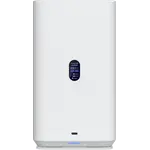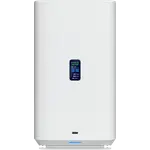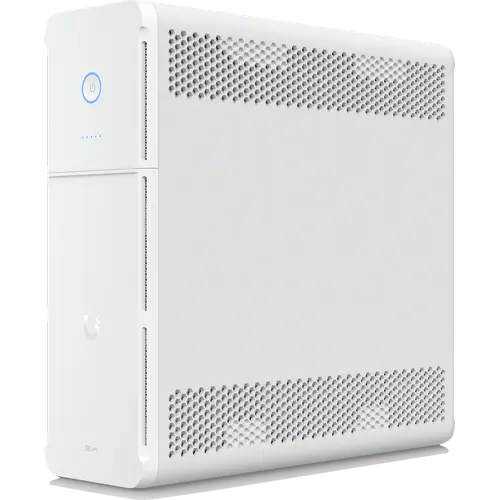
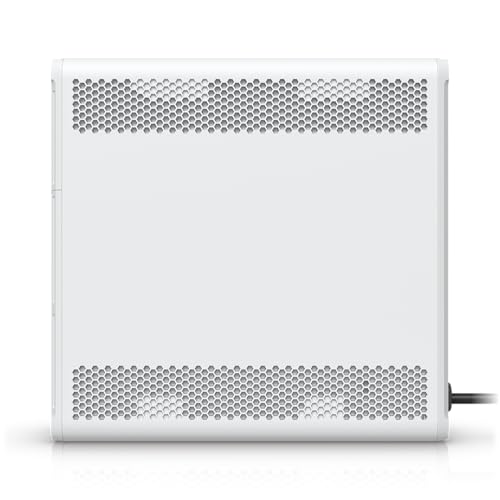
Image Slideshow Items

  • Ubiquiti UniFi UPS Tower
  • Ubiquiti UniFi UPS Tower photo 2
  • Ubiquiti UniFi UPS Tower photo 3
  • Ubiquiti UniFi UPS Tower photo 4
  • Ubiquiti UniFi UPS Tower photo 5
  • Ubiquiti UniFi UPS Tower photo 6

Ubiquiti UniFi UPS Tower

1000 VA / 600 W line-interactive backup with a built-in NUT server, hot-swappable battery and UniFi management, but a simulated sine wave and short runtime.

Last recorded price

Currently unavailable on Amazon USA

As an Amazon Associate I earn from qualifying purchases
Launch Year: 2025

Model: UPS-Tower

See the 10 best selling ups battery backups
Open selection
Works with
  • Home Assistant
Connectivity
  • Ethernet
Deals by email

Not buying today? Get the best deals by email

We follow prices across the catalog and email you the best deals we find.

Smart home deals and news, straight to your inbox

Price drops, new releases and the smart home news worth knowing.

No spam. Unsubscribe in one click.

Your subscription could not be saved. Please try again.
Please enter a valid email address.
Tick the box above to finish signing up.
We couldn't verify you're human. Please try again.
Too many attempts. Please try again in an hour.
Your subscription has been successful.
Our review

Ubiquiti UniFi UPS Tower Review: A Network-Managed Battery Backup Built for UniFi Racks

The verdict

The Ubiquiti UniFi UPS Tower is a 1000 VA / 600 W line-interactive battery backup that plugs into the network instead of a USB cable: its Ethernet management port lets UniFi adopt it, shows load and runtime in the UniFi app, and runs a NUT server that can shut down a UniFi NAS or NVR, Home Assistant or any NUT client. It is the natural pick for a home or small office already built on UniFi gear. The trade-offs are a simulated sine wave on battery, no USB port or screen, and runtime measured in minutes (7 at half load), so it rides out short outages and shuts things down cleanly rather than keeping a network up for an hour.

Best for
  • UniFi networks
  • Home labs and NAS owners
  • Network closets
  • Home Assistant users

Pros

  • Built-in Ethernet management, adopted and monitored in UniFi
  • Built-in NUT server for graceful shutdowns of up to 3 clients
  • Works with Home Assistant through its NUT integration
  • Hot-swappable, user-replaceable battery
  • AVR corrects voltage without draining the battery
  • Cold start from battery
  • Five battery-backed and five surge-only outlets plus an RJ-45 surge pair

Cons

  • Simulated sine wave on battery
  • Short runtime (7 minutes at half load) and no expansion battery
  • No USB data port or USB charging ports
  • No display, only status LEDs
  • No desktop shutdown software

Who is the UniFi UPS Tower for?

It is built for a network that already runs on UniFi: a Cloud Gateway, a few switches, a UNAS or a UNVR. Ubiquiti lists dozens of its own gateways, switches and storage boxes as compatible loads, and the UPS is adopted into UniFi like any other device. It also suits a home lab that wants graceful shutdowns over the network, since its NUT server speaks to third-party NAS systems and Home Assistant. Someone protecting a gaming PC with an active PFC power supply, or a single desktop over USB, is better served by a pure sine wave unit with a USB data port.

What the UniFi UPS Tower offers

The headline is network management with no card to buy: a 10/100 Ethernet port puts the UPS in the UniFi Network app, on the web and on the phone, where it reports battery charge, runtime, input and output voltage and load. The same port runs a NUT server for up to 3 clients, and when about two minutes of runtime remain it signals a graceful shutdown. Ten NEMA 5-15R outlets split into five battery-backed and five surge-only, plus a GbE RJ-45 surge pair for the network line. Automatic Voltage Regulation keeps the output steady between 89 and 145 V without touching the battery, the unit can cold start from battery when the mains is out, and the 12 V / 9 Ah lead-acid battery is hot-swappable through the front panel.

What to know before you buy

The output on battery is a simulated sine wave, not a pure one, which matters for power supplies with active PFC. Runtime is short: Ubiquiti quotes 7 minutes at half load (300 W) and 2 minutes at full load (600 W), and there is no connector for an external battery pack to stretch it. There is no USB port of any kind, neither a data port for a computer nor charging ports, and no screen: status is a set of LEDs on the front. Ubiquiti offers no desktop shutdown software either, so a computer that should shut down needs a NUT client. The battery takes up to 8 hours to recharge to 90%, and the warranty is two years from the Ubiquiti Store but one year through resellers.

Is the UniFi UPS Tower worth it?

For a UniFi setup it is good value: a built-in network management port and NUT server usually cost extra on a traditional UPS, here they come standard and fit straight into the app the network is already managed from. As a general-purpose battery backup it is ordinary on paper, with a lead-acid battery, a simulated sine wave and a runtime aimed at clean shutdowns. Buy it to keep a UniFi gateway, switches and storage protected and shut down gracefully, not to keep a home online through a long outage.

Frequently asked questions

Does the UniFi UPS Tower have a USB port?

No. It has no USB data port and no USB charging ports. It reports its status and triggers shutdowns over its Ethernet management port, through UniFi and its built-in NUT server.

Does the UniFi UPS Tower work with Home Assistant?

Yes. The UPS runs a built-in Network UPS Tools (NUT) server on its network port, and the Home Assistant NUT integration reads it, including battery charge, runtime, voltages, load and status.

How long does the UniFi UPS Tower run on battery?

Ubiquiti quotes 7 minutes at half load (300 W) and 2 minutes at full load (600 W). When about two minutes remain, it sends a graceful shutdown signal to its NUT clients.

Is the UniFi UPS Tower a pure sine wave UPS?

No. It is a line-interactive UPS whose battery output is a simulated sine wave. On mains power, its AVR keeps the output stable between 89 and 145 V without switching to battery.

Can the UniFi UPS Tower battery be replaced?

Yes. The 12 V / 9 Ah sealed lead-acid battery is replaced through the front panel, and it is hot-swappable, so connected equipment stays powered during the swap.


At a glance

Summary

Everything this ups battery backup supports, grouped by category.

Size & Materials
11.3 × 3.9 × 11 in (288 × 99 × 280.5 mm)18 lb (8.16 kg)Tower
Capacity & Output
1000 VA600 WLine-interactive
Battery
7 minutes2 minutes8 hoursUser Replaceable BatteryHot Swappable Battery
Outlets & Ports
1055Outlet Type (NEMA 5-15R)Ethernet Surge Protection
Protection
Automatic Voltage Regulation6 ms
Connectivity
Ethernet
Monitoring & Management
Network Management Card SlotMobile App
Integrations
Home Assistant

Price History

Loading price history...

Price alert

Get an email when the price drops

How much should it drop?

Cancel anytime from the email.

Company
Ubiquiti logo

Ubiquiti

4.5/ 5 avg ratingUSA flagHeadquartered in USA

Ubiquiti is a US networking company whose smart home relevance comes from its UniFi platform, spanning Wi-Fi routers, mesh systems, switches, security cameras (UniFi Protect), video doorbells and access control. Its gear is prized by enthusiasts for high performance, a unified local-first UniFi OS interface and no mandatory subscriptions. A fast, reliable UniFi network is a popular backbone for larger smart homes, though the ecosystem leans prosumer rather than plug-and-play.

Full specifications

Every spec, organized

Browse the full breakdown by category. Tap the on any row for what it means, or the for sources and documentation.

Size & Materials
Dimensions

11.3 × 3.9 × 11 in (288 × 99 × 280.5 mm)

Weight

18 lb (8.16 kg)

Form Factor

Tower

Ubiquiti lists the form factor as desktop: a slim upright tower, 99 mm wide.

Capacity & Output
VA Rating

1000 VA

Watt Rating

600 W

Topology

Line-interactive

Pure Sine Wave Output

NO

Ubiquiti lists the waveform as simulated sine wave in battery mode.

Battery
LiFePO4 Battery

NO

One 12 V / 9 Ah sealed lead-acid battery (108 Wh).

Runtime at Half Load

7 minutes

Runtime at Full Load

2 minutes

Recharge Time

8 hours

User Replaceable Battery

YES

The battery is replaced through the front panel.

Hot Swappable Battery

YES

Ubiquiti's FAQ: the UPS Tower supports hot-swappable battery replacement via the front panel.

Expandable Battery

NO

No external battery pack connector; the spec sheet lists only the internal 12 V / 9 Ah battery.

Outlets & Ports
Total Outlets

10

Battery Backup Outlets

5

Surge Only Outlets

5

Outlet Type

NEMA 5-15R

USB-A Charging Port

NO

USB-C Charging Port

NO

Ethernet Surge Protection

YES

Two GbE RJ-45 ports for surge in/out.

Coaxial Surge Protection

NO

The rear panel carries no coaxial connectors; only the RJ-45 surge pair.

Protection
Automatic Voltage Regulation

YES

Ubiquiti's FAQ: the built-in AVR keeps the output stable within 89-145 V (US) without switching to battery.

Surge Energy Rating

?

Transfer Time

6 ms

6 ms typical, 10 ms maximum.

Connectivity
2.4 GHz WiFi

NO

Ethernet

YES

Built-in 10/100 Mbps Ethernet management port: the UPS is adopted and monitored in UniFi and runs a built-in NUT server.

Bluetooth

NO

Monitoring & Management
USB Data Port

NO

No USB port; the UPS reports its status over its Ethernet management port only.

Network Management Card Slot

YES

Network management is built in: an Ethernet management port with UniFi management and a NUT server (up to 3 clients), no card slot needed.

Power Management Software

NO

Ubiquiti offers no desktop shutdown software; shutdowns go through UniFi OS (Graceful Shutdown for UNVR and UNAS) or a NUT client.

Mobile App

YES

Monitored in the UniFi Network app, on the web and on the phone (load, battery, runtime).

LCD Display

NO

No screen; a status LED and five battery level LEDs on the front.

Integrations
Home Assistant

YES

The UPS runs a built-in Network UPS Tools (NUT) server on its Ethernet management port, reporting charge, runtime, input and output voltage, load and status, which the Home Assistant NUT integration reads.

Features
Energy Saving Mode

NO

Cold Start

YES

Ubiquiti's FAQ: the UPS Tower can start from the battery when utility power is absent.

On sale now

11 other UPS Battery Backups on sale

View all
Full comparison table

Compare the Ubiquiti UniFi UPS Tower with the other 17 UPS Battery Backups

All UPS Battery Backups in the catalog in one table: filter by what you need, sort by price or rating, and see exactly where this one lands.

  • 17 other UPS Battery Backups
  • 41 specs compared
  • 38 filters
Open the full comparison
Head to head

Ubiquiti UniFi UPS Tower vs the competition

View all
Ubiquiti

More from Ubiquiti

View all