Key takeaways
- Smart home security covers three jobs: monitoring (cameras, doorbells), access control (smart locks), and detection (door, window, motion, and vibration sensors).
- A video doorbell is the highest impact first purchase because it covers the most common entry point and deters package theft.
- Sensors are inexpensive and battery powered, so layering door, window, and motion sensors across the home is cheap insurance against blind spots.
- Local recording and on device processing keep footage private and keep alerts working during internet outages.
A smart home security setup combines cameras and video doorbells for visual monitoring, smart locks for access control, and door, window, motion, and vibration sensors that detect intrusion. Together they cover three jobs: see what is happening, control who gets in, and get alerted the moment something changes.
Top rated security products by category
The best reviewed product in each security category, based on real owner ratings and review counts.
What you need for a complete security setup
Start with the entry points. A video doorbell covers the front door, where most deliveries and visitors arrive, while indoor and outdoor cameras cover driveways, back doors, and key rooms. Smart locks replace keys with codes, fingerprints, or app access and create a log of who entered and when.
Sensors fill the gaps cameras cannot. Door and window sensors confirm whether an entry point is open or closed, motion sensors trigger lights and recordings when someone moves through a space, and vibration sensors catch tampering on windows, safes, or garage doors. Layered together, these categories remove the blind spots that a single camera leaves behind.
Local versus cloud, and why it matters
Many security products record to the cloud, which is convenient but ties your footage and alerts to a subscription and a working internet connection. Products that record locally to a microSD card or a hub keep footage on your property and keep working during outages, which matters most for the devices guarding your entries.
When privacy is a priority, look for cameras with on device person and package detection so video never leaves your network, and choose locks and sensors that run on local protocols like Zigbee, Z-Wave, or Thread paired with a hub you control.
Frequently Asked Questions
- What is the best smart device to start home security with?
- A video doorbell is the best first purchase. It covers the front door, the most common entry and delivery point, deters package theft, and gives you two way audio and motion alerts. From there, add cameras for other entries and door, window, and motion sensors to remove blind spots.
- Do smart security cameras require a subscription?
- Not always. Many cameras offer free local recording to a microSD card or a hub, with cloud storage and advanced detection as optional paid tiers. If you want to avoid recurring fees, choose a camera that supports local recording and on device detection.
- Are smart locks safe?
- Reputable smart locks use strong encryption and keep a tamper resistant physical mechanism. They add convenience like one time codes for guests and an access log, but choose models with offline backup access (a physical key or keypad) so you are never locked out if power or connectivity fails.
- Will my security devices keep working if the internet goes down?
- It depends on the device. Cloud only cameras lose recording and alerts during an outage, while devices that record locally and run on a local hub continue to work. For critical entry points, prioritize products with local recording and local control.

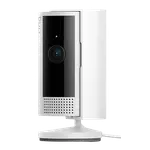 RingRing Indoor Cam
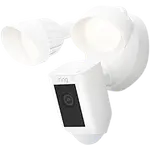 RingRing Floodlight Cam Wired Plus
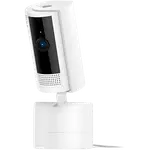 RingRing Pan-Tilt Indoor Cam
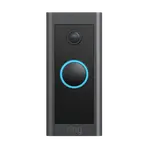 RingRing Video Doorbell Wired
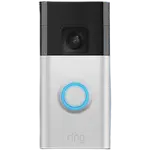 RingRing Battery Doorbell
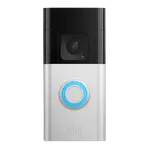 RingRing Battery Doorbell Plus
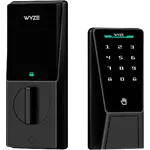 WyzeWyze Palm Lock
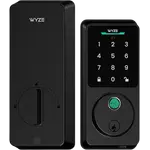 WyzeWyze Auto-Lock Bolt v2
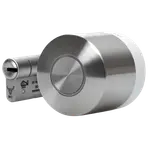 NukiNuki Smart Lock Ultra
 RingRing Alarm Outdoor Siren
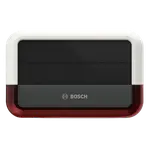 BoschBosch Outdoor Siren
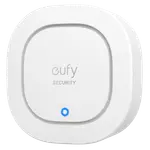 EufyEufy Security Siren
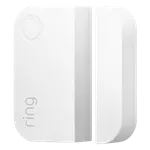 RingRing Window and Door Contact Sensor (2nd gen)
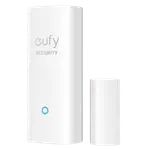 EufyEufy Entry Sensor
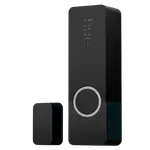 PhilipsHue Secure Contact Sensor
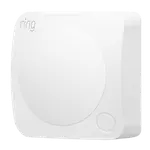 RingRing Alarm Motion Detector
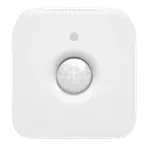 PhilipsPhilips Hue Motion Sensor
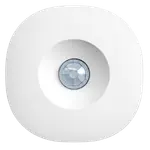 AeotecAeotec Motion Sensor
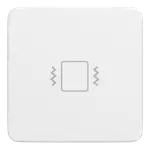 Third RealityThird Reality Vibration Sensor
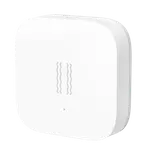 AqaraAqara Vibration Sensor