

Aqara Multi-State Sensor P100 Review: One Sensor, Two Modes, and a Trade-Off Worth Understanding
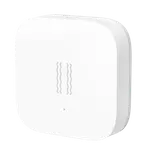
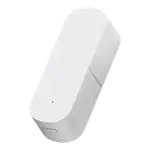
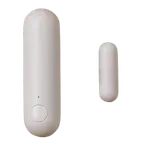
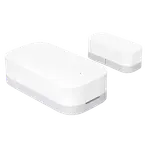
The Multi-State Sensor P100 replaces the usual two-piece magnetic contact sensor with a single small body that sticks to one surface, which is its best idea: there is no magnet gap to align, so a door or window that has sagged over the years still reports its state correctly. It speaks Matter over Thread for open/close status across Apple Home, Google Home, Alexa, SmartThings and Home Assistant, or Zigbee with an Aqara hub to unlock the full 9-axis event set (movement, tilt, fall, vibration and triple tap) with 10 sensitivity levels. Reception is genuinely split. Owners using it as a compact door sensor in Home Assistant are happy, several calling it far easier to place than a conventional sensor and reliable enough to detect a window cracked open slightly. Others hit real friction: the two modes are mutually exclusive so you must pick one, the richer object events stay inside the Aqara Home app, calibration by triple-pressing the top button is fiddly and sometimes needs repeating, and the battery door is notoriously stiff. Buy it for the single-body design and the Matter path; look elsewhere if you just want a cheap contact sensor.
- Home Assistant door and window monitoring
- Sagging or awkward doors and windows
- Matter over Thread setups
- Drawer, safe and valuables tamper alerts
One sensor per door, window or appliance.
Buy on Amazon USACheck pricePros
- Single-body design with no magnet to align, so sagging doors still read correctly
- Much smaller and easier to place than a two-piece contact sensor
- Matter over Thread reaches Apple Home, Google Home, Alexa, SmartThings and Home Assistant
- 9-axis object monitoring covers movement, orientation, tilt, fall, vibration and triple tap
- 10 adjustable sensitivity levels and configurable reporting intervals
- Runs on a single common CR2450 coin cell
- Slots into Home Assistant cleanly, with no vendor app required
Cons
- Only one mode runs at a time, so open/close and object monitoring are mutually exclusive
- The richer object events stay in the Aqara Home app over Zigbee
- Calibration can need repeating, and one owner found it too inconsistent to trust in automations
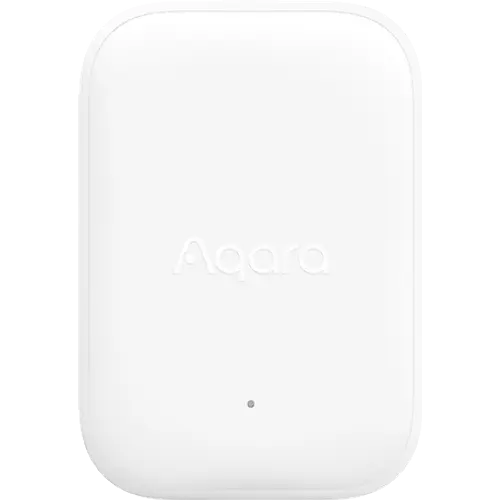
- Calibration gesture is a fiddly triple press of the top button
- Very stiff battery door with no tool included
- Indoor use only, with no weather rating
- Expensive next to a plain two-piece contact sensor if you only need open/close
Who is the Aqara Multi-State Sensor P100 for?
This is a two-jobs-in-one sensor for people who have outgrown the basic magnetic contact sensor. In Open/Close Monitoring mode it tracks hinged doors, casement, hopper and composite windows, fridges and safes by sensing its own orientation rather than proximity to a magnet, which removes the alignment problem entirely. In Object Monitoring mode, running over Zigbee with an Aqara hub, its 9-axis sensor reports movement, orientation, tilt, fall, vibration and a triple tap, which is what makes it useful for watching a drawer, a safe, a bike or a pane of glass. It measures 45 x 31 x 13 mm, runs from a single CR2450 coin cell, sticks to any flat surface, and offers 10 sensitivity levels plus configurable reporting intervals. Connectivity is the deciding factor: Matter over Thread gives you open/close state in Apple Home, Google Home, Alexa, SmartThings and Home Assistant, while Zigbee with an Aqara hub gives the complete event set in the Aqara Home app. It is an indoor sensor, so keep it out of the rain.
What buyers love
The single-body design is the feature that wins people over. Owners repeatedly describe it as much smaller and easier to place than a conventional two-piece sensor, with one German owner relieved to finally have a door sensor without a magnet that reports open and closed reliably, and one Spanish owner noting it registers a window opened only slightly. It slots into Home Assistant cleanly, with several owners running it there directly and reporting it worked immediately, without needing the Aqara app on their phone at all. One owner who replaced three older Aqara P2 sensors with these found setup notably easier and plans to roll them out through the rest of the house. The creative uses show up quickly too: one owner mounted it on a ground-floor mailbox to know when post has arrived without going down to check. The choice of two colours also draws a mention, and once the triple-press calibration gesture clicks, owners describe it as a non-issue.
What to know before you buy
Three things account for most of the disappointment. First, the modes are exclusive: only one can be active at a time, so a sensor set to watch a door cannot simultaneously report fall, triple tap, orientation and movement, which one owner specifically flagged as the reason for holding back a star. Second, the richer object events live in the Aqara Home app over Zigbee and do not cross to third-party platforms, so someone who wires the P100 into Apple Home expecting the full feature list will find only the open/close state exposed, and one owner described the advanced features as hard to get at from there. Third, calibration is a recurring theme in both directions: one owner had to recalibrate a couple of times on the first day and shrugged it off as easy, while another bought three, found they needed recalibrating repeatedly, and concluded they could not be trusted in automations. Smaller gripes are worth knowing: the calibration gesture is three quick presses of the top button and takes practice, the battery door is very stiff with no tool included (one owner scratched the back of the device trying to lever it open with a screwdriver), one owner found response slow, and a Japanese owner received one dead unit out of two. Several also judge it expensive next to a plain two-piece contact sensor if open/close is all you need, and one returned it for exactly that reason. It is indoor-only, and Zigbee2MQTT and similar third-party dongles are outside what Aqara officially supports.
Is the Aqara Multi-State Sensor P100 worth it?
It depends entirely on why you are buying it. If you want the cheapest way to know whether a door is open, this is not that product, and owners who bought it for that job have said so plainly. Where it earns its place is on the doors and windows that defeat a magnetic sensor, on frames that have shifted, on awkward composite or hopper windows, or anywhere a two-piece sensor looks clumsy, and as a tamper sensor for a drawer, a safe or a bike. The Matter over Thread path makes it a tidy fit for a mixed-platform home, and Home Assistant owners in particular report good results. Go in knowing you will choose one mode rather than have both, that the full event set means committing to Zigbee and an Aqara hub, and that you may spend a few minutes on calibration before it settles. Accept those, and it is a genuinely clever sensor; expect a plug-and-play magnet replacement with every feature everywhere, and it will frustrate you.
Frequently asked questions
Does the Aqara Multi-State Sensor P100 need a hub?
It depends on the mode. In Thread mode it needs a Thread border router and a Matter controller, which most smart home platforms now provide, and it reports open/close state. In Zigbee mode it needs an Aqara hub to unlock the full object monitoring feature set, although the Camera Hub G5 Pro, Camera G2H Pro, Camera Hub G410 and Camera Hub G350 can act as that hub.
Can it detect door opening and vibration at the same time?
No. Open/Close Monitoring and Object Monitoring are separate modes and only one can be active at a time, so you choose whether a given sensor watches a door or watches an object for movement, tilt, fall, vibration and triple tap. This catches out buyers who expect both jobs from one unit, so plan which role each sensor plays.
Which smart home platforms does it work with?
Through Matter over Thread it works with Apple Home, Google Home, Amazon Alexa, Samsung SmartThings and Home Assistant, and owners report it pairing into Home Assistant quickly. Over Zigbee with an Aqara hub it runs in the Aqara Home app, which is where the full object monitoring event set is available.
What battery does the P100 use and how do I change it?
It runs on a single CR2450 3V coin cell. Be warned that owners consistently describe the battery door as very stiff, and no opening tool is included, so use a proper plastic pry tool rather than a screwdriver to avoid scratching the case.
Why does it need recalibrating?
The sensor works out its own orientation rather than sensing a magnet, so it needs a reference position, set by pressing the top button three times quickly. An AI self-learning algorithm is meant to correct minor drift over time. Experiences vary: some owners recalibrated once or twice on day one and had no further trouble, while others found it needed repeating.
Can the Aqara Multi-State Sensor P100 be used outdoors?
No. It is rated for indoor use only and should be kept away from direct rain exposure, so a gate, shed or exterior mailbox in an exposed spot is outside its design. Sheltered indoor placements such as doors, windows, fridges, safes and drawers are what it is built for.