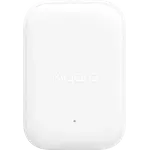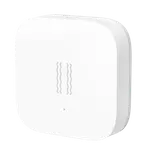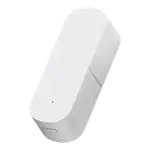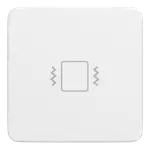

Moes Zigbee Vibration Sensor Review: Vibration, Tilt and Drop Detection in One Small Tag
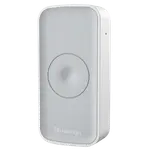
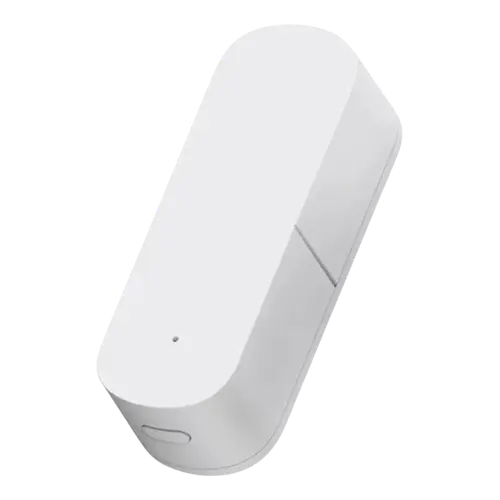
The Moes Zigbee Smart Vibration Sensor covers more ground than most sensors of its type: as well as vibration, it detects tilt and drop, and each of the three raises its own alert. That makes it usable for a window being struck, a package or cabinet being tipped, and something being knocked off a shelf, all from one small battery tag. Sensitivity is adjustable from low to high in the app, which is what keeps it from crying wolf. Home Assistant is the only supported platform, and a Zigbee hub is required.
- Windows, doors and cabinets
- Detecting tipped or dropped items
- Home Assistant security setups
- Zigbee homes
Pros
- Detects vibration, tilt and drop, each with its own alert
- Sensitivity adjustable from low to high in the app
- Low battery alerts
- Runs on two AAA batteries with no wiring
- Automation support in Home Assistant
- Small enough to stick on a window, door or cabinet
- Inexpensive
Cons
- Home Assistant only: no Alexa, Google Home, HomeKit, SmartThings, IFTTT or Matter
- Requires a Zigbee hub, with no Wi-Fi or Bluetooth option
- No sounder on the device itself
- Battery life is not documented
- Dimensions and warranty terms are not documented
Who is the Moes vibration sensor for?
It suits a Home Assistant user who wants to know that something was disturbed, not just opened. A contact sensor tells you a window opened; this tells you a window was hit, a drawer was jolted or an object was knocked over. The three detection modes make it flexible: stick it to glass for impact, to a door or gate for tilt, or to something valuable that should never move at all.
What it detects
Three separate signals, each with its own alert. Vibration covers impacts and knocks. Tilt reports a change in orientation, which is what catches a door swinging, a lid opening or a package being turned over. Drop detects the sensor falling, useful for a shelf or a mounted item. Sensitivity can be tuned across a wide low-to-high range in the app, which is essential for vibration sensing since the right threshold depends entirely on where you stick it. Low battery alerts are included, it runs on two AAA cells, and any of the alerts can drive automations.
What to know before you buy
Home Assistant is the only supported platform: there is no Google Home, Alexa, Apple HomeKit, SmartThings, IFTTT or Matter, so voice assistant homes are out. A Zigbee hub is required, with no Wi-Fi or Bluetooth fallback. There is no sounder on the device, so the alert lands on your phone or has to be relayed to a siren through an automation. Battery life is not documented for this model, though Zigbee sensors on AAA cells are generally long-lived, and neither the dimensions nor the warranty terms are stated.
Is the Moes vibration sensor worth it?
It costs slightly more than a plain vibration sensor and gives you three detection types for the money, which is good value if you will use tilt and drop rather than just impact. As with most Zigbee sensors in this bracket, the real constraint is the platform: it is a natural fit inside Home Assistant with a Zigbee hub, and a non-starter anywhere else.
Frequently asked questions
What can the Moes vibration sensor detect?
Three things: vibration from impacts, tilt from a change in orientation, and drop when the sensor falls. Each raises its own alert.
Can I adjust how sensitive it is?
Yes. Sensitivity is set in the app across a wide low-to-high range, which is important because the right threshold depends on where the sensor is mounted.
Does it need a hub?
Yes. It is Zigbee only, so a Zigbee hub is required.
Which smart home platforms work with it?
Home Assistant only. Google Home, Alexa, Apple HomeKit, Samsung SmartThings, IFTTT and Matter are not supported.
Does it sound an alarm itself?
No. There is no on-device alert sound, so alerts arrive on your phone or through another device you trigger in an automation.