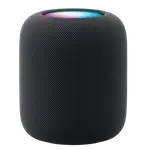



Apple HomePod (2nd gen) Review: Siri That Listens and Answers On the Device
As a voice assistant the second-generation HomePod runs Siri with an unusual amount happening on the device: speech to text and text to speech are both local, so the wake word and the spoken answer do not require a server round trip, while the conversation agent works locally or in the cloud depending on the request. Voice match gives each family member their own reminders, messages and music. It doubles as a smart home hub, acting as a HomeKit home hub, Thread border router and Matter bridge, and it adds temperature and humidity sensing. The constraint is absolute: Apple only, no alternative assistants, and no hardware microphone switch.
- Apple HomeKit homes
- Households sharing one speaker
- Local speech processing
- Thread and Matter accessories
Pros
- Speech to text and text to speech run on the device
- Voice match for personalised responses per family member
- Acts as a HomeKit home hub, Thread border router and Matter bridge
- Built-in temperature and humidity sensors
- Dual-band Wi-Fi plus Bluetooth
- Physical volume and play/pause controls
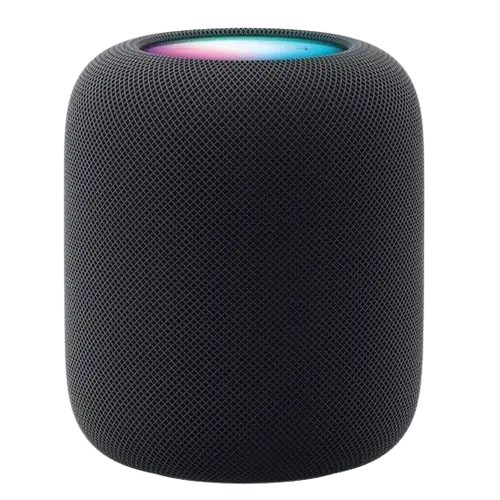
- Substantial speaker hardware in two finishes
Cons
- No hardware microphone off switch
- Apple HomeKit only, with partial Home Assistant support
- Siri is the only assistant available
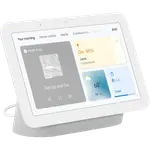
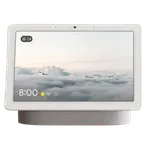
- No screen, camera or programmable buttons
- No line-in, line-out or Ethernet
- Not a Zigbee coordinator
- No motion or ambient light sensing, and no wall mount option
Who is the HomePod for as an assistant?
It is for a home built on iPhones. Siri handles requests and, because the account structure is Apple's, voice match can give each recognised person their own calendar, messages and music from the same speaker. The practical draw over a cheaper speaker is that this one is also the hub: HomeKit needs a home hub for remote access and automations, and the HomePod fills that role while routing Thread accessories onto the network.
How the voice stack works
Speech to text runs on the device, and so does text to speech, which is the meaningful difference from assistants that send every syllable to a server. The conversation agent operates both locally and through the cloud, so simple commands can be handled on device while more involved requests reach out. For an always-on microphone in a living space, keeping the transcription local is a genuine privacy improvement, though it does not make the device fully offline. Physical volume and play/pause controls on the top handle basic operation without speaking.
What it adds to the smart home
Three roles beyond voice: HomeKit home hub, Thread border router and Matter bridge. The first enables remote access and automations for a HomeKit household, the second connects low-power Thread accessories to your IP network, and the third brings devices into the Matter standard. On top of that, built-in temperature and humidity sensors let automations respond to the room's climate, so the speaker doubles as an environmental sensor. Wi-Fi covers both 2.4 and 5 GHz, with Bluetooth alongside.
What to know before you buy
There is no hardware microphone off switch, so muting is done in software, which is the main privacy caveat given how much else Apple gets right here. Apple HomeKit is the only platform, and Home Assistant support is partial. There is no screen, no camera, no line-in or line-out, no Ethernet, no programmable buttons and no wall mount. It is not a Zigbee coordinator, so Zigbee accessories need a separate hub, and there is no motion or ambient light sensing.
Is the HomePod worth it?
Inside Apple's ecosystem it is a strong buy, because one purchase covers a capable speaker, the HomeKit hub, a Thread border router, a Matter bridge and a climate sensor. The local speech processing is a real differentiator against cloud-only rivals. Outside Apple, it does nothing at all, so ecosystem fit is the entire decision.
Frequently asked questions
Does the HomePod process speech on the device?
Speech to text and text to speech both run locally. The conversation agent works locally or through the cloud, depending on what you ask.
Can it recognise different people?
Yes, voice match gives recognised family members their own personalised responses, including messages and music.
Does it work as a smart home hub?
Yes, as a HomeKit home hub, a Thread border router and a Matter bridge, and it adds temperature and humidity sensing for automations.
Is there a microphone mute switch?
No. There is no hardware microphone off switch, so muting is handled in software.
Can I use Alexa or Google Assistant on it?
No. Siri is the only assistant, and Apple HomeKit the only supported platform.