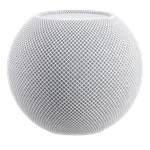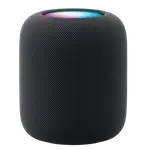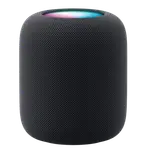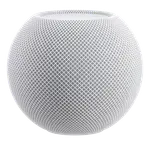
Apple HomePod mini Review: Siri in a Speaker That Recognises Six Voices
As a voice assistant the HomePod mini is Siri and nothing else, but it handles the job in a way privacy-minded users will like: speech to text and text to speech both run locally on the device rather than in the cloud, and voice match recognises up to six family members so each person gets their own calendar, messages and music. It also earns its place in the smart home as a Thread border router and Matter bridge, with temperature and humidity sensors built in. Google Assistant and Alexa are not options, there is no screen and no camera, and there is no physical microphone switch.
- Apple HomeKit homes
- Families sharing one speaker
- Thread and Matter accessories
- Local speech processing
Pros
- Speech to text and text to speech both run locally on the device
- Voice match recognises up to six family members for personalised responses
- Works as a Thread border router and Matter bridge
- Built-in temperature and humidity sensors
- Dual-band Wi-Fi (2.4 GHz and 5 GHz) plus Bluetooth
- Compact at 345 g, in five colours
- On-device volume and play/pause controls
Cons
- Siri only: no Google Assistant and no Alexa
- Apple HomeKit only, with partial Home Assistant support
- No physical microphone off switch
- No screen and no camera
- No Ethernet, line in or out, or wall mount option
- No programmable buttons
- No motion or ambient light sensing, and no glass break or alarm listening
Who is the HomePod mini for?
This is the voice assistant for a household on iPhones. Siri handles requests, and because the family sharing side is built around Apple accounts, voice match means the same speaker gives each person their own reminders, messages and music without anyone switching profiles. Up to six voices are supported. If your phones are Android, or your smart home runs on Alexa or Google Home, this device does not fit: neither assistant is available on it and neither platform integrates.
How the voice stack works
Speech to text runs locally on the device, and so does text to speech, which means the wake word and the spoken reply do not depend on a round trip to a server. The conversation agent itself works both locally and through the cloud, so simple commands can be handled on device while more complex requests reach out. For a device that sits listening in a kitchen or bedroom, local processing is the meaningful difference from assistants that send everything upstream. On-device volume and play/pause controls handle the basics without speaking at all.
What it adds to the smart home
Beyond voice, the HomePod mini is a hub. It works as a Thread border router, connecting low-power Thread accessories to your IP network, and as a Matter bridge, which is what lets a HomeKit home participate in the cross-industry Matter standard. Built-in temperature and humidity sensors let automations respond to the room's climate, so the speaker doubles as a sensor. Wi-Fi covers 2.4 GHz and 5 GHz, and Bluetooth is included.
What to know before you buy
Apple HomeKit is the only supported platform, and Home Assistant support is partial. There is no screen, so nothing is ever displayed: no timers, no album art, no visual answers. There is no camera, which some people will count as a privacy win, but there is also no physical microphone off switch, so muting relies on software. There is no Ethernet, no 3.5 mm line in or out, no wall mount option, no programmable buttons, and no motion or ambient light sensing. It will not listen for glass breaking or for smoke and carbon monoxide alarms.
Is the HomePod mini worth it?
At its price it is cheap for what it does inside an Apple home: an assistant with local speech processing, a Thread and Matter hub, a climate sensor and a speaker in one small unit. The value depends entirely on ecosystem fit. Inside Apple's world it is one of the easiest recommendations in the category; outside it, there is nothing here to buy.
Frequently asked questions
Which voice assistant does the HomePod mini use?
Siri, exclusively. Google Assistant and Alexa are not available on it.
Does it process speech on the device or in the cloud?
Speech to text and text to speech both run locally on the device. The conversation agent works both locally and through the cloud, depending on the request.
Can it tell family members apart?
Yes. Voice match recognises up to six different voices and gives each person a personalised experience, including their own messages and music.
Does it have a mute switch for the microphone?
No. There is no physical microphone off switch, so muting is done in software.
Does it work as a smart home hub?
Yes, within Apple's ecosystem: it is a Thread border router and a Matter bridge, and it adds temperature and humidity sensing for automations.