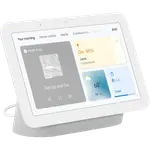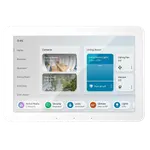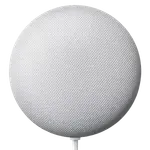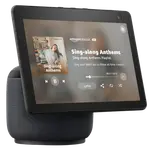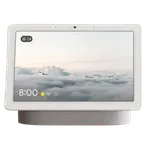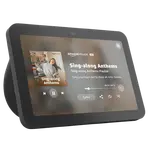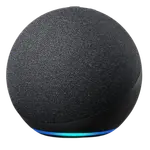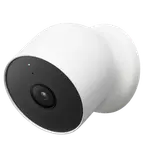


Google Nest Hub (2nd Gen) Review: A Handy Smart Display for Google Home Households
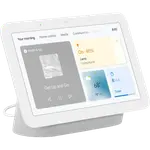
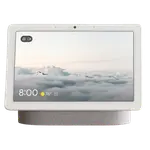
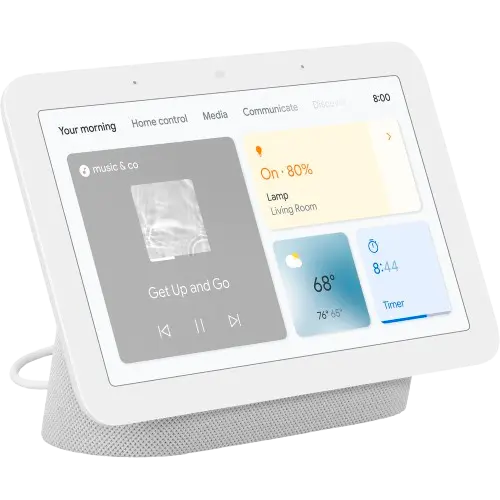
The Nest Hub (2nd Gen) works best as the command center for a Google Home setup: a 7 inch touchscreen that shows recipes, camera doorbell feeds, timers and a rotating photo album, all controlled hands-free through Google Assistant. Owners consistently use it in the kitchen, on a nightstand for its sleep-sensing clock mode, or spread one per room to manage lights, speakers and reminders. The trade-offs are a voice assistant that can feel rigid with natural, conversational requests, patchy support for smart devices outside the Google ecosystem, and no camera onboard for video calls or monitoring. For a household already leaning on Google Assistant, it remains a convenient, budget-friendly smart display.
- Google Home and Nest device owners
- Kitchen or bedside smart display use
- Hands-free recipes, timers and reminders
- Photo frame and doorbell camera viewing
Pros
- Sharp 7 inch touchscreen good for recipes, photos and doorbell camera feeds
- Deep Google Home and Nest integration
- Hands-free control of lights, speakers, timers and reminders
- Useful as a bedside clock with sleep-sensing
- Physical mic-off switch and voice-match for privacy
Cons
- No built-in camera for video calls or monitoring
- No support for Alexa, Apple HomeKit, or Samsung SmartThings
- Voice recognition can feel rigid with natural, conversational requests
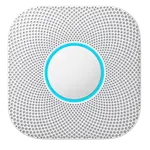
- Smoke/CO and glass-breaking alerts require a subscription
- Limited support for smart devices outside the Google ecosystem
Who is the Google Nest Hub (2nd Gen) for?
The Nest Hub (2nd Gen) is aimed at households already using Google Home to control lights, speakers, and other Nest devices. Its 7 inch touchscreen and Google Assistant let owners pull up recipes, control smart home gear, view a connected doorbell camera, and check the day's schedule hands-free. Buyers commonly place it in the kitchen as a countertop assistant, on a nightstand as an alarm clock with sleep-sensing, or one per room alongside other Nest and Google Home products for whole-house control.
What buyers love
The most common praise is for convenience: quick setup, a bright and sharp 7 inch touchscreen for recipes and photo slideshows, and reliable hands-free control of lights, speakers, timers, and reminders. Several owners specifically like it as a bedside clock with sleep tracking, and others use it as a small kitchen speaker for music and podcasts while cooking. The built-in mic-off switch and voice-match support are appreciated for privacy and personalized responses across family members. Multiple reviewers who own several Nest devices say it blends seamlessly into an existing Google Home setup.
What to know before you buy
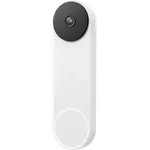
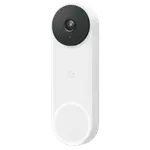
The Nest Hub (2nd Gen) has no built-in camera, so it cannot be used for video calls or as a monitoring camera itself, though it can display footage from a connected Nest or Google Home compatible camera or doorbell. It works with Google Home only: there is no Alexa, Apple HomeKit, or Samsung SmartThings support, and Home Assistant integration is only partial, so third-party cameras and devices outside the Google ecosystem may not show up on the display. A recurring theme in reviews is that voice recognition can feel rigid with natural, conversational phrasing, sticking to simple commands rather than following up with clarifying questions. Smoke/CO and glass-breaking alerts also require a subscription to use.
Is the Google Nest Hub (2nd Gen) worth it?
For a household already invested in Google Home, the Nest Hub (2nd Gen) earns its place as a genuinely useful kitchen or bedside display, with owners reporting years of reliable daily use for recipes, reminders, and smart home control. It carries a solid overall reputation among buyers, and its combination of touchscreen, Thread border router support, and Matter bridge functionality make it a capable low-cost hub for expanding a Google-based smart home. Buyers who need a camera, deeper multi-ecosystem support, or more natural conversational voice control may want to look elsewhere, but as a Google Home command center it remains a dependable, budget-friendly pick.
Frequently asked questions
Does the Google Nest Hub (2nd Gen) have a camera?
No, it has no built-in camera, so it cannot be used for video calling or as a standalone monitoring camera, though it can display feeds from a compatible connected camera or doorbell.
Does the Nest Hub (2nd Gen) work with Alexa or Apple HomeKit?
No. It only integrates with Google Home and Google Assistant; Alexa, Apple HomeKit, and Samsung SmartThings are not supported.
Can the Nest Hub (2nd Gen) track sleep?
Yes, its onboard motion and ambient light sensing let it work as a bedside sleep-sensing clock, a use case many owners specifically mention.
Does the Nest Hub (2nd Gen) act as a smart home hub?
Yes, it works as a Thread border router and Matter bridge, helping connect and control compatible smart home devices, though it is not a Zigbee coordinator.
Does it require a subscription for smoke alarm or glass-break alerts?
Yes, both smoke/CO alarm detection and glass-breaking alerts are supported features but require a subscription to use.