

Aeotec WallMote Quad Review: Four Buttons, Sixteen Scenes, No Wiring at All
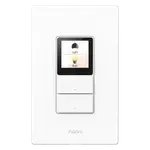
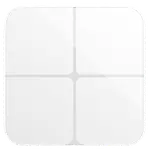
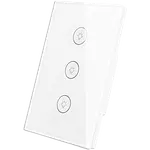
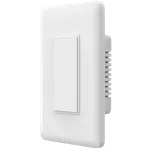
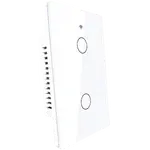
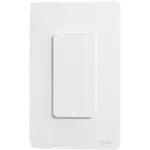
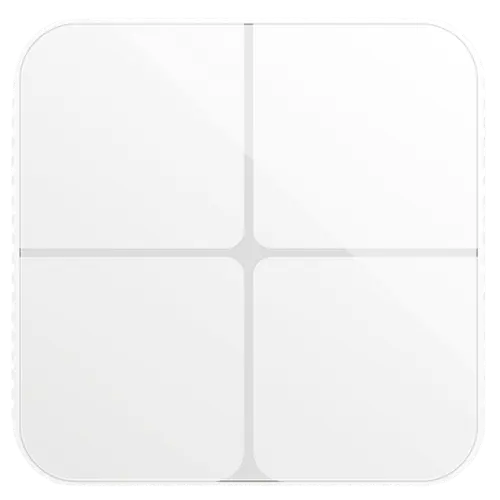
The WallMote Quad is a battery-powered Z-Wave Plus scene controller with four touch buttons that map to up to sixteen scenes, which is what separates it from a simple remote: one panel by the door can set evening lighting, run a goodnight routine, turn everything off and trigger something else entirely, all without wiring. It recharges rather than using disposable cells, mounts anywhere without a neutral or a back box, and works with SmartThings, Hubitat, Homey, Home Assistant and other certified Z-Wave gateways. It controls nothing on its own, since every action runs through the hub.
- Scene control by the door or bed
- Homes using smart bulbs
- Z-Wave setups with SmartThings or Hubitat
- Rooms with no convenient switch
Pros
- Four buttons mapping to up to sixteen scenes
- Rechargeable lithium battery rather than disposable cells
- No wiring, neutral or back box required
- Mounts anywhere, including next to beds and doorways
- Works with SmartThings, Hubitat, Homey and Home Assistant
- Status LED feedback on presses
- Does not cut power to smart bulbs
Cons
- Controls nothing by itself: it depends entirely on the hub
- Requires a Z-Wave hub, and Z-Wave is region locked
- No Matter support
- Does not repeat the Z-Wave mesh, being battery powered
- Battery life between charges is not documented
- Older product, so mature but not evolving
Who is the WallMote Quad for?
It is for the person who has automated the house and now needs a way for everyone else to use it. Four buttons with up to sixteen scenes means the common actions get a physical control that does not require an app or a voice command, which is what makes a smart home usable by guests, children and anyone who does not want to talk to a speaker. Because it needs no wiring, it goes exactly where the control should be rather than where the electrician put the switch, and it pairs well with smart bulbs, since it never cuts their power.
What it offers
Four touch buttons driving up to sixteen scenes through your hub, over Z-Wave Plus, with a rechargeable lithium battery rather than disposables, so maintenance is an occasional charge instead of a battery hunt. A status LED gives feedback on presses. Compatibility is broad within the Z-Wave world, with SmartThings, Hubitat, Homey and Home Assistant all documented, and automations are as flexible as your hub allows, since each button is simply a trigger.
What to know before you buy
It is a controller only: without a hub and devices to control, it does nothing. A Z-Wave hub is required and the correct regional frequency version must be ordered. Matter is not supported, and voice assistant compatibility is not documented for the device itself. Being battery powered it does not repeat the Z-Wave mesh. Battery life between charges is not documented, and neither are dimensions or warranty terms. This is also an older product, which usually means mature integration but no new features.
Is the WallMote Quad worth it?
For a Z-Wave home that has outgrown app-only control, it is one of the more useful accessories you can add, and sixteen scenes from one panel covers most of what a household actually does. The rechargeable battery is a genuine advantage over coin-cell remotes. If your hub is Zigbee or Matter based, or you wanted something that switches a circuit directly, this is not the device.
Frequently asked questions
How many actions can the WallMote Quad control?
Four buttons mapping to up to sixteen scenes, depending on how your hub interprets taps, holds and swipes.
Does it need wiring?
No. It is battery powered with no neutral wire or back box required, so it mounts anywhere on a wall.
What powers it?
A rechargeable lithium battery, so it is recharged rather than having cells replaced. Runtime between charges is not documented.
Which hubs work with it?
SmartThings, Hubitat, Homey, Home Assistant and other certified Z-Wave gateways.
Can it turn a light on by itself?
No. It sends commands to the hub, which then controls the devices. Without a hub it does nothing.