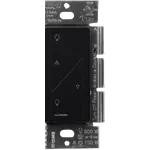
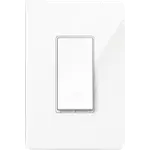
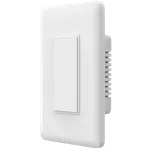
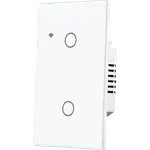
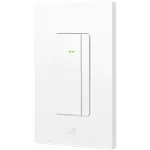
Winner
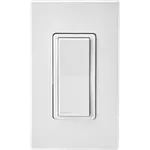

Full Smart Wall Switches comparison in 2026
New releases and the smart home news worth knowing, in your inbox.
No spam. Unsubscribe in one click.
| Feature | Leviton Decora Smart Wi-Fi Switch D315S | TP-Link Kasa HS220 | Winner |
|---|---|---|---|
| Price | $39.00 | $19.99 | TP-Link Kasa HS220 |
| Warranty | 1 year | 2 years | TP-Link Kasa HS220 |
| Connectivity | 2.4 GHz WiFi, Bluetooth | 2.4 GHz WiFi | Leviton Decora Smart Wi-Fi Switch D315S |
| Integrations | Google Home, Alexa, Apple HomeKit, Samsung SmartThings, Home Assistant, Matter | Google Home, Alexa, Samsung SmartThings, Home Assistant | Leviton Decora Smart Wi-Fi Switch D315S |
| Power Off Memory | YES | NO | Leviton Decora Smart Wi-Fi Switch D315S |
| Rating | 4.5 | 4.5 | Tie |
| Switches | 1 | 1 | Tie |
| Energy Monitoring | NO | NO | Tie |
| Status LED | YES | YES | Tie |
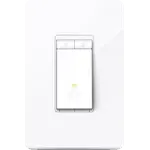
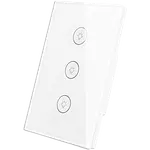
The TP-Link Kasa HS220 dims, rated for 300W of incandescent and 150W of dimmable LED or CFL, with low-end calibration and adjustable fade speeds. The Leviton Decora Smart Wi-Fi Switch D315S is an on/off switch, so a fixture that has to dim belongs on the Kasa.
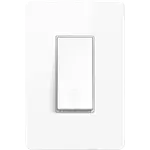
The Leviton Decora Smart Wi-Fi Switch D315S is Matter certified, so one setup code adds it to Apple Home, SmartThings, Google Home, Alexa or Home Assistant, and Matter is multi-admin. The TP-Link Kasa HS220 stops at Alexa, Google Home, SmartThings and Home Assistant, with no Apple Home or Matter path.
The Leviton Decora Smart Wi-Fi Switch D315S carries Bluetooth 5.0 as well as 2.4 GHz Wi-Fi, which the CSA certificate lists as its transports. The TP-Link Kasa HS220 is Wi-Fi only, so a merged-band router can make its first pairing harder.
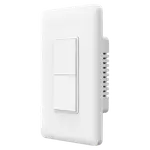
The Leviton Decora Smart Wi-Fi Switch D315S is rated for 15A general use, 3A of LED or CFL and a 1/3 HP motor, covering ceiling fans, exhaust fans and pumps. The TP-Link Kasa HS220 is a 2.5A dimmer capped at 300W of incandescent, so a motor load or a big fixture is outside it.
The Leviton Decora Smart Wi-Fi Switch D315S stores its configuration and schedules in onboard memory and returns to its last state when power comes back, with the schedules still running while the internet is down. The TP-Link Kasa HS220 has no setting for the state it restores after an outage.
The Leviton Decora Smart Wi-Fi Switch D315S is Matter certified and multi-admin, so one switch can be commissioned into several ecosystems at once.
Apple Home commissions the Leviton Decora Smart Wi-Fi Switch D315S over Matter, while the TP-Link Kasa HS220 has no HomeKit route.
The TP-Link Kasa HS220 is the dimmer of the pair, with LED flicker calibration and fade speeds the Leviton Decora Smart Wi-Fi Switch D315S does not have.
Power-off memory and on-device schedules are documented on the Leviton Decora Smart Wi-Fi Switch D315S and absent from the TP-Link Kasa HS220.
The TP-Link Kasa HS220 wins the pair on price and a 2 year warranty, and it dims a normal room circuit without a hub.
TP-Link Kasa HS220 owners describe an install the app walks them through in about fifteen minutes and dimming that is smooth with no dead zone at the bottom, crediting the low-end calibration for stopping LED flicker. The features they highlight are the adjustable fade on and fade off speeds, brightness presets, sunrise and sunset schedules and Away Mode, plus switches that reconnect on their own after a power cut and still work manually when the network is down. Their complaints are the usual Kasa ones: a neutral wire is required, it is single pole only, the deep rear module fights a shallow box, it is 2.4 GHz and 120V only, and there is no Apple Home, no Matter and no energy monitoring. A few long-term owners report units that drift in brightness and occasionally cut out.
The Leviton Decora Smart Wi-Fi Switch D315S wins overall on connectivity, integrations and power-off memory, including Matter and Apple Home. The TP-Link Kasa HS220 is the better-reviewed dimmer with a 2 year warranty, but it has no Apple Home or Matter support.
Dimming. The TP-Link Kasa HS220 is a 300W Wi-Fi dimmer with fade control and LED calibration. The Leviton Decora Smart Wi-Fi Switch D315S is a Matter certified on/off switch rated for 15A, 3A of LED or CFL and a 1/3 HP motor.
The Leviton Decora Smart Wi-Fi Switch D315S keeps its configuration and schedules on board and returns to its last state, with schedules still running without the internet. The TP-Link Kasa HS220 does not restore a set state after an outage.
Neither the Leviton Decora Smart Wi-Fi Switch D315S nor the TP-Link Kasa HS220 needs a hub: both join 2.4 GHz Wi-Fi directly. Both require a neutral wire in the wall box, and both are single-pole.
Buy the Leviton Decora Smart Wi-Fi Switch D315S for hub-free Matter and Apple Home on a single on/off circuit, for a fan or pump that needs the 1/3 HP motor rating, or when power-cut state memory matters.
Choose the TP-Link Kasa HS220 if the box has a neutral and you want a cheaper no-hub Wi-Fi dimmer for LED or incandescent lights, with a 2 year warranty and app flicker calibration, and Apple Home is not required.
 Our store on AmazonShop our ideas on AmazonLists of the smart home setups we would put together ourselves, ready to add to your Amazon cart.Shop on Amazon
You are looking at two of them. The full table lines up all Wall Switches in the catalog with the same specs, so you can filter by what you need and sort by price or rating.