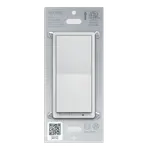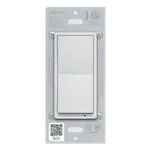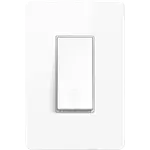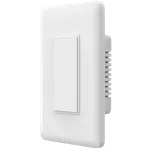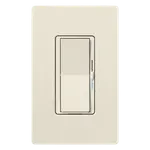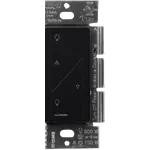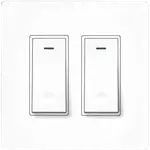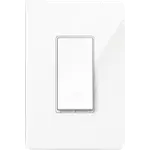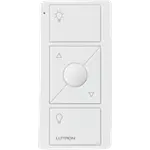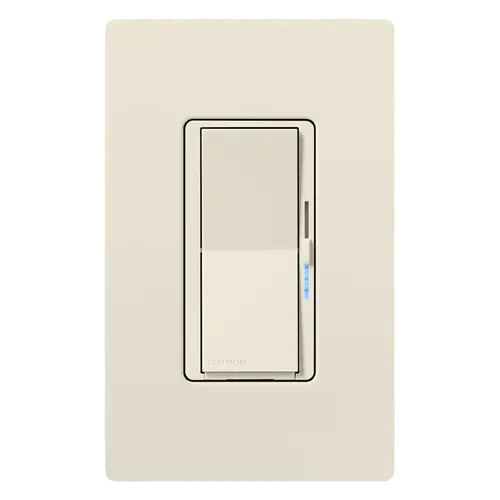



Lutron Caseta Diva Smart Dimmer Switch Review: Smart Lighting That Looks Like an Ordinary Paddle
The Diva is the Caseta dimmer to buy when you want smart lighting nobody in the house has to be taught to use. It keeps the paddle and slider of Lutron best selling conventional dimmer, installs in two-wire boxes with no neutral, and talks to the Lutron hub over the company own Clear Connect radio rather than Wi-Fi, which is the reason owners describe years of uninterrupted service. The catches are all in what you have to buy alongside it: the hub is required before anything is smart, the wallplate is a separate item, and Lutron stays outside the open standard, so this is a commitment to one ecosystem at a premium price.
- Older homes with no neutral wire
- Households that want a normal looking switch
- Whole-home lighting projects
- Reliability over features
Pros
- No neutral wire required, so it fits the older wall boxes that block most smart dimmers
- Looks and operates like a conventional paddle dimmer, so nobody has to be shown how to use it
- Runs on Lutron Clear Connect RF instead of Wi-Fi, so the lights keep responding when the network does not
- Keeps working as a normal dimmer with no hub, no app and no internet
- Dims up to 600 W of incandescent or halogen and up to 150 W of dimmable LED or CFL
- Preset level on every press, with a double tap for full brightness
- High-end and low-end trim adjustable in the app, which cures most LED flicker
- Soft-glow light bar shows the level in a dark room and can be switched off in the app
- Works with Alexa, Google Home, Apple Home, SmartThings and Home Assistant once the Lutron hub is added
- Pico remotes and Claro accessory switches add 3-way control with no new wiring
- Returns to its previous light level after a power cut
- Over Temperature Protection drops the load if the dimmer is overloaded
Cons
- The Lutron Smart Hub is a separate purchase and nothing is smart without it
- The wallplate is not in the box, and it is a paddle plate rather than a toggle plate
- Expensive for a single light, and the hub adds to that before the first switch is smart
- No Matter certification, so the system stays inside Lutron and its partner integrations
- The fade-in and fade-out timing cannot be adjusted
- No energy monitoring
- Needs a full-size one-gang wallbox, and a shallow or crowded box is a problem
- Maximum wattage drops when it is ganged with other switches in one box
- Only a one year warranty
Who is the Lutron Caseta Diva Smart Dimmer Switch for?
This is a single-gang in-wall dimmer for anyone who wants one light circuit to become smart without rewiring and without the switch on the wall becoming a puzzle. It is a two-wire control, so there is no neutral needed in the box, which is the single thing that stops most smart dimmers going into an older house. It handles up to 600 W of incandescent or halogen and up to 150 W of dimmable LED or CFL, which covers a normal room circuit comfortably, and it derates in a shared wallbox, so a crowded three-gang box needs the chart checked first. It suits people who expect the wall control to stay the primary way the lights are used, with the app, a Pico remote or a voice assistant as extras rather than as the point.
How the Diva differs from the original Caseta dimmer
The electrical half is familiar Caseta: same two-wire install, same 600 W and 150 W ratings, same radio, same hub. What changed is the front. The original Caseta dimmer stacks a column of buttons where a normal switch has a paddle, and owners repeatedly describe guests and older relatives standing in a dim room trying to work out which one turns the light on. The Diva keeps the paddle, puts a thin slider down the right-hand side for the level, and replaces the row of green LEDs with a single white soft-glow light bar. Several owners moving from the older model say that is the whole reason they switched, and that these blend in beside the ordinary paddle switches they did not replace.
What buyers love
Reliability dominates, and it is usually described in years rather than weeks: owners running Caseta across a whole house report switches that have simply never dropped off, some after most of a decade, and several mention the network staying up when the internet does not. That is consistent with the hardware, which speaks Clear Connect RF to the hub rather than joining your Wi-Fi, and which keeps working as a plain manual dimmer if the hub is unplugged entirely. Installation is the other constant, generally described as a fifteen minute job with one screwdriver, helped by the fact that no neutral is needed. The preset behaviour wins people over quickly: set the slider once and every press of the paddle returns to that level, with a double tap for full brightness. Owners also single out the trim controls in the app, which cap the maximum brightness or raise the minimum until a fussy LED stops flickering, and the ability to add a second control point with a Pico remote or a Claro accessory switch without pulling new wire.
What to know before you buy
Nothing here is smart on its own. The Lutron Smart Hub is a separate purchase, and without it the dimmer is an ordinary dimmer that happens to pair with Pico remotes, which is exactly the surprise several owners describe after reading a listing that did not make it clear. The wallplate is also not in the box, and it is a paddle-style plate, so an old toggle plate will not fit. The dimmer needs a full-size one-gang box with real depth behind it, and at least one owner found that out the hard way. There is no adjustment for how quickly the lights fade up or down, which is a common request. There is no energy monitoring. And Lutron has no certification under the open smart home standard, so the ecosystem support here comes from the hub integrations rather than from an open fabric. The recurring complaint, by a wide margin, is what all of this costs: the switch is expensive for one light, and the hub sits on top of it.
Is the Lutron Caseta Diva Smart Dimmer Switch worth it?
For a single lamp, no, and owners say so plainly before explaining why they bought more anyway. The arithmetic changes across a house: the hub is paid for once and spread over every switch, the no-neutral design means the old wiring is not a blocker, and what you end up with is a lighting system that behaves the same in year seven as on day one. Against the original Caseta dimmer at a similar price, the Diva is the easier one to live with, because it is the one visitors can operate without instructions. Buy it for the reliability, the retrofit installation and the ordinary-looking front, not for the length of the feature list.
Frequently asked questions
Does the Lutron Caseta Diva Smart Dimmer Switch need a neutral wire?
No. It is a two-wire dimmer built for retrofit, so it installs in wall boxes that carry only line and load. That is its main advantage over most smart dimmers and the reason it works in older homes.
Do I need the Lutron hub to use it?
Yes for anything smart. App control, schedules, Smart Away and every voice assistant run through the Lutron Smart Hub, which is bought separately. On its own the Diva still works as an ordinary dimmer, and it can be paired directly with up to ten Pico remotes or Caseta motion sensors with no hub at all.
Does it work with Apple Home, Alexa, Google Home, SmartThings and Home Assistant?
All five, through the Lutron Smart Hub. Lutron builds Apple Home technology into the hub itself, so Siri controls the lights, and it publishes Alexa, Google Assistant and Samsung SmartThings integrations alongside Ring and Sonos. Home Assistant has an official Lutron Caseta integration that connects to the same hub and exposes wall dimmers as lights.
Does the Diva smart dimmer support Matter?
No. Lutron holds no Matter certification in the Connectivity Standards Alliance database and does not list Matter on its Caseta compatibility page. The dimmer uses Lutron own Clear Connect radio, and its ecosystem support comes from the hub integrations instead.
How much lighting can it dim?
Up to 600 W of incandescent or halogen and up to 150 W of dimmable LED or CFL at 120 V, with a 25 W minimum on incandescent and halogen. Ganging it beside other switches in one wallbox lowers the incandescent and halogen maximum to 500 W in a double gang and 400 W in a triple gang, so check the derating chart before filling a multi-gang box.
Can I use it in a 3-way or multi-location circuit?
Yes, and unlike the older Caseta dimmer it accepts conventional 3-way wiring with a mechanical switch at the second location. You can also add locations wirelessly with Pico remotes, or wire in Claro accessory switches, and up to ten remotes or sensors can be paired to one dimmer. The remotes, the accessory switches and their brackets are sold separately.
Is the light bar too bright in a bedroom?
It is a single white soft-glow bar rather than a row of indicator LEDs, and it can be turned off entirely from the Lutron app if it still bothers you. The same screen sets the high-end and low-end trim for the lights themselves.