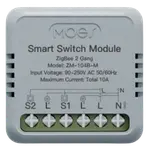
Currently unavailable on Amazon USA

Full Smart Wall Switches comparison in 2026
New releases and the smart home news worth knowing, in your inbox.
No spam. Unsubscribe in one click.
| Feature | Moes WiFi Smart Light Switch (2 Gang) | TP-Link Kasa HS220 | Winner |
|---|---|---|---|
| Rating | 4.2 | 4.5 | TP-Link Kasa HS220 |
| Max Resistive Load Power (Per Switch) | 1200W | 300W | Moes WiFi Smart Light Switch (2 Gang) |
| Integrations | Google Home, Alexa, Home Assistant | Google Home, Alexa, Samsung SmartThings, Home Assistant | TP-Link Kasa HS220 |
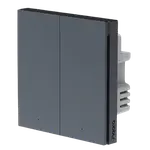
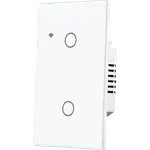
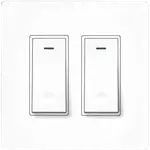
| Switches | 2 | 1 | Moes WiFi Smart Light Switch (2 Gang) |
| Warranty | 2 years | 2 years | Tie |
| Connectivity | 2.4 GHz WiFi | 2.4 GHz WiFi | Tie |
| Energy Monitoring | NO | NO | Tie |
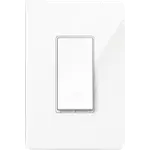
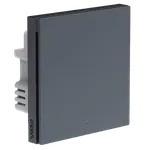
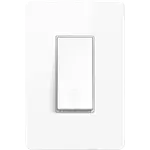
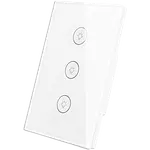
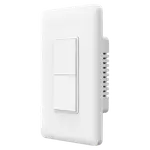
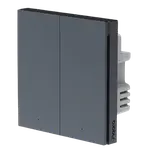
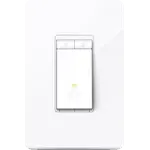
The TP-Link Kasa HS220 dims one circuit, with brightness control, fade speeds and calibration for the bulbs you have. The Moes WiFi Smart Light Switch (2 Gang) controls two circuits on one panel but only switches them, so there is no dimming on either gang.
The Moes WiFi Smart Light Switch (2 Gang) is rated for 1200W of resistive load at 10A, which suits ceiling fixtures or a heater on a dedicated circuit. The TP-Link Kasa HS220 is a dimmer and is rated lower, at 300W of incandescent or 150W of dimmable LED or CFL, which is fine for lighting but not for heavy loads.
The TP-Link Kasa HS220 goes beyond on and off: the Kasa app sets the low end for your specific bulbs, which removes flicker, and you choose how slowly the light fades on and off. The Moes WiFi Smart Light Switch (2 Gang) has no dimming features at all, so bulbs that flicker on a dimmer are not a concern, but neither is a dimmed evening scene.
The TP-Link Kasa HS220 works with Alexa, Google Home, SmartThings and Home Assistant, and its status LED can be adjusted or turned off. The Moes WiFi Smart Light Switch (2 Gang) covers Alexa, Google Home and Home Assistant, with SmartThings not supported and its status LED behaviour undocumented.
Both need a neutral wire and both are single-pole only, so neither replaces a switch that is controlled from two locations. The TP-Link Kasa HS220 has a notably deep rear body that owners say can be tight in a shallow box, an install detail worth checking before you buy either.
The TP-Link Kasa HS220 does not let you choose the state it returns to after an outage, and the Moes WiFi Smart Light Switch (2 Gang) does not document a power-off memory either. Neither has energy monitoring, so both are control devices only.
The TP-Link Kasa HS220 is a dimmer with bulb calibration, fade speeds and brightness presets, while the Moes WiFi Smart Light Switch (2 Gang) only switches.
The Moes WiFi Smart Light Switch (2 Gang) has two gangs in one panel, where the TP-Link Kasa HS220 is a single dimmer channel.
The Moes WiFi Smart Light Switch (2 Gang) is rated for 1200W of resistive load, against 300W of incandescent on the TP-Link Kasa HS220.
The TP-Link Kasa HS220 is listed for SmartThings as well as Alexa, Google Home and Home Assistant, while the Moes WiFi Smart Light Switch (2 Gang) is not.
The TP-Link Kasa HS220 lets you set the fade on and fade off speed in the Kasa app, a control the Moes WiFi Smart Light Switch (2 Gang) does not offer.
Owners of both switches describe an install that goes smoothly once the neutral wire is found, and both groups rely on Alexa and Google Home for daily control. TP-Link Kasa HS220 owners single out the dimming: a smooth range with no dead zone at the bottom, an app calibration that cures LED flicker, adjustable fade speeds and sunrise and sunset schedules, plus switches that reconnect on their own after a power cut and still work as ordinary dimmers when the network is down. Their complaints are a deep body that fights a shallow box, single-pole wiring only, and a couple of units that drifted in brightness after a few months. Moes WiFi Smart Light Switch (2 Gang) owners like the quick voice pairing, the slim screwless panel and the in-app timers on two circuits, and they warn about wiring that needs a multimeter, no three-way support, and an occasional gang that fails or drops its connection.
The TP-Link Kasa HS220 is the better overall switch for most rooms because it dims, handles LED flicker with app calibration, gives you fade and schedule controls and covers more platforms including SmartThings. The Moes WiFi Smart Light Switch (2 Gang) wins when you need two circuits on one panel or a higher resistive load.
One is a two-gang switch and the other is a dimmer. The Moes WiFi Smart Light Switch (2 Gang) controls two circuits and handles 1200W of resistive load, while the TP-Link Kasa HS220 dims one circuit at 300W of incandescent or 150W of dimmable LED and CFL.
Yes. The TP-Link Kasa HS220 is a dimmer with app calibration for the bulbs in the fixture, adjustable fade on and fade off, brightness presets and sunrise and sunset schedules. The Moes WiFi Smart Light Switch (2 Gang) does not dim.
Yes, both need a neutral wire in the switch box, and both are single-pole only, so neither can replace a three-way switch. Check for a neutral before buying either one, and note that the Kasa has a deep rear body that can be tight in a shallow box.
Buyers who need two light circuits on one wall plate, or a higher resistive load for a fixture or heater, and who are happy with switching only and Alexa, Google Home or Home Assistant control.
Anyone who wants a proper dimmer with fade control, LED calibration and schedules, uses Alexa, Google Home, SmartThings or Home Assistant, and has a single-pole box with a neutral wire.
 Our store on AmazonShop our ideas on AmazonLists of the smart home setups we would put together ourselves, ready to add to your Amazon cart.Shop on Amazon
You are looking at two of them. The full table lines up all Wall Switches in the catalog with the same specs, so you can filter by what you need and sort by price or rating.