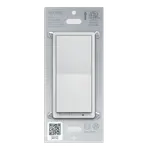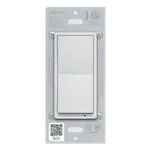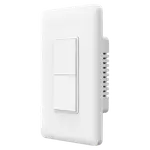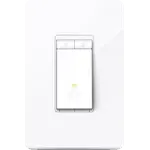

TP-Link Kasa KS200 Review: The Kasa Switch That Speaks Apple Home Natively
The Kasa KS200 is the one to buy when Apple Home is the centre of your house: it pairs natively from the QR code in the box, answers Siri, and needs no bridge because it joins your 2.4 GHz Wi-Fi on its own. It also answers Alexa, Google Home, SmartThings and Home Assistant, and owners running it locally report it keeps working with its internet access blocked. The limits are physical rather than smart: single pole wiring, a neutral wire in the box, on/off only with no dimming, and no Matter certification. If your wiring cooperates, it is one of the cheapest routes from a wall plate into Apple Home.
- Apple Home households
- Home Assistant users
- Hub-free setups
- Single-pole switch installs
- Budget smart lighting
Pros
- Native Apple HomeKit support, paired from the QR code in the box
- Also works with Alexa, Google Home, SmartThings and Home Assistant
- No hub required, it joins a 2.4 GHz Wi-Fi network directly
- Home Assistant control keeps working with the switch blocked from the internet
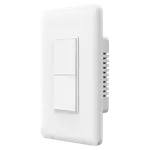
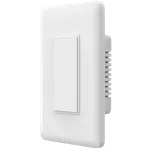
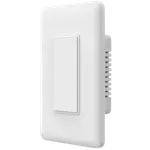
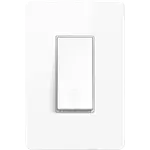
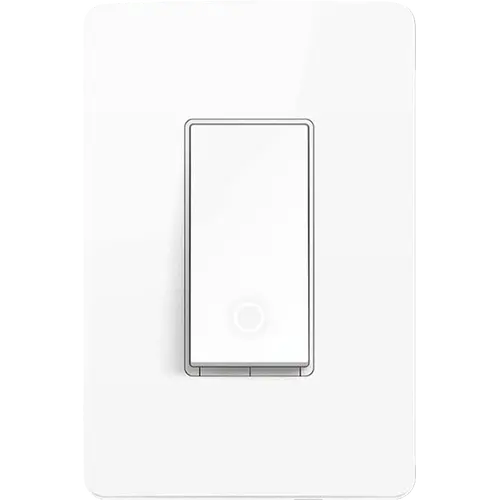
- Same footprint as a standard rocker, so ordinary and multi-gang faceplates fit
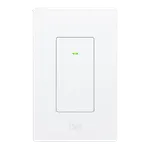
- White locator ring makes the switch easy to find in the dark
- Rated for 15 A general use, 600 W incandescent, 120 W ceiling fan and a 1/6 HP motor
- Timers, countdowns, schedules, grouping and Away Mode in the Kasa app
- 2 year warranty
Cons
- Neutral wire required, which many older switch boxes do not have
- Single pole only, so it cannot replace a 3-way switch
- On/off only, there is no dimming
- 2.4 GHz Wi-Fi only, so a 2.4 GHz band has to be available for setup
- Not Matter certified, TP-Link's Matter switches are different models
- No energy monitoring
- Pre-attached stranded leads instead of screw terminals, which adds bulk in a tight box
- The paddle only actuates at the bottom rather than rocking
- Owners report the locator light stays lit with no way to dim or disable it
- A minority of owners report a switch that freezes until restarted or fails early
Who is the TP-Link Kasa KS200 for?
This is a wired replacement for an ordinary single pole light switch, for people who want the fixture to be smart rather than the bulb. What separates it from the rest of the Kasa switch line is the native Apple HomeKit profile: it is added to the Kasa app first, then handed to Apple Home by scanning the code that ships in the box, and from there Siri controls it like any other accessory. It talks 2.4 GHz Wi-Fi directly, so there is no bridge, gateway or coordinator to buy first, and it also answers Alexa, Google Home and SmartThings. The other audience is the self-hosted one: the official Home Assistant TP-Link integration lists this exact model, and owners describe adding it to an IoT network with internet access blocked and still controlling it locally. The installs that come up again and again are kitchen and hallway lights, shop and workshop lighting, and older Leviton or Shelly setups being replaced.
What buyers love
The two themes that dominate are how quickly it goes in and how promptly it responds. Owners with no electrical background describe wiring it and pairing it in minutes with the app guiding them, and the HomeKit handoff by QR code gets singled out as the easiest part rather than the fiddly one. Response time comes up constantly: no noticeable delay from Siri, from Alexa or from the app. People running Home Assistant are the most enthusiastic group, both because the official integration finds the switch immediately and because it keeps working with the device cut off from the internet, which is exactly what buyers moving off cloud-dependent gear are looking for. Physically it wins on fit: it is the same footprint as a standard rocker, so ordinary faceplates and existing multi-gang plates still work, and several owners simply discarded the supplied plate. The white locator ring that glows while the fixture is off gets its own mentions from people who wanted to find the switch in a dark room, and one owner who had a unit fail early came away praising how quickly the replacement was arranged.
What to know before you buy
The neutral wire is the gate, and owners raise it more than anything else: switch boxes only started carrying a neutral relatively recently, so an older home may need an electrician or a different switch. It is strictly single pole, so a hallway or stairwell controlled from two places is out of scope, and it is on/off only, which surprises buyers who wanted to dim a fixture and have to look at TP-Link's dimmer models instead. Wiring is done with pre-attached stranded leads and wire nuts rather than screw terminals, which several owners note adds bulk in a crowded box. The paddle also only actuates at the bottom instead of rocking top and bottom, a small thing that takes a few days to get used to. On the network side it is 2.4 GHz only, so a 2.4 GHz band has to be reachable during setup even if the phone lives on 5 GHz. Reliability reports are mixed rather than uniform: most describe rock-solid uptime, some had brief drop-offs that a firmware update cured, and a minority report a switch that freezes until it is restarted or a unit that fails within the first months. Owners also note the locator light stays lit with no setting to dim or disable it. Finally, this is not one of TP-Link's Matter switches and there is no energy monitoring on board.
Is the TP-Link Kasa KS200 worth it?
For a single pole circuit in a box with a neutral, and especially for a household built around Apple Home, this is close to a default recommendation, and its sustained sales rank says the market agrees. It is a budget-priced switch that skips the hub cost entirely, carries a 2 year warranty, handles 15 A general use with 600 W of incandescent lighting, 120 W of ceiling fan or a 1/6 HP motor, and reaches five ecosystems including a fully local Home Assistant path. Owners replacing pricier Leviton switches specifically say the value gap is what moved them. Pay more only if you need dimming, Matter certification, energy monitoring or 3-way wiring, because those are the four things this switch genuinely does not do.
Frequently asked questions
Does the Kasa KS200 work with Apple Home?
Yes, natively. You set the switch up in the Kasa app first, then open its device settings and scan the HomeKit code that ships in the box to add it to Apple Home. Controlling it while you are away needs a HomePod or an Apple TV acting as your home hub.
Does the Kasa KS200 need a hub?
No. It connects straight to a 2.4 GHz Wi-Fi network and is set up from the Kasa app, with no bridge, gateway or coordinator to buy.
Does the Kasa KS200 require a neutral wire?
Yes. A neutral wire in the switch box is required, and it is the most common reason an install does not go ahead. Check the box before buying.
Can the Kasa KS200 dim lights or work in a 3-way circuit?
No to both. It is an on/off single pole switch, so it cannot dim a fixture and cannot control a light that is also switched from a second location. TP-Link sells separate dimmer and 3-way models for those cases.
Does the Kasa KS200 work with Home Assistant?
Yes. The official Home Assistant TP-Link integration lists the KS200 among its supported Kasa wall switches, and owners report it stays controllable from Home Assistant even with the switch denied internet access.
Is the Kasa KS200 Matter certified?
No. TP-Link's Matter-certified Kasa switches are the KS205 and KS225. The KS200 reaches Apple Home, Alexa, Google Home, SmartThings and Home Assistant through its own integrations instead.
How much load can the Kasa KS200 handle?
It is rated for 15 A general use at 120 V, up to 600 W of incandescent lighting, up to 120 W of ceiling fan load and a motor load of up to 1/6 HP.