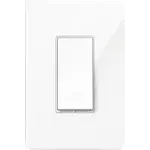
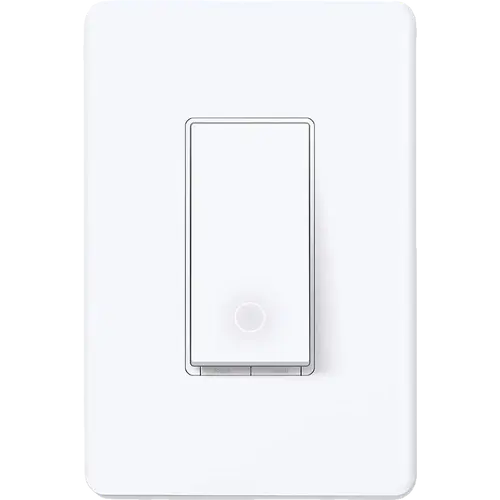


TP-Link Tapo S505 Review: The Matter Switch That Makes Any Wall Smarter
The Tapo S505 is a sensible first smart switch for a single pole circuit with a neutral wire. Matter certification lets it join Apple Home, Alexa, Google Home and SmartThings without a hub, the Tapo app walks through wiring and setup, and schedules, Away Mode and local control cover the everyday jobs. It does not dim, it cannot replace a 3-way circuit on its own, and it talks only to 2.4 GHz Wi-Fi, but at its budget tier those are the right trade-offs for a switch that mostly needs to turn a light on and off reliably.
- Matter-first smart homes
- Apple Home households
- Single pole lighting circuits
- Budget smart lighting
- First smart switch installs
Pros
- Matter certified, so it joins Apple Home, Alexa, Google Home and SmartThings without a hub
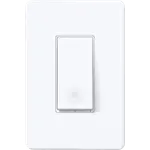
- App-guided install and a standard decorator wall plate included
- Schedules, auto-off timer, Away Mode and scenes in the Tapo app
- Local control keeps working when the home internet is offline
- Rated for 15 A general use, 600 W incandescent, 120 W ceiling fan and a 1/6 HP motor
- UL certified with a two-year warranty
- Budget-friendly for a Matter switch
Cons
- A neutral wire is required, which older switch boxes may not have
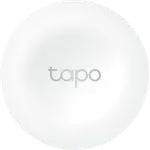
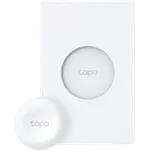
- Single pole only; a 3-way setup needs a Tapo Smart Button and the Tapo Hub
- On and off only, with no dimming
- 2.4 GHz Wi-Fi only, so a 2.4 GHz band has to be available for setup
- No energy monitoring
- No fan speed control
Who is the TP-Link Tapo S505 for?
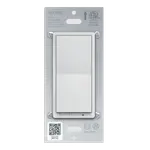
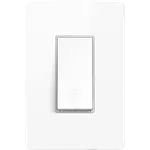
This is a wired replacement for an ordinary single pole light switch, for people who want the fixture to be smart rather than the bulb. Its main draw is Matter: the switch can be commissioned from the Tapo app into Apple Home, Alexa, Google Home or SmartThings, so it does not lock a household into one ecosystem and keeps working on the local network when the internet is down. That makes it a good fit for a first smart switch, for a home that already mixes platforms, and for anyone replacing an older cloud-only switch. The install is conventional: a neutral wire in the box, a standard decorator opening, and the included wall plate. It is not the switch for a dimmable fixture, a 3-way circuit on its own, or a home that needs energy monitoring.
What buyers love
Owners consistently describe the install as quick and the setup as guided, with the app walking through wiring and pairing. The Matter path comes up as the reason buyers chose it: after setup, a short code from the Tapo app adds the switch to Alexa, Apple Home, Google Home or SmartThings, and from there it can take part in routines alongside other brands. Owners also like the everyday automation the app provides, especially schedules, the auto-off timer and Away Mode, and some use it to keep a light on for a pet while they are out. The physical switch is praised for looking clean on the wall and behaving like a normal paddle. A few buyers hit pairing trouble, and one returned it after discovering the box had no neutral wire, which is the requirement TP-Link states most clearly.
What to know before you buy
The neutral wire is the gate: modern boxes usually have one, older wiring often does not, and without it the switch cannot be installed. It is strictly single pole, so a light controlled from two places needs the Tapo Smart Button and the Tapo Hub to become a 3-way or 4-way setup, and that is an extra purchase. It is on and off only, with no dimming, so a fixture that needs brightness control wants the Tapo S505D instead. Setup needs a 2.4 GHz Wi-Fi network, even if the phone is on 5 GHz. There is no energy monitoring and no fan speed control, and TP-Link does not publish protection ratings beyond the flame-retardant housing and UL certification.
Is the TP-Link Tapo S505 worth it?
For a single pole circuit in a box with a neutral, and especially for a household that wants Matter without paying a premium, the Tapo S505 is easy to recommend. It covers the basics well, includes the wall plate, carries a two-year warranty and UL certification, and the Matter route keeps it useful even if one app ecosystem changes. Pay more only if you need dimming, 3-way wiring without extra hardware, energy monitoring or fan speed control, because those are the jobs this switch does not take on.
Frequently asked questions
Does the Tapo S505 require a neutral wire?
Yes. It needs a neutral wire in the switch box, and TP-Link recommends a qualified electrician if the wiring is unfamiliar. Check the box before buying, because an older circuit may not have one.
Does the Tapo S505 work with Apple Home, Alexa and Google Home?
Yes, through Matter. The switch is Matter certified and can be commissioned into Apple Home, Alexa, Google Home and SmartThings, and it also works with Home Assistant as a Matter controller. A short setup code from the Tapo app adds it to each platform.
Does the Tapo S505 need a hub?
No hub is needed for smart control: it joins a 2.4 GHz Wi-Fi network directly. A Tapo Hub is only required if you pair it with a Tapo Smart Button to create a 3-way or 4-way setup.
Can the Tapo S505 dim lights or replace a 3-way switch?
It cannot dim, and it is single pole only, so it cannot replace a 3-way circuit by itself. The dimming version is the Tapo S505D, and multi-way control needs a Tapo Smart Button plus the Tapo Hub.
Does the Tapo S505 work on 5 GHz Wi-Fi?
No. It connects over 2.4 GHz Wi-Fi only, so a 2.4 GHz network has to be reachable during setup even if your phone uses 5 GHz.
Is the Tapo S505 Matter certified?
Yes. It was Tapo's first Matter-certified smart light switch, and it also supports Bluetooth for setup and commissioning.