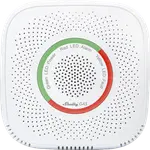


Shelly Flood Review: A Cheap, App-Free WiFi Leak Sensor Built for Home Assistant
The Shelly Flood is a compact, battery-powered WiFi leak and temperature sensor that appeals most to DIY smart home builders, particularly Home Assistant users who like that it's picked up automatically once joined to WiFi. Setup can be done entirely from a phone browser without installing an app, and most buyers who get past initial WiFi pairing report it running reliably for months. The catch is that pairing over WiFi is not always smooth, some units drop off the network and need reconnecting, and there's no Apple HomeKit or Matter support. For anyone building a Home Assistant or Google Home leak-detection network on a budget, it remains a solid, inexpensive building block.
- Home Assistant and IoT hub users
- Budget-conscious multi-sensor leak networks
- Laundry rooms, basements and under-sink monitoring
- DIY users comfortable with WiFi-based setup
Pros
- No-app setup via phone browser and built-in WiFi access point
- Automatically picked up by Home Assistant once joined to WiFi
- Doubles as a temperature sensor, not just leak detection
- Inexpensive enough to deploy several around the home
- Works with Google Home and SmartThings
Cons
- Some units drop off WiFi and need manual reconnecting
- Initial WiFi pairing can take a few attempts
- No Apple HomeKit or Matter support
- CR123A battery not included, and WiFi-only design uses more power than Zigbee/Z-Wave sensors
- No tamper alerts
Who is the Shelly Flood for?
The Shelly Flood targets buyers who want an inexpensive, WiFi-connected leak and temperature sensor they can drop into a larger smart home setup, especially Home Assistant, Node-RED, or similar hub-based ecosystems. It runs on a single CR123A battery (not included) and needs no separate hub of its own since it connects directly to 2.4GHz WiFi. Buyers place it in laundry rooms, basements, and under sinks, spots where an early leak warning can prevent a much bigger repair bill.
What buyers love
The setup process stands out to reviewers: placing the battery starts a local WiFi access point you join from a phone browser to configure it, no app required, and once it's on the network it sleeps to save power and wakes periodically to report in. Home Assistant users consistently report the sensor gets picked up automatically and supplies both flood detection and temperature readings without extra configuration. Several buyers also like that it's inexpensive enough to place one near every water source in the house rather than budgeting for just one or two sensors.
What to know before you buy
The most recurring complaint is WiFi reliability: a handful of buyers describe a sensor going offline and needing to be manually reconnected, sometimes repeatedly. Initial WiFi pairing can also take a few attempts, with some buyers needing to manually join the sensor's setup network and enter an IP address rather than having it complete in one pass. There's no Apple HomeKit or Matter support, so iOS-first smart home users relying on the Home app will need a workaround. It also has no tamper alert and, being WiFi-only among protocols, tends to draw more battery than a Zigbee or Z-Wave equivalent, with a roughly 1.5-year rated battery life on a single CR123A cell that isn't included in the box.
Is the Shelly Flood worth it?
At its price point, the Shelly Flood is an easy way to scale up leak coverage across a home, especially for Home Assistant and Google Home users who value the no-app browser setup and automatic hub pickup. The trade-offs are real but manageable: occasional WiFi drop-offs, a battery you have to source yourself, and no HomeKit support. For buyers who already run a WiFi-based smart home and want several sensors rather than one expensive one, it remains a strong value pick.
Frequently asked questions
Does the Shelly Flood need an app to set up?
No app is required. Placing the battery starts a local WiFi access point you can join from a phone browser to configure it, though the Shelly app can also be used.
Does it work with Home Assistant?
Yes, buyers report it gets picked up automatically by Home Assistant once it's joined to WiFi, supplying both flood and temperature data.
Does it work with Apple HomeKit?
No, the Shelly Flood does not support Apple HomeKit or Matter. It does support Google Home and Samsung SmartThings, but not Alexa, which has no device type for leak sensors.
What battery does it use?
It uses a single CR123A battery, which is not included in the box, rated for roughly 1.5 years of use.
Does it detect temperature as well as leaks?
Yes, it includes a temperature sensor alongside water-leak detection, with both water-leak and temperature alerts supported.