


SwitchBot Curtain 3 Review: The Easiest Way to Wake Up to Daylight
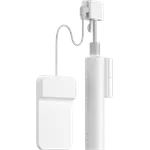
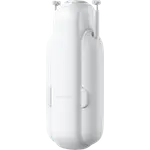
The Curtain 3 clips onto an existing rod or ceiling track and turns the curtains you already have into something that opens at sunrise, with no drilling, no new hardware and no measuring. It is the strongest retrofit curtain driver in this catalog on paper, rated for 15 kg of fabric and quoted below 25 dB in silent mode, and owners consistently describe the install as the easy part. The catch is that everything beyond the phone app, from voice control to sunrise triggers, runs through a SwitchBot hub that is sold separately, and heavy or slightly bent rails are where the motor struggles.
- Renters
- Hard to reach windows
- Bedroom wake-up routines
- Existing curtain rails
Pros
- Clips onto an existing rod or rail with no tools and no drilling
- Rated for curtains up to 15 kg, the highest in this category
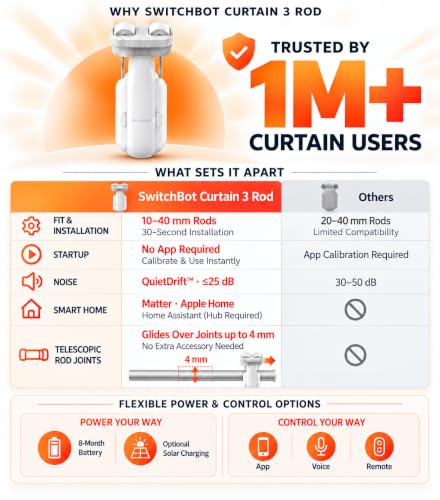
- Silent mode runs below 25 dB, quiet enough for a bedroom
- Touch and Go: a pull on the fabric finishes the movement by hand
- Works locally with Home Assistant over Bluetooth, with no SwitchBot hub
Cons
- Voice assistants, Matter and sunrise triggers all need a SwitchBot hub, sold separately
- The light sensor is in the optional solar panel, not in the motor
- Heavy drapes or a bent rail cause sticking and repeated recalibration
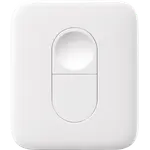
- No physical remote in the box
Who is the SwitchBot Curtain 3 for?
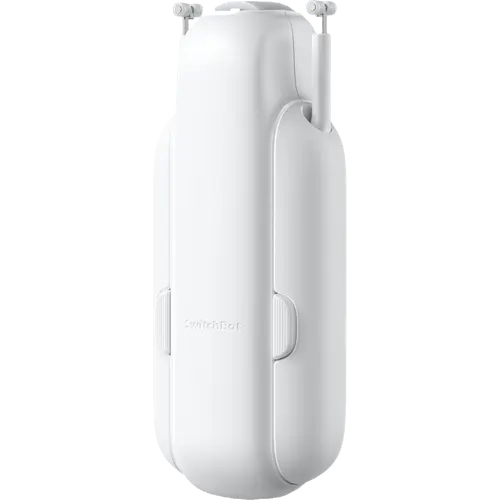
This is the answer for a window whose curtains you like and do not want to replace. The motor grips a U rail, an I rail or a curtain rod, walks along it and drags the fabric with it, so nothing about the room changes visually and nothing gets drilled. That makes it the obvious pick for a rented flat, and owners repeatedly reach for it on the windows they cannot physically reach, where a manual pull means fetching a ladder. Pair it with the sunrise schedule and the curtain becomes an alarm clock: several owners describe waking up to natural light as the reason they bought a second one.
What buyers love
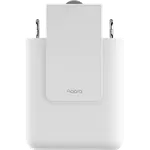
Installation is the single most praised thing about it. It ships with a set of adapters for different rail and rod types, the app plays a video walkthrough, and owners with no smart home experience describe getting it running without modifying the rod at all. The build quality gets the same treatment: solid, heavy, well packaged. Once it is up, the automation is what keeps people happy, and the pattern in the reviews is that a first unit turns into a second and a third for other rooms. Battery life holds up under daily use, and the optional solar panel removes the recharge entirely.
What to know before you buy
The motor is a battery-powered device with Bluetooth, and that is all it is on its own. Alexa, Google Home, Apple Home and SmartThings all arrive through a SwitchBot hub, over Matter in the case of the Hub 2, and so do sunrise and sunset triggers, which need the location the cloud provides. The on-device schedule works without one, but it is clock based. The other recurring theme is physical: the rating is 15 kg, and thick lined drapes on an imperfect rail are where owners report the unit crawling, sticking or needing recalibration. One owner reported an audible high-frequency whine their dog reacted to. And the light sensor everyone talks about lives in the solar panel, not in the motor.
Is the SwitchBot Curtain 3 worth it?
Against a made to measure motorised covering it is a fraction of the cost per window and installs in minutes rather than after a site visit, which is the whole argument for a retrofit driver. Against its own siblings it is the one to buy if the covering is a curtain rather than a blind. Budget for the hub if you want voice or sun-based automation, and for the solar panel if the window is high up, because those two accessories are what turn it from a phone-controlled gadget into something nobody in the house thinks about.
Frequently asked questions
Do I need a SwitchBot hub for the Curtain 3?
Not to use it. Bluetooth control from the SwitchBot app and the on-device clock schedule both work on their own. You need a hub for remote access, for Alexa, Google Home, Apple Home and SmartThings, for Matter, and for sunrise and sunset triggers, which depend on a location the hub supplies.
How heavy a curtain can it pull?
SwitchBot rates it for 15 kg. That covers most lined curtains, but the practical limit is friction as much as weight: a rail with a kink in it, or gliders that bind, will stop a motor well below its rating.
Will it fit my curtain rail?
It supports U rails, I rails through an accessory kit, and rods, with an extendable rod needing a diameter of 5/8 inch or more. Check the rail type before ordering, since the rod and rail versions are different products.
How long does the battery last?
SwitchBot quotes eight months on a full charge from its 3350 mAh cell, recharged over USB-C. The optional solar panel keeps it topped up indefinitely and is the accessory worth adding on a window you cannot easily reach.
Does it work with Home Assistant?
Yes, and without a SwitchBot hub. Home Assistant talks to it directly over Bluetooth through the official SwitchBot integration, and owners running an ESPHome Bluetooth proxy use that to cover windows out of range of the machine itself.