Heiman HS1VS Vibration Sensor Review: Three Years of Battery on a Zigbee Shock Detector
The Heiman HS1VS is a small Zigbee sensor that detects vibration, which makes it the right tool for things a contact sensor cannot cover: someone striking a window, moving a safe or forcing a door that never actually opens. Sensitivity is adjustable, so it can be tuned to ignore everyday knocks, and it raises vibration and low battery alerts into automations. Battery life is a stated three years on two AAA cells. Its integration list is short, though: Home Assistant is the only supported platform, and it needs a Zigbee hub.
- Window and glass protection
- Safes, cabinets and valuables
- Home Assistant security setups
- Long-life battery sensors
Pros
- Detects vibration, catching attempts a contact sensor would miss
- Adjustable sensitivity to avoid false alerts
- Three year battery life on two AAA cells
- Low battery alerts
- Automation support in Home Assistant
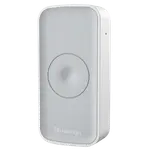
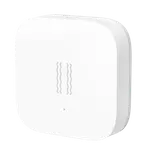
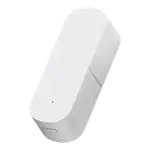
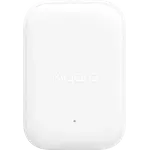
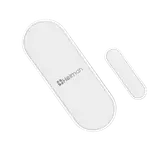
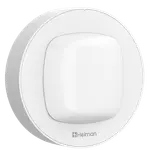
- Slim body that mounts discreetly
- Low price
Cons
- Home Assistant only: no Alexa, Google Home, HomeKit, IFTTT or Matter
- Requires a Zigbee hub, with no Wi-Fi or Bluetooth option
- No sounder on the device itself
- Tilt and drop detection are not documented
- Warranty terms are not documented
Who is the Heiman HS1VS for?
Vibration sensing fills the gap between a contact sensor and a camera. A contact sensor only reports a door or window that opens, so an attempt that breaks glass, rattles a frame or shifts a safe goes unnoticed. Stick a vibration sensor to that surface and the attempt itself becomes the trigger. This one is built for Home Assistant users running a Zigbee network, and it works well as the input to an automation that turns on lights, starts a siren or sends a notification.
What it does
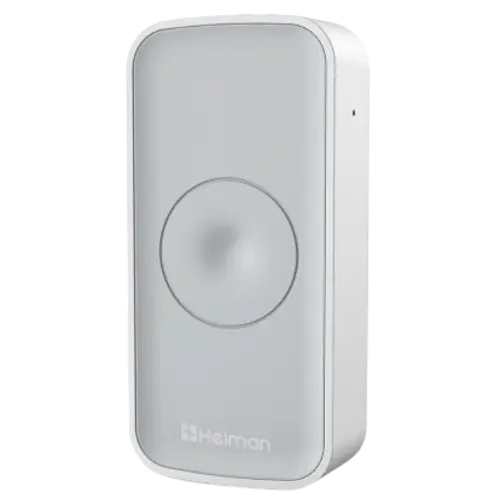
The sensor reports vibration and can raise vibration alerts, with adjustable sensitivity that is the difference between a useful sensor and a nuisance one: too sensitive and passing traffic sets it off, too dull and it misses the event. It also warns when the batteries are running low, which matters for a device you mount and forget. Two AAA cells give a stated three years of life, helped by Zigbee's low power design, and the slim 36.6 x 76 x 16.5 mm body mounts unobtrusively on a window frame or the side of a cabinet.
What to know before you buy
Platform support is narrow: Home Assistant is the only integration, with no Google Home, Alexa, Apple HomeKit, IFTTT or Matter, so this is a device for a self-hosted setup rather than a voice assistant home. A Zigbee hub is required, and there is no Wi-Fi or Bluetooth alternative. There is no sounder on the device itself, so the alert has to come from your phone or from another device in the automation. Tilt and drop detection are not documented for this model, so if you want to know that something was tipped or dropped rather than just knocked, check before buying.
Is the Heiman HS1VS worth it?
It is inexpensive, and vibration sensors tend to be bought in small numbers for specific spots (a ground floor window, a garage door, a safe), so the price per protected point is low. The three year battery life keeps the maintenance cost down too. The limiting factor is the platform: if you run Home Assistant with Zigbee, it slots straight in, and if you do not, look for a sensor with broader support.
Frequently asked questions
What is a vibration sensor useful for?
Detecting impact or movement on a surface: someone striking a window, forcing a door that does not open, or moving a safe or cabinet. A contact sensor only reports an actual opening, so vibration covers the attempt.
Does the Heiman HS1VS need a hub?
Yes. It is a Zigbee device, so a Zigbee hub is required.
Which platforms support it?
Home Assistant only. Google Home, Alexa, Apple HomeKit, IFTTT and Matter are not supported.
How long does the battery last?
A stated three years on two AAA batteries, and it raises a low battery alert before they run out.
Does it make a noise when triggered?
No. There is no on-device alert sound, so the notification comes from your phone or from another device in your automation.