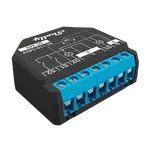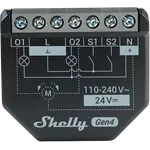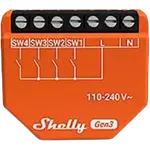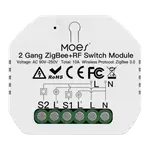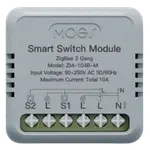

Moes ZigBee 3.0 RF Switch Module 2 Gang Review: Two Smart Lights Behind One Wall Switch
The Moes ZigBee 3.0 RF Switch Module 2 Gang fits behind a wall switch and makes two light circuits smart while the existing switches keep working. Owners call it compact, reliable once running and good value, with Alexa through the Tuya app and quick discovery in Home Assistant. Nearly every complaint is about setup: the instructions are poorly translated, the pairing sequence is easy to get wrong, it needs a neutral wire and a Zigbee hub, and it is rated for resistive loads only.
- Home Assistant and Zigbee homes
- Smart lighting retrofits
- Tuya and Smart Life users
- Keeping existing wall switches
Pros
- Two relay channels in a compact in-wall module
- Existing wall switches keep working, push button or toggle
- Quick discovery in Home Assistant over Zigbee
- Works with Alexa and Google Home through the Tuya app
- Acts as a Zigbee router to extend the mesh
- Local control
Cons
- Poorly translated instructions and a fiddly pairing sequence
- Needs a Zigbee hub and a neutral wire
- Resistive loads only, up to 5A
- Inputs support on and off only, no multi-press scenes
- No Apple Home, SmartThings or Matter support
Who is the Moes 2 Gang Zigbee module for?
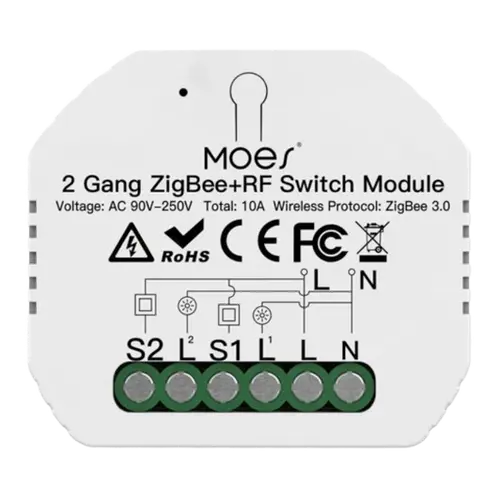
It is for someone comfortable wiring a module into a wall box who wants two lights, or two circuits, on Zigbee without replacing the switches people already use. The 18 x 47 x 52 mm module takes live and neutral, drives two outputs, and wires the existing switch or two-way switch into its inputs, so the wall switch still works locally. It needs a Zigbee hub (a Tuya gateway, or a coordinator for Home Assistant) and has no Wi-Fi of its own.
What buyers love
Once it is paired, owners describe it as doing exactly what they wanted and working without problems for long stretches. Its small size gets praise, and one owner liked that the inputs recognise automatically whether a push button or a toggle switch is connected, while another found it copes with long wire runs to the switch better than a competing relay. Home Assistant users report it being recognised immediately through ZHA, and owners on the Tuya app report good Alexa integration. Because it is mains powered it also acts as a Zigbee router, and one owner moving from another system noticed the signal reaching further.
What to know before you buy
Pairing is the recurring headache. Owners describe instructions in poorly translated English, with no local language for some, and a sequence that is easy to miss: toggling the connected wall switch about ten times, or holding the module's button well past the first two beeps until it beeps continuously, both worked where a quick press did not. It needs a Zigbee hub, so an Echo alone did not work for one owner who expected direct pairing, and app labels in some languages are oddly translated. A neutral wire is required, loads are resistive only at up to 5A with no inductive or capacitive rating, the inputs only switch on and off (no double-press or long-press scenes), and one owner noticed a slight delay between pressing the wall switch and the light coming on. There is no Apple Home, SmartThings or Matter support and no energy monitoring.
Is the Moes 2 Gang Zigbee module worth it?
For a Zigbee or Home Assistant setup, yes: it is an inexpensive way to automate two lighting circuits from one wall box while keeping the switches, and owners who get past pairing say they will buy more. Anyone who wants app-free, hub-free setup, Apple Home support or a module rated for motors and fans should look elsewhere.
Frequently asked questions
Does the Moes 2 Gang module need a neutral wire?
Yes. It takes live and neutral at the module, then drives the two light outputs, with the wall switches wired into its inputs.
Does it need a hub?
Yes. It is a Zigbee device with no Wi-Fi, so it needs a Zigbee hub: a Tuya Zigbee gateway for the Smart Life app, or a Zigbee coordinator for Home Assistant.
Does it work with Home Assistant?
Yes. It pairs with Home Assistant over Zigbee, and owners report it being recognised immediately through ZHA.
How do I put it into pairing mode?
Owners had most success either toggling the connected wall switch about ten times in a row, or holding the module's button past the first two beeps until it beeps continuously, then searching from the hub.
Can it switch fans or motors?
It is rated for resistive loads up to 5A and has no inductive or capacitive rating, so it is meant for lighting rather than motors.